

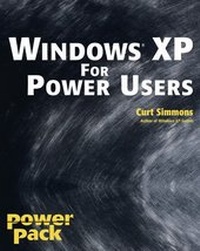
Windows XP for Power Users
Power Pack
1st Edition
Published on 2. January 2004
Book
Paperback/Softback
504 pages
978-0-7645-4998-4 (ISBN)
Description
* Shows power users how to take Windows XP to the next level, focusing on functionality, networking, and overall performance
* Features to-the-point coverage that skips introductory explanations and focuses instead on the real-world tips and tricks power users need to become more productive
* Written in a friendly, approachable style by experienced XP author and power user Curt Simmons
* Topics covered include scripting, managing applications, making the most of digital media, power management, hardware management, the registry and file systems, security, auditing, backup and data storage, system performance, system recovery, Microsoft's popular download XP Power Toys, networking, and wireless
* Features to-the-point coverage that skips introductory explanations and focuses instead on the real-world tips and tricks power users need to become more productive
* Written in a friendly, approachable style by experienced XP author and power user Curt Simmons
* Topics covered include scripting, managing applications, making the most of digital media, power management, hardware management, the registry and file systems, security, auditing, backup and data storage, system performance, system recovery, Microsoft's popular download XP Power Toys, networking, and wireless
More details
Edition
1., Auflage
Language
English
Place of publication
Foster City
United States
Publishing group
John Wiley & Sons Inc
Target group
College/higher education
Professional and scholarly
Illustrations
Illustrations
Dimensions
Height: 23.4 cm
Width: 18.9 cm
Thickness: 26 mm
Weight
709 gr
ISBN-13
978-0-7645-4998-4 (9780764549984)
Schweitzer Classification
Other editions
Additional editions
Person
Curt Simmons is a technical trainer and author of more than thirty books on Microsoft(r) and Internet technologies, including several bestsellers. Considered an expert on Microsoft Office and Windows, he recently penned Windows XP Secrets, Windows XP Headaches, Windows XP Networking Inside Out and How to Do Everything with Windows XP.
Content
Preface.
Acknowledgments.
Chapter 1: Configuring the Windows XP Interface.
Chapter 2: Managing Users.
Chapter 3: Working with Applications.
Chapter 4: Using Digital Media on Windows XP.
Chapter 5: Startup, Shutdown, and Power Management.
Chapter 6: Managing Hardware on Windows XP.
Chapter 7: Managing the Hard Disk.
Chapter 8: Working with Folders and Files.
Chapter 9: Working with the Registry.
Chapter 10: Working with the Microsoft Management Console.
Chapter 11: Networking on a Workgroup.
Chapter 12: Networking in Windows Networks.
Chapter 13: Remote Networking.
Chapter 14: Internet Access, ICS, and ICF.
Chapter 15: Sharing and Security.
Chapter 16: Auditing and Disk Quotas.
Chapter 17: Backing Up and Restoring Data.
Chapter 18: Monitoring and Managing System Performance.
Chapter 19: System Failure and Recovery.
Chapter 20: Customizing with Windows XP PowerToys.
Chapter 21: Scripting with Windows XP.
Appendix A: Windows XP Installation Options.
Appendix B: Using the Command Console.
Appendix C: Helpful Windows XP Utilities.
Index.
Acknowledgments.
Chapter 1: Configuring the Windows XP Interface.
Chapter 2: Managing Users.
Chapter 3: Working with Applications.
Chapter 4: Using Digital Media on Windows XP.
Chapter 5: Startup, Shutdown, and Power Management.
Chapter 6: Managing Hardware on Windows XP.
Chapter 7: Managing the Hard Disk.
Chapter 8: Working with Folders and Files.
Chapter 9: Working with the Registry.
Chapter 10: Working with the Microsoft Management Console.
Chapter 11: Networking on a Workgroup.
Chapter 12: Networking in Windows Networks.
Chapter 13: Remote Networking.
Chapter 14: Internet Access, ICS, and ICF.
Chapter 15: Sharing and Security.
Chapter 16: Auditing and Disk Quotas.
Chapter 17: Backing Up and Restoring Data.
Chapter 18: Monitoring and Managing System Performance.
Chapter 19: System Failure and Recovery.
Chapter 20: Customizing with Windows XP PowerToys.
Chapter 21: Scripting with Windows XP.
Appendix A: Windows XP Installation Options.
Appendix B: Using the Command Console.
Appendix C: Helpful Windows XP Utilities.
Index.