

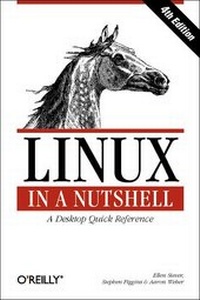
Linux in a Nutshell
4th Edition
Published on 29. July 2003
Book
Paperback/Softback
944 pages
978-0-596-00482-8 (ISBN)
Description
This is an essential desktop reference for the commands that users of Linux utilize every day, with the depth of information and the practical, succinct "In a Nutshell" format that made the previous editions so popular. Comprehensive but concise, Linux in a Nutshell covers all substantial user, programming, administration, and networking commands for the most common Linux distributions. It's several quick references rolled into one: sed, gawk, RCS, CVS, vi, Emacs, bash, tcsh, regular expressions, package management, bootloaders, and desktop environments are all covered in this clear, to-the-point volume, along with core command-line utilities. The fourth edition continues to track the major changes in bootloaders, the GNOME and KDE desktops, and general Unix commands. Several commands related to CDs and music reflect the evolution of multimedia on Linux. Coverage has been added for GRUB, which has become the default bootloader on several Linux distributions, and for vim, the popular and feature-loaded extension to vi. The addition of several new options to the iptables firewall command and new commands related to DNSSEC and ssh show the book's value as a security tool.
With this book, you no longer have to grope through long manpages and info documents for the information you need; you'll find it here in clear language and an easy-to-read format. Contents include:programming, system administration, networking, and user commands with complete lists of options GRUB, LILO, and Loadlin bootloaders; shell syntax and variables for the bash, csh, and tcsh shells; pattern matching; E macs, vi, and vim editing commands sed and gawk commands; the GNOME and KDE desktops and the fvwm2 window manager Red Hat; and Debian package managers.
With this book, you no longer have to grope through long manpages and info documents for the information you need; you'll find it here in clear language and an easy-to-read format. Contents include:programming, system administration, networking, and user commands with complete lists of options GRUB, LILO, and Loadlin bootloaders; shell syntax and variables for the bash, csh, and tcsh shells; pattern matching; E macs, vi, and vim editing commands sed and gawk commands; the GNOME and KDE desktops and the fvwm2 window manager Red Hat; and Debian package managers.
Reviews / Votes
"This is one desktop companion which confident Linux users simply cannot be without." Linux User, November 2003 "The best way to sum this book up is with the original reviewer's words: "If you don't lock your office, this will be the first thing that a techie colleague will steal!"." Linux Format, September "...anyone serious about Linux programming and administration needs this book...The authors are to be congratulated for the scope of coverage, as here's enough here about both the vi and Emacs editing systems, desktop set-ups and packages, as well as a nod to multimedia use. " - Gary Flood, IT Training, October 2004More details
Edition
4., Aufl.
Language
English
Place of publication
Sebastopol
United States
Target group
College/higher education
Professional and scholarly
Edition type
Revised edition
Illustrations
index
Dimensions
Height: 229 mm
Width: 155 mm
Thickness: 44 mm
Weight
1111 gr
ISBN-13
978-0-596-00482-8 (9780596004828)
Schweitzer Classification
Other editions
New editions
Book
10/2009
6th Edition
O'Reilly
€60.50
Shipment within 10-20 days

Ellen Siever, Aaron Weber, Stephen Figgins, Robert Love & Arnold Robbins
Linux in a Nutshell
Book
08/2005
1st Edition
O'Reilly
€43.00
Article exhausted; check for reprint
Previous edition
Ellen Siever | Stephen Spainhour | Stephen Figgins
Linux in a Nutshell
Book
09/2000
3rd Edition
O'Reilly
€29.00
Article exhausted; check for reprint
Persons
Ellen Siever is a writer and editor specializing in Linux and other open source topics. In addition to Linux in a Nutshell, she co-authored Perl in a Nutshell. She is a long-time Linux and Unix user, and was a programmer for many years until she decided that writing about computers was more fun. Stephen Figgins is a computer hacker, animal tracker, musician and student of the humanities. His ambition is to gain a deep and powerful native awareness of both the Noosphere and the Biosphere and share that with others. For five years he made his living as O'Reilly's book answer guy, drinking in the knowledge contained in their tomes. Now, having returned to the valley of the Kaw River on the eastern edge of the free state of Kansas, he uses his knowledge to make a living as a writer, editor and consultant. Aaron Weber is a technical writer for Ximian, Inc. and wrote the manual for Ximian Evolution, Red Carpet, and Red Carpet Enterprise, as well as a section on GNOME in Running Linux. He's also published in Interex Enterprise Solutions (interex.com) and Boston's Weekly Dig (www.weeklydig.com), and is the host of secretlyironic.com.
Content
Preface 1. Introduction The Excitement of Linux Distribution and Support Commands on Linux What This Book Offers Sources and Licenses Beginner's Guide 2. System and Network Administration Overview Common Commands Overview of Networking Overview of TCP/IP Overview of Firewalls and Masquerading Overview of NFS Overview of NIS Administering NIS RPC and XDR 3. Linux Commands Alphabetical Summary of Commands 4. Boot Methods The Boot Process LILO: The Linux Loader GRUB: The Grand Unified Bootloader GRUB Commands Loadlin: Booting from MS-DOS Dual-Booting Linux and Windows NT/2000/XP Boot-Time Kernel Options initrd: Using a RAM Disk 5. Red Hat and Debian Package Managers The Red Hat Package Manager The Debian Package Manager 6. The Linux Shells: An Overview Purpose of the Shell Shell Flavors Common Features Differing Features 7. bash: The Bourne-Again Shell Invoking the Shell Syntax Variables Arithmetic Expressions Command History Job Control Built-in Commands 8. tcsh: An Extended C Shell Overview of Features Invoking the Shell Syntax Variables Expressions Command History Command-Line Manipulation Job Control Built-in Commands 9. Pattern Matching Filenames Versus Patterns Metacharacters, Listed by Linux Program Metacharacters Examples of Searching 10. The Emacs Editor Emacs Concepts Typical Problems Notes on the Tables Summary of Commands by Group Summary of Commands by Key Summary of Commands by Name 11. The vi Editor Review of vi Operations vi Command-Line Options ex Command-Line Options Movement Commands Edit Commands Saving and Exiting Accessing Multiple Files Window Commands Interacting with the Shell Macros Miscellaneous Commands Alphabetical List of Keys in Command Mode Syntax of ex Commands Alphabetical Summary of ex Commands vi Configuration 12. The sed Editor Command-Line Syntax Syntax of sed Commands Group Summary of sed Commands Alphabetical Summary of sed Commands 13. The gawk Scripting Language Command-Line Syntax Patterns and Procedures gawk System Variables PROCINFO Array Operators Variable and Array Assignments Group Listing of gawk Commands Alphabetical Summary of Commands 14. RCS Overview of RCS Commands Basic RCS Operations General RCS Specifications Alphabetical Summary of RCS Commands 15. CVS Basic Concepts CVS Command Format Common Global Options Gotchas CVS Administrator Reference CVS User Reference 16. Graphical Desktop Overview Desktop Environments and Window Managers Desktop Differences: Development 17. GNOME Desktop Overview The Panel The GNOME Menu and the Menu Panel Menus The GNOME Control Center History and Changes in GNOME 2 18. KDE Desktop Overview The Panel The KDE Control Center 19. An Alternative Window Manager: fvwm2 Running fvwm2 Implementing Window Manager Customizations Adding Keyboard Shortcuts Customizing Menus The WinList: Switching the Focus Index