

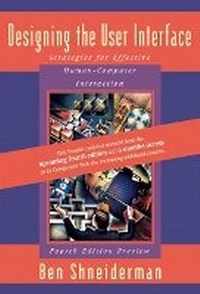
Designing the User Interface
Fourth Edition Preview
3rd Edition
Published on 21. August 2003
Book
Mixed media product
640 pages
978-0-321-20058-7 (ISBN)
Description
Shneiderman's Designing the User Interface: Fourth Edition Preview consists of the third edition of the text along with a free booklet containing material from the upcoming new edition and six months access to a companion Web site featuring additional content. The preview material includes two updated chapters and new content from the upcoming fourth edition of the book.
Designing the User Interface provides a complete, current, and an authoritative introduction to user-interface design. Students will learn practical techniques and guidelines needed to develop good systems designs-systems with interfaces the typical user can understand, predict, and control. The book covers a wide variety of topics, including the World Wide Web, information visualization, and computer-supported cooperative work. It contains early coverage of development methodologies, evaluation techniques, and user-interface building tools. The author provides provocative discussion of speech input/output, natural-language interaction, anthropomorphic design, virtual environments, and intelligent (software) agents.
Designing the User Interface provides a complete, current, and an authoritative introduction to user-interface design. Students will learn practical techniques and guidelines needed to develop good systems designs-systems with interfaces the typical user can understand, predict, and control. The book covers a wide variety of topics, including the World Wide Web, information visualization, and computer-supported cooperative work. It contains early coverage of development methodologies, evaluation techniques, and user-interface building tools. The author provides provocative discussion of speech input/output, natural-language interaction, anthropomorphic design, virtual environments, and intelligent (software) agents.
More details
Edition
3rd edition
Language
English
Place of publication
United States
Publishing group
Pearson Education (US)
Target group
College/higher education
Dimensions
Width: 241 mm
Thickness: 41 mm
Weight
1235 gr
ISBN-13
978-0-321-20058-7 (9780321200587)
Copyright in bibliographic data and cover images is held by Nielsen Book Services Limited or by the publishers or by their respective licensors: all rights reserved.
Schweitzer Classification
Other editions
New editions
Ben Shneiderman | Catherine Plaisant
Designing the User Interface
Strategies for Effective Human-Computer Interaction: United States Edition
Book
05/2004
4th Edition
Pearson
€71.79
Article is exhausted; no reprint
Content
FOR PREVIEW BOOKLET:
1. Human Factors of Interactive Software.
2. Theories, Principles, and Guidelines.
Essay 1: Universal Usability: Pushing Human-Computer Interaction Research to Empower Every Citizen.
Essay 2: ACM's Computing Professionals Face New Challenges.
Essay 3: Designing Trust into Online Experiences.
Essay 4: A Photo History of SIGCHI: Evolution of Design from Personal to Public.
FOR THIRD EDITION OF BOOK:
(each chapter begins with an introduction and ends with a Practitioner's Summary and Researcher's Agenda.).
1. Human Factors of Interactive Software.
Goals of System Engineering.
Goals of User-Interface Design.
Motivations for Human Factors in Design.
Accommodation of Human Diversity.
Goals for Our Profession.
2. Theories, Principles, and Guidelines.
High-Level Theories.
Object-Action Interface Model.
Principle 1: Recognize Diversity.
Principle 2: Use the Eight Golden Rules of Interface Design.
Principle 3: Prevent Errors.
Guidelines for Data Display.
Guidelines for Data Entry.
Balance of Automation and Human Control.
3. Managing Design Processes.
Organizational Design to Support Usability.
The Three Pillars of Design.
Development Methodologies.
Ethnographic Observation.
Participatory Design.
Scenario Development.
Social Impact on Statement for Early Design Review.
Legal Issues.
4. Expert Reviews, Usability Testing, Surveys, and Continuing Assessments.
Expert Reviews.
Usability Testing and Laboratories.
Surveys.
Acceptance Tests.
Evaluation During Active Use.
Controlled Psychologically Oriented Experiments.
5. Software Tools.
Specification Methods.
Interface-Building Tools.
Evaluation and Critiquing Tools.
6. Direct Manipulation and Virtual Environments.
Examples of Direct-Manipulation Systems.
Explanations of Direct Manipulation.
Visual Thinking Icons.
Direct-Manipulation Programming.
Home Automation.
Remote Direct Manipulation.
Virtual Environments.
7. Menu Selection, Form Fillin, and Dialog Boxes.
Task-Related Organization.
Item Presentation Sequence.
Response Time and Display Rate.
Fast Movement Through Menus.
Menu Layout.
Form Fillin.
Dialog Boxes.
8. Command and Natural Languages.
Functionality to Support Users' Tasks.
Command-Organization Strategies.
The Benefits of Structure.
Naming and Abbreviations.
Command Menus.
Natural Language in Computing.
9. Interaction Devices.
Keyboards and Function Keys.
Pointing Devices.
Speech Recognition, Digitization, and Generation.
Image and Video Displays.
Printers.
10. Response Time and Display Rate.
Theoretical Foundations.
Expectations and Attitudes.
User Productivity.
Variability.
11. Presentation Styles: Balancing Function and Fashion.
Error Messages.
Nonanthropomorphic Design.
Display Design.
Color.
12. Printed Manuals, Online Help, and Tutorials.
Reading from Paper versus from Displays.
Preparation of Printed Manuals.
Preparation of Online Facilities.
13. Multiple-Window Strategies.
Individual-Window Design.
Multiple-Window Design.
Coordination by Tightly-Coupled Windows.
Personal Role Management and Elastic Windows.
14. Computer-Supported Cooperative Work.
Goals of Cooperation.
Asynchronous Interactions: Different Time, Different Place.
Synchronous Distributed: Different Place, Same Times.
Face to Face: Same Place, Same Time.
Applying CSCW to Education.
15. Information Search and Visualization.
Database Query and Phrase Search in Textual Documents.
Multimedia Document Searches.
Information Visualization.
Advanced Filtering.
16. Hypermedia and the World Wide Web.
Hypertext and Hypermedia.
World Wide Web.
Genres and Goals and Designers.
Users and Their Tasks.
Object-Action Interface Model For Web Site Design.
Afterword: Societal and Individual Impact of User Interfaces.
Name Index.
Subject Index.
1. Human Factors of Interactive Software.
2. Theories, Principles, and Guidelines.
Essay 1: Universal Usability: Pushing Human-Computer Interaction Research to Empower Every Citizen.
Essay 2: ACM's Computing Professionals Face New Challenges.
Essay 3: Designing Trust into Online Experiences.
Essay 4: A Photo History of SIGCHI: Evolution of Design from Personal to Public.
FOR THIRD EDITION OF BOOK:
(each chapter begins with an introduction and ends with a Practitioner's Summary and Researcher's Agenda.).
1. Human Factors of Interactive Software.
Goals of System Engineering.
Goals of User-Interface Design.
Motivations for Human Factors in Design.
Accommodation of Human Diversity.
Goals for Our Profession.
2. Theories, Principles, and Guidelines.
High-Level Theories.
Object-Action Interface Model.
Principle 1: Recognize Diversity.
Principle 2: Use the Eight Golden Rules of Interface Design.
Principle 3: Prevent Errors.
Guidelines for Data Display.
Guidelines for Data Entry.
Balance of Automation and Human Control.
3. Managing Design Processes.
Organizational Design to Support Usability.
The Three Pillars of Design.
Development Methodologies.
Ethnographic Observation.
Participatory Design.
Scenario Development.
Social Impact on Statement for Early Design Review.
Legal Issues.
4. Expert Reviews, Usability Testing, Surveys, and Continuing Assessments.
Expert Reviews.
Usability Testing and Laboratories.
Surveys.
Acceptance Tests.
Evaluation During Active Use.
Controlled Psychologically Oriented Experiments.
5. Software Tools.
Specification Methods.
Interface-Building Tools.
Evaluation and Critiquing Tools.
6. Direct Manipulation and Virtual Environments.
Examples of Direct-Manipulation Systems.
Explanations of Direct Manipulation.
Visual Thinking Icons.
Direct-Manipulation Programming.
Home Automation.
Remote Direct Manipulation.
Virtual Environments.
7. Menu Selection, Form Fillin, and Dialog Boxes.
Task-Related Organization.
Item Presentation Sequence.
Response Time and Display Rate.
Fast Movement Through Menus.
Menu Layout.
Form Fillin.
Dialog Boxes.
8. Command and Natural Languages.
Functionality to Support Users' Tasks.
Command-Organization Strategies.
The Benefits of Structure.
Naming and Abbreviations.
Command Menus.
Natural Language in Computing.
9. Interaction Devices.
Keyboards and Function Keys.
Pointing Devices.
Speech Recognition, Digitization, and Generation.
Image and Video Displays.
Printers.
10. Response Time and Display Rate.
Theoretical Foundations.
Expectations and Attitudes.
User Productivity.
Variability.
11. Presentation Styles: Balancing Function and Fashion.
Error Messages.
Nonanthropomorphic Design.
Display Design.
Color.
12. Printed Manuals, Online Help, and Tutorials.
Reading from Paper versus from Displays.
Preparation of Printed Manuals.
Preparation of Online Facilities.
13. Multiple-Window Strategies.
Individual-Window Design.
Multiple-Window Design.
Coordination by Tightly-Coupled Windows.
Personal Role Management and Elastic Windows.
14. Computer-Supported Cooperative Work.
Goals of Cooperation.
Asynchronous Interactions: Different Time, Different Place.
Synchronous Distributed: Different Place, Same Times.
Face to Face: Same Place, Same Time.
Applying CSCW to Education.
15. Information Search and Visualization.
Database Query and Phrase Search in Textual Documents.
Multimedia Document Searches.
Information Visualization.
Advanced Filtering.
16. Hypermedia and the World Wide Web.
Hypertext and Hypermedia.
World Wide Web.
Genres and Goals and Designers.
Users and Their Tasks.
Object-Action Interface Model For Web Site Design.
Afterword: Societal and Individual Impact of User Interfaces.
Name Index.
Subject Index.