

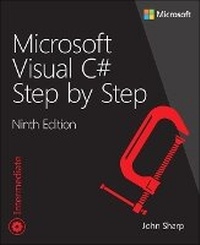
Microsoft Visual C# Step by Step
9th Edition
Published on 24. September 2018
Book
Paperback/Softback
832 pages
978-1-5093-0776-0 (ISBN)
Description
Your hands-on guide to Microsoft Visual C# fundamentals with Visual Studio 2017
Expand your expertise--and teach yourself the fundamentals of programming with the latest version of Visual C# with Visual Studio 2017. If you are an experienced software developer, you'll get all the guidance, exercises, and code you need to start building responsive, scalable, cloud-connected applications that can run almost anywhere. .
Discover how to:
Quickly start creating Visual C# code and projects with Visual Studio 2017
Work with variables, operators, expressions, methods, and program flow
Build more robust apps with error, exception, and resource management
Spot problems fast with the Visual Studio debugger
Make the most of improvements to C# methods, parameters, and switch statements
Master the C# object model, and create your own functional data structures
Leverage advanced properties, indexers, generics, and collection classes
Create Windows 10 apps that share data, collaborate, and use cloud services
Integrate Cortana to voice-enable your applications
Perform complex queries over object collections with LINQ
Improve application throughput and response time with asynchronous methods
Use delegates and decoupling to construct highly extensible systems
Customize C# operator behavior over your own classes and structures
Streamline development with app templates
Implement the powerful Model-View-ViewModel (MVVM) pattern
Develop cloud-connected applications that seamlessly follow users across devices
Build UWP applications that retrieve complex data via REST and present it intuitively
Expand your expertise--and teach yourself the fundamentals of programming with the latest version of Visual C# with Visual Studio 2017. If you are an experienced software developer, you'll get all the guidance, exercises, and code you need to start building responsive, scalable, cloud-connected applications that can run almost anywhere. .
Discover how to:
Quickly start creating Visual C# code and projects with Visual Studio 2017
Work with variables, operators, expressions, methods, and program flow
Build more robust apps with error, exception, and resource management
Spot problems fast with the Visual Studio debugger
Make the most of improvements to C# methods, parameters, and switch statements
Master the C# object model, and create your own functional data structures
Leverage advanced properties, indexers, generics, and collection classes
Create Windows 10 apps that share data, collaborate, and use cloud services
Integrate Cortana to voice-enable your applications
Perform complex queries over object collections with LINQ
Improve application throughput and response time with asynchronous methods
Use delegates and decoupling to construct highly extensible systems
Customize C# operator behavior over your own classes and structures
Streamline development with app templates
Implement the powerful Model-View-ViewModel (MVVM) pattern
Develop cloud-connected applications that seamlessly follow users across devices
Build UWP applications that retrieve complex data via REST and present it intuitively
More details
Series
Edition
9th edition
Language
English
Place of publication
Boston
United States
Publishing group
Microsoft Press,U.S.
Target group
Professional and scholarly
Dimensions
Height: 226 mm
Width: 187 mm
Thickness: 40 mm
Weight
1340 gr
ISBN-13
978-1-5093-0776-0 (9781509307760)
Copyright in bibliographic data and cover images is held by Nielsen Book Services Limited or by the publishers or by their respective licensors: all rights reserved.
Schweitzer Classification
Other editions
New editions
John Sharp
Microsoft Visual C# Step by Step
Book
05/2022
10th Edition
Addison Wesley
€55.49
Shipment within 15-20 days
Previous edition

John Sharp
Microsoft Visual C# Step by Step
Book
10/2015
8th Edition
Microsoft Press
€50.12
Shipment within 3-4 weeks
Person
John Sharp is a principal technologist for CM Group Ltd, a software development and consultancy company in the United Kingdom. He is well versed as a software consultant, developer, author, and trainer, with more than 35 years of experience, ranging from Pascal programming on CP/M and C/Oracle application development on various flavors of UNIX to the design of C# and JavaScript distributed applications and development on Windows 10 and Microsoft Azure. He also spends much of his time writing courseware for Microsoft, focusing on areas such as Data Science using R and Python, Big Data processing with Spark and CosmosDB, and scalable application architecture with Azure.
Content
Introduction
PART I INTRODUCING MICROSOFT VISUAL C# AND MICROSOFT VISUAL STUDIO 2017
CHAPTER 1 Welcome to C#
CHAPTER 2 Working with variables, operators, and expressions
CHAPTER 3 Writing methods and applying scope
CHAPTER 4 Using decision statements
CHAPTER 5 Using compound assignment and iteration statements
CHAPTER 6 Managing errors and exceptions
PART II UNDERSTANDING THE C# OBJECT MODEL
CHAPTER 7 Creating and managing classes and objects
CHAPTER 8 Understanding values and references
CHAPTER 9 Creating value types with enumerations and structures
CHAPTER 10 Using arrays
CHAPTER 11 Understanding parameter arrays
CHAPTER 12 Working with inheritance
CHAPTER 13 Creating interfaces and defining abstract classes
CHAPTER 14 Using garbage collection and resource management
PART III DEFINING EXTENSIBLE TYPES WITH C#
CHAPTER 15 Implementing properties to access fields
CHAPTER 16 Handling binary data and using indexers
CHAPTER 17 Introducing generics
CHAPTER 18 Using collections
CHAPTER 19 Enumerating collections
CHAPTER 20 Decoupling application logic and handling events
CHAPTER 21 Querying in-memory data by using query expressions
CHAPTER 22 Operator overloading
PART IV BUILDING UNIVERSAL WINDOWS PLATFORM APPLICATIONS WITH C#
CHAPTER 23 Improving throughput by using tasks
CHAPTER 24 Improving response time by performing asynchronous operations
CHAPTER 25 Implementing the user interface for a Universal Windows Platform app
CHAPTER 26 Displaying and searching for data in a Universal Windows Platform app
CHAPTER 27 Accessing a remote database from a Universal Windows Platform app
PART I INTRODUCING MICROSOFT VISUAL C# AND MICROSOFT VISUAL STUDIO 2017
CHAPTER 1 Welcome to C#
CHAPTER 2 Working with variables, operators, and expressions
CHAPTER 3 Writing methods and applying scope
CHAPTER 4 Using decision statements
CHAPTER 5 Using compound assignment and iteration statements
CHAPTER 6 Managing errors and exceptions
PART II UNDERSTANDING THE C# OBJECT MODEL
CHAPTER 7 Creating and managing classes and objects
CHAPTER 8 Understanding values and references
CHAPTER 9 Creating value types with enumerations and structures
CHAPTER 10 Using arrays
CHAPTER 11 Understanding parameter arrays
CHAPTER 12 Working with inheritance
CHAPTER 13 Creating interfaces and defining abstract classes
CHAPTER 14 Using garbage collection and resource management
PART III DEFINING EXTENSIBLE TYPES WITH C#
CHAPTER 15 Implementing properties to access fields
CHAPTER 16 Handling binary data and using indexers
CHAPTER 17 Introducing generics
CHAPTER 18 Using collections
CHAPTER 19 Enumerating collections
CHAPTER 20 Decoupling application logic and handling events
CHAPTER 21 Querying in-memory data by using query expressions
CHAPTER 22 Operator overloading
PART IV BUILDING UNIVERSAL WINDOWS PLATFORM APPLICATIONS WITH C#
CHAPTER 23 Improving throughput by using tasks
CHAPTER 24 Improving response time by performing asynchronous operations
CHAPTER 25 Implementing the user interface for a Universal Windows Platform app
CHAPTER 26 Displaying and searching for data in a Universal Windows Platform app
CHAPTER 27 Accessing a remote database from a Universal Windows Platform app