

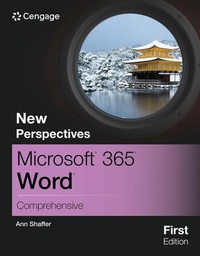
New Perspectives MicrosoftA (R) 365A (R) WordA (R) Comprehensive, First Edition
Will be published approx. on 21. May 2024
Book
Paperback/Softback
688 pages
978-0-357-88228-3 (ISBN)
Description
Using a unique in-depth, case-based approach, Shaffer's NEW PERSPECTIVES COLLECTION, MICROSOFT (R) 365 (R) WORD (R) COMPREHENSIVE, FIRST EDITION, thoroughly prepares you for the Microsoft (R) Office (R) Specialist (MOS) certification exam and success in your future career. As you apply Microsoft (R) Office (R) skills to real-world business scenarios based on Burning Glass market insights, you will sharpen your critical-thinking and problem-solving skills. Professional skills, tips and insights incorporated throughout provide context and relevancy to real-world practice. The text also offers updated coverage of Microsoft (R) 365 (R) features as well as enhanced support for Mac users. In addition, MindTap and up-to-date SAM (Skills Assessment Manager) online resources provide interactive study tools to help maximize your study time -- and your results.
More details
Language
English
Place of publication
Boston, MA
United States
Publishing group
Cengage Learning, Inc
Target group
College/higher education
Product notice
Paperback (trade)
Unsewn / adhesive bound
Dimensions
Height: 30 mm
Width: 210 mm
Thickness: 274 mm
Weight
1429 gr
ISBN-13
978-0-357-88228-3 (9780357882283)
Copyright in bibliographic data and cover images is held by Nielsen Book Services Limited or by the publishers or by their respective licensors: all rights reserved.
Schweitzer Classification
Other editions
Previous edition
Book
02/2023
Course Technology Inc
€248.50
Article not available at the moment
Person
Ms. Ann Shaffer is the author of NEW PERSPECTIVES ON MICROSOFT (R) WORD 365 and has contributed to many other Cengage publications. She has more than 30 years of experience as a developmental editor and co-author of books, journal articles and multimedia in a variety of fields, including computer science, mathematics, history, engineering and social sciences. She holds a master's degree in English from the University of Wisconsin-Madison.
Content
1. Creating and Editing a Document. WD 1-1.
Writing a Business Letter and Formatting a Flyer.
2. Navigating and Formatting a Document. WD 2-1.
Editing an Academic Document According to MLA Style.
3. Creating Tables and a Multipage Report. WD 3-1.
Writing a Recommendation.
4. Enhancing Page Layout and Design. WD 4-1.
Creating a Newsletter.
5. Working with Templates, Themes, and Styles. WD 5-1.
Creating a Summary Report.
6. Using Mail Merge. WD 6-1.
Creating a Form Letter, Mailing Labels, and a Phone Directory.
7. Collaborating with Others and Integrating Data. WD 7-1.
Preparing an Information Sheet.
8. Customizing Word and Automating Your Work. WD 8-1.
Automating a Template for a Tour Waiver.
9. Creating Online Forms Using Advanced Table Techniques. WD 9-1.
10. Managing Long Documents. WD 10-1.
Creating a Survey Report.
Writing a Business Letter and Formatting a Flyer.
2. Navigating and Formatting a Document. WD 2-1.
Editing an Academic Document According to MLA Style.
3. Creating Tables and a Multipage Report. WD 3-1.
Writing a Recommendation.
4. Enhancing Page Layout and Design. WD 4-1.
Creating a Newsletter.
5. Working with Templates, Themes, and Styles. WD 5-1.
Creating a Summary Report.
6. Using Mail Merge. WD 6-1.
Creating a Form Letter, Mailing Labels, and a Phone Directory.
7. Collaborating with Others and Integrating Data. WD 7-1.
Preparing an Information Sheet.
8. Customizing Word and Automating Your Work. WD 8-1.
Automating a Template for a Tour Waiver.
9. Creating Online Forms Using Advanced Table Techniques. WD 9-1.
10. Managing Long Documents. WD 10-1.
Creating a Survey Report.