

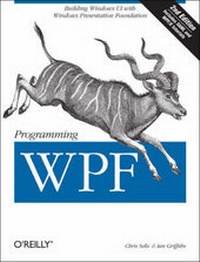
Programming WPF
Building Windows UI with Windows Presentation Foundation
2nd Edition
Published on 2. October 2007
Book
Paperback/Softback
863 pages
978-0-596-51037-4 (ISBN)
Description
If you want to build applications that take full advantage of Windows Vista's new user interface capabilities, you need to learn Microsoft's Windows Presentation Foundation (WPF). This new edition, fully updated for the official release of.NET 3.0, is designed to get you up to speed on this technology quickly. By page 2, you'll be writing a simple WPF application. By the end of Chapter 1, you'll have taken a complete tour of WPF and its major elements.
WPF is the new presentation framework for Windows Vista that also works with Windows XP. It's a cornucopia of new technologies, which includes a new graphics engine that supports 3-D graphics, animation, and more; an XML-based markup language, called XAML, for declaring the structure of your Windows UI; and a radical new model for controls.
This second edition includes new chapters on printing, XPS, 3-D, navigation, text and documents, along with a new appendix that covers Microsoft's new WPF/E platform for delivering richer UI through standard web browsers -- much like Adobe Flash. Content from the first edition has been significantly expanded and modified. Programming WPF includes:
* Scores of C# and XAML examples that show you what it takes to get a WPF application up and running, from a simple "Hello, Avalon" program to a tic-tac-toe game
* Insightful discussions of the powerful new programming styles that WPF brings to Windows development, especially its new model for controls
* A color insert to better illustrate WPF support for 3-D, color, and other graphics effects
* A tutorial on XAML, the new HTML-like markup language for declaring Windows UI
* An explanation and comparison of the features that support interoperability with Windows Forms and other Windows legacy applications
WPF represents the best of the control-based Windows world and the content-based web world. Programming WPF helps you bring it all together.
More details
Other editions
Additional editions
E-Book
08/2007
1st Edition
O'Reilly
€32.49
Available for download
E-Book
08/2007
O'Reilly
€41.99
Available for download
Previous edition
Chris Sells | Ian Griffiths
Programming Windows Presentation Foundation
Book
10/2005
1st Edition
O'Reilly
€32.00
Article exhausted; check for reprint
Person
Chris Sells is a Microsoft Software Legend and a Program Manager with the Distributed Systems Group at Microsoft. He is a frequent speaker at Microsoft events and a contributor to MSDN Magazine. He is author of the best-selling .NET developer title Windows Forms Programming in C#, and well as a companion VB version, and he is co-author of Mastering Visual Studio .NET. His weblog at http://www.sellsbrothers.com is popular with .NET developers for its zany and independent commentary on technology and geek culture.Ian Griffiths is an independent WPF consultant, developer, speaker and Pluralsight instructor and a widely recognized expert on the subject. He lives in London but can often be found on various developer mailing lists and newsgroups, where a popular sport is to see who can get him to write the longest email in reply to the shortest possible question. Ian maintains a popular blog at http://www.interact-sw.co.uk/iangblog/ and is co-author of "Windows Forms in a Nutshell" and of "Mastering Visual Studio .NET".
Content
Inhaltsverzeichnis
Forewords
Preface
1. Hello, WPF
WPF from Scratch
XAML Browser Applications (XBAPs)
Content Models
Layout
Controls
Data Binding
Dependency Properties
Resources
Styles
Animation
Control Templates
Graphics
3D
Documents and Printing
2. Applications and Settings
Application Lifetime
Application Deployment
Settings
3. Layout
Layout Basics
StackPanel
WrapPanel
DockPanel
Grid
Canvas
Viewbox
Common Layout Properties
When Content Doesn't Fit
ScrollViewer
Custom Layout
4. Input
Routed Events
Mouse Input
Keyboard Input
Ink Input
Commands
Code-Based Input Handling Versus Triggers
5. Controls
What Are Controls?
Buttons
Slider and Scroll Controls
ProgressBar
Text Controls
ToolTip
GroupBox and Expander
List Controls
Menus
Toolbars
GridSplitter
6. Simple Data Binding
Without Data Binding
Data Binding
Debugging Data Binding
7. Binding to List Data
Binding to List Data
Data Source Providers
Master-Detail Binding
Hierarchical Binding
8. Styles
Without Styles
Inline Styles
Named Styles
Element-Typed Styles
Data Templates and Styles
Triggers
9. Control Templates
Beyond Styles
Logical and Visual Trees
Data-Driven UI
10. Windows and Dialogs
Window
Dialogs
11. Navigation
NavigationWindow
Pages
Frames
XBAPs
Navigation to HTML
12. Resources
Creating and Using Resources
Resources and Styles
Binary Resources
Global Applications
13. Graphics
Graphics Fundamentals
Shapes
Bitmaps
Brushes and Pens
Transformations
Visual Layer Programming
14. Text and Flow Documents
Fonts and Text Styles
Text and the User Interface
Text Object Model
Typography
15. Printing and XPS
XPS
XPS Document Classes
Generating XPS Output
XPS File Generation Features
System.Printing
Displaying Fixed Documents
16. Animation and Media
Animation Fundamentals
Timelines
Keyframe Animations
Path Animations
Clocks and Control
Transition Animations
Audio and Video
17. 3D Graphics
3D Content in a 2D World
Cameras
Models
Lights
Textures
Transforms
3D Data Visualization
Hit Testing
18. Custom Controls
Custom Control Basics
Choosing a Base Class
Custom Functionality
Supporting Templates in Custom Controls
Default Styles
UserControl
Adorners
A. XAML
B. Interoperability
C. Asynchronous and Multithreaded WPF Programming
D. WPF Base Types
E. Silverlight
Index