

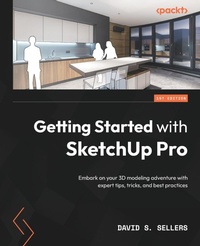
Getting Started with SketchUp Pro
Embark on your 3D modeling adventure with expert tips, tricks, and best practices
Published on 28. April 2023
Book
Paperback/Softback
658 pages
978-1-78980-018-0 (ISBN)
Description
Level up your 3D design skills with SketchUp Pro by employing real-world examples and design guidelines in this illustrated guide
Purchase of the print or Kindle book includes a free PDF eBook
Key Features
Put your architectural design knowledge to work by exploring practical examples
Gain a deeper understanding of SketchUp's GUI, modeling tools, and editing features
Execute full design creations with detailed steps without getting overwhelmed by SketchUp's advanced functionalities
Book DescriptionOwing to its ability to create models quickly and with high level of dimensional accuracy, SketchUp Pro has become a popular choice for many industries, including architecture, interior design, landscape architecture, and video game design. If you are seeking to adopt Trimble's exceptional design software, Getting Started with SketchUp Pro serves as an ideal primer to prepare and equip you for its use.
This book will help you lay the foundation of a project from scratch, set up appropriate units, and follow a guided path to structure your 3D models. You'll explore the workflows used for creating designs from sketches, making CAD drawings (DWG), and even updating your existing 3D models. Finally, you'll work with extensions and 3D Warehouse to find new workflows and models to add to your skill set.
By the end of this SketchUp book, you'll be able to confidently create and share models of your design through CAD drawings and 3D views, and even take them online through the 3D WarehouseWhat you will learn
Build massing 3D models and preliminary designs
Identify optimal methods to boost productivity and efficiency with SketchUp Pro
Explore SketchUp tools and understand their diverse functionality
Get a complete walkthrough of editing tools, materials, and components in SketchUp
Create and edit components and explore component options
Get acquainted with SketchUp extensions, 3D Warehouse, and additional tools and resources
Who this book is forThis book is for architects, landscape architects, interior designers, woodworkers, and 3D modelers with beginner-level knowledge of the architectural design of living spaces. Basic computer skills are all you need to get started.
Purchase of the print or Kindle book includes a free PDF eBook
Key Features
Put your architectural design knowledge to work by exploring practical examples
Gain a deeper understanding of SketchUp's GUI, modeling tools, and editing features
Execute full design creations with detailed steps without getting overwhelmed by SketchUp's advanced functionalities
Book DescriptionOwing to its ability to create models quickly and with high level of dimensional accuracy, SketchUp Pro has become a popular choice for many industries, including architecture, interior design, landscape architecture, and video game design. If you are seeking to adopt Trimble's exceptional design software, Getting Started with SketchUp Pro serves as an ideal primer to prepare and equip you for its use.
This book will help you lay the foundation of a project from scratch, set up appropriate units, and follow a guided path to structure your 3D models. You'll explore the workflows used for creating designs from sketches, making CAD drawings (DWG), and even updating your existing 3D models. Finally, you'll work with extensions and 3D Warehouse to find new workflows and models to add to your skill set.
By the end of this SketchUp book, you'll be able to confidently create and share models of your design through CAD drawings and 3D views, and even take them online through the 3D WarehouseWhat you will learn
Build massing 3D models and preliminary designs
Identify optimal methods to boost productivity and efficiency with SketchUp Pro
Explore SketchUp tools and understand their diverse functionality
Get a complete walkthrough of editing tools, materials, and components in SketchUp
Create and edit components and explore component options
Get acquainted with SketchUp extensions, 3D Warehouse, and additional tools and resources
Who this book is forThis book is for architects, landscape architects, interior designers, woodworkers, and 3D modelers with beginner-level knowledge of the architectural design of living spaces. Basic computer skills are all you need to get started.
More details
Language
English
Place of publication
Birmingham
United Kingdom
Target group
Professional and scholarly
US School Grade: College Graduate Student
Dimensions
Height: 235 mm
Width: 191 mm
Thickness: 35 mm
Weight
1208 gr
ISBN-13
978-1-78980-018-0 (9781789800180)
Copyright in bibliographic data and cover images is held by Nielsen Book Services Limited or by the publishers or by their respective licensors: all rights reserved.
Schweitzer Classification
Other editions
Additional editions
David S. Sellers
Getting Started with SketchUp Pro
Embark on your 3D modeling adventure with expert tips, tricks, and best practices
E-Book
09/2024
Packt Publishing
from
€29.99
Available for download
Person
David Sellers is an Academic Manager and Senior Job Captain at VDCI, for providing training and education to AEC professionals. He is an Autodesk Certified Instructor and Professional for AutoCAD and Revit. Additionally, David is a certified 3D Warehouse Content Developer.
Content
Table of Contents
Beginning with SketchUp Pro
Principal Tools, Axes, and Inferences
Modeling with Groups and Components
Drawing Tools - We Begin Modeling!
Editing Tools - Making Big Changes!
Camera Options
View Options
Materials
Entity Info, Outliner, and Tags Dynamically Organize Your Models
Model Info and Preferences
Working with Components
Import, Export, 3D Warehouse, and Extensions
Beginning with SketchUp Pro
Principal Tools, Axes, and Inferences
Modeling with Groups and Components
Drawing Tools - We Begin Modeling!
Editing Tools - Making Big Changes!
Camera Options
View Options
Materials
Entity Info, Outliner, and Tags Dynamically Organize Your Models
Model Info and Preferences
Working with Components
Import, Export, 3D Warehouse, and Extensions