

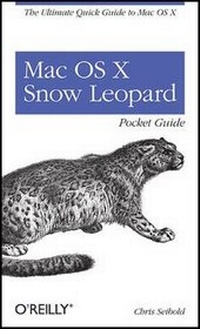
Mac OS X Snow Leopard Pocket Guide
The Ultimate Quick Guide to Mac OS X
1st Edition
Published on 27. October 2009
Book
231 pages
978-0-596-80272-1 (ISBN)
Description
Whether you're new to the Mac or a longtime user, this handy book is the quickest way to get up to speed on Snow Leopard. Packed with concise information in an easy-to-read format, Mac OS X Snow Leopard Pocket Guide covers what you need to know and is an ideal resource for problem-solving on the fly.
This book goes right to the heart of Snow Leopard, with details on system preferences, built-in applications, and utilities. You'll also find configuration tips, keyboard shortcuts, guides for troubleshooting, lots of step-by-step instructions, and more.
* Learn about new features and changes since the original Leopard release
* Get quick tips for setting up and customizing your Mac's configuration
* Solve problems with the handy reference to the fundamentals of the Finder, Dock, and more
* Understand how to manage user accounts
* Work more efficiently using keyboard shortcuts
* Take advantage of MobileMe, Apple's online suite of services and tools
More details
Other editions
Additional editions
E-Book
09/2009
1st Edition
O'Reilly
€12.49
Available for download
E-Book
09/2009
1st Edition
O'Reilly
€9.49
Available for download
Person
Chris Seibold is an engineer, writer, and cartoonist residing in Knoxville, Tennessee. As an engineer, he has tackled such diverse processes as powder coating and hot dog casing manufacture. As a writer, he has focused on computing and written for a variety of online and traditional media, including serving as Senior Contributing Editor for the Apple Matters web site and contributing hacks to iPod and iTunes Hacks, with a talent for making the complex accessible to the interested but harried user. As a cartoonist, he has produced both cartoon strips and editorials. Chris also managed to spend some time working producing radio shows relating to sports. As soon as he hits television, the trifecta will be complete. Chris lives with his wife, young son, and what is quite possibly the world's dimmest canine. He has a degree in Physics from the University of Tennessee but has yet to find work involving frictionless inclined planes.
Content
Preface;
Conventions Used in This Book;
Using Code Examples;
Safari® Books Online;
How to Contact Us;
Acknowledgments;
Chapter 1: What's New in Snow Leopard?;
1.1 Grand Central Dispatch;
1.2 True 64-bit Operating System;
1.3 Microsoft Exchange Support;
1.4 OpenCL;
1.5 Smoking JavaScript;
1.6 Smaller Footprint;
1.7 Application and Finder Enhancements;
1.8 System Improvements;
1.9 Snow Leopard Offers Even More;
Chapter 2: Installing Snow Leopard and Migrating Data;
2.1 Which Macs Are Compatible?;
2.2 Preparing to Install Snow Leopard;
Chapter 3: The Quick Guide to Snow Leopard;
3.1 What You Need To Know About Mac OS X;
3.2 Using Snow Leopard;
3.3 Snow Leopard Basics;
3.4 Standard Window Controls;
3.5 Files and Folders;
3.6 Nonessential But Useful Mac OS X Features;
Chapter 4: Quick Guide to Troubleshooting Mac OS X;
4.1 Common Problems;
Chapter 5: System Preferences;
5.1 Preferences and Your Mac;
5.2 Preference Pane Rundown;
5.3 Non-Apple Preference Panes;
Chapter 6: Built-in Applications and Utilities;
6.1 Applications Installed with Snow Leopard;
6.2 Utilities Included with Snow Leopard;
Chapter 7: MobileMe;
7.1 Back to My Mac;
7.2 Adding or Removing a Computer to/from MobileMe;
7.3 iDisk;
7.4 Clearing the MobileMe Sync Slate;
Chapter 8: Security;
8.1 Password Management;
Chapter 9: Keyboard Commands and Special Characters;
9.1 Key Commands;
9.2 Typing Special Characters in Mac OS X;