

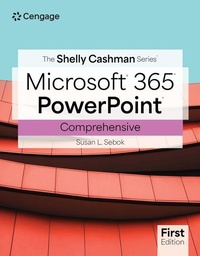
The Shelly Cashman SeriesA (R) MicrosoftA (R) Office 365A (R) & PowerPointA (R) Comprehensive
Published on 13. September 2024
Book
Paperback/Softback
560 pages
978-0-357-88169-9 (ISBN)
Description
Sebok's THE SHELLY CASHMAN SERIES (R) MICROSOFT (R) 365 (R) & POWERPOINT (R) COMPREHENSIVE, 1st Edition, includes updated Microsoft 365 features and enhanced support for Mac users in introductory-level modules. The trademark step-by-step, screen-by-screen, project-based approach encourages you to expand your understanding of Office applications through experimentation and critical thinking. Module Learning objectives are mapped to Microsoft Office Specialist (MOS) certification objectives. In addition, MindTap and updated SAM (Skills Assessment Manager) digital resources are available to guide additional study and ensure successful results.
More details
Language
English
Place of publication
Boston, MA
United States
Publishing group
Cengage Learning, Inc
Target group
College/higher education
Product notice
Paperback (trade)
Unsewn / adhesive bound
Dimensions
Height: 25 mm
Width: 215 mm
Thickness: 274 mm
Weight
1157 gr
ISBN-13
978-0-357-88169-9 (9780357881699)
Copyright in bibliographic data and cover images is held by Nielsen Book Services Limited or by the publishers or by their respective licensors: all rights reserved.
Schweitzer Classification
Other editions
Previous edition
Susan Sebok
The Shelly Cashman SeriesA (R) MicrosoftA (R) Office 365A (R) & PowerPointA (R) 2021 Comprehensive
Book
01/2023
Course Technology Inc
€84.17
Article not available at the moment
Person
Susan L. Sebok is a retired professor at South Suburban College in South Holland, Illinois. She also is a licensed attorney. Working with the leading SHELLY CASHMAN SERIES (R) since 1993, she has co-authored several successful textbooks, including multiple versions of DISCOVERING COMPUTERS and MICROSOFT (R) POWERPOINT (R) books. She holds both Master of Arts and Juris Doctor degrees.
Content
1. Creating and Editing Presentations with Pictures.
2. Enhancing Presentations with Shapes and SmartArt.
3. Inserting WordArt, Charts, and Tables.
4. Customizing Slide Masters and Presentations.
5. Collaborating and Adding Animation.
6. Formatting Tables and Charts.
7. Adding Media and Enhancing SmartArt.
8. Creating Photo Albums and Delivering Presentations.
2. Enhancing Presentations with Shapes and SmartArt.
3. Inserting WordArt, Charts, and Tables.
4. Customizing Slide Masters and Presentations.
5. Collaborating and Adding Animation.
6. Formatting Tables and Charts.
7. Adding Media and Enhancing SmartArt.
8. Creating Photo Albums and Delivering Presentations.