

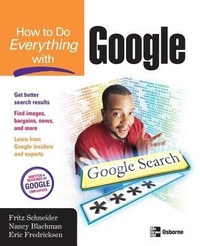
How to Do Everything with Google
Published on 19. November 2003
Book
Paperback/Softback
350 pages
978-0-07-223174-8 (ISBN)
Description
Get inside the massive search engine and learn how to make Google's enormous power work for you to find exactly what you need. This book helps you discover what librarians and researchers know and learn the best tactics and strategies for finding information on the Web, using Google search. It includes coverage of little-known Google features, such as the bargain-searching Froogle, a news service, an image search service, and more.
More details
Series
Language
English
Place of publication
New York
United States
Publishing group
McGraw-Hill Education - Europe
Illustrations
125 Illustrations
Dimensions
Height: 233 mm
Width: 186 mm
Thickness: 24 mm
Weight
644 gr
ISBN-13
978-0-07-223174-8 (9780072231748)
Copyright in bibliographic data and cover images is held by Nielsen Book Services Limited or by the publishers or by their respective licensors: all rights reserved.
Schweitzer Classification
Persons
Nancy Blachman (Mountain View, CA) is president and founder of Variable Symbols, a company that specializes in consulting and training on technical software. Her books include Mathematica: A Practical Approach, the Mathematica Graphics Guidebook, and the Mathematica Quick Reference. Blachman holds a B.S. in Mathematics from the University of Birmingham in the UK, an M.S. in Operations Research from the University of California at Berkeley, and an M.S. in Computer Science from Stanford University, where she has taught for eight years. Eric Fredricksen (San Francisco, CA) has been a software engineer at Google for over 3 years. He holds a B.A. in Mathematics from the University of California at Berkeley and a M.S. from Stanford University, also in Mathematics. Fritz Schneider (San Francisco, CA) is a software engineer at Google, Inc. headquarters in Mountain View, CA. Schneider is co-author of JavaScript: The Complete Reference (McGraw-Hill/Osborne) and holds a B.S. in Computer Engineering from Columbia University and an M.S. in Computer Science from the University of California at San Diego.
Content
Part I: Google Web Search 1: Welcome to Google 2: Craft Your Searches 3: Find Specialized Information 4: Understand Search Results 5: Advanced Web Search 6: Make Searching Easier with Google Tools 7: Configure Google Part II: Google Features 8: Search News Sources with Google News 9: Search Discussion Forums with Google Groups 10: Find Pictures with Google Images 11: Browse Topics by Category with the Google Directory 12: Ask Researchers Questions with Google Answers 13: Find Bargains with Froogle 14: Other Cool Features Appendix: How Google Works