

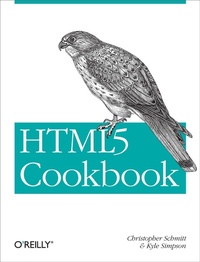
HTML5 Cookbook
Solutions & Examples for HTML5 Developers
1st Edition
Published on 27. December 2011
Book
280 pages
978-1-4493-9679-4 (ISBN)
Description
With scores of practical recipes you can use in your projects right away, this cookbook helps you gain hands-on experience with HTML5's versatile collection of elements. You get clear solutions for handling issues with everything from markup semantics, web forms, and audio and video elements to related technologies such as geolocation and rich JavaScript APIs.
Each informative recipe includes sample code and a detailed discussion on why and how the solution works. Perfect for intermediate to advanced web and mobile web developers, this handy book lets you choose the HTML5 features that work for you-and helps you experiment with the rest.
* Test browsers for HTML5 support, and use techniques for applying unsupported features
* Discover how HTML5 makes web form implementation much simpler
* Overcome challenges for implementing native audio and video elements
* Learn techniques for using HTML5 with ARIA accessibility guidelines
* Explore examples that cover using geolocation data in your applications
* Draw images, use transparencies, add gradients and patterns, and more with Canvas
* Bring HTML5 features to life with a variety of advanced JavaScript APIs
More details
Other editions
Additional editions
E-Book
11/2011
1st Edition
O'Reilly
€29.49
Available for download
E-Book
11/2011
1st Edition
O'Reilly
€22.49
Available for download
Persons
Christopher Schmitt is the founder of Heat Vision, a small new media publishing and design firm, based in Cincinnati, OH. An award-winning web designer who has been working with the Web since 1993, Christopher interned for both David Siegel and Lynda Weinman in the mid 90's while he was an undergraduate at Florida State University working on a Fine Arts degree with an emphasis on Graphic Design. Afterwards, he earned a Masters in Communication for Interactive and New Communication Technologies while obtaining a graduate certificate in Project Management from FSU's College of Communication. He is the author of CSS Cookbook, which was named Best Web Design Book of 2006, and one of the first books that looked at CSS-enabled designs, Designing CSS Web Pages (New Riders). He is also the co-author of Adapting to Web Standards (New Riders), Professional CSS (Wrox), Photoshop in 10 Steps or Less (Wiley) and Dreamweaver Design Projects (glasshaus) and contributed four chapters to XML, HTML, and XHTML Magic (New Riders). Christopher has also written for New Architect Magazine, A List Apart, Digital Web and Web Reference. He is the list moderator for Babble, a mailing list community devoted to advanced web design and development topics. With the Web Standards Project, Christopher helps co-lead the Adobe Task Force while contributing to its Education Task Force. On his personal web site, Christopher shows his true colors and most recent activities. He is 6ft 7" and doesn't play professional basketball but wouldn't mind a good game of chess. Kyle Simpson is a UI architect from Austin, TX. He is passionate about user experience, specifically optimizing the UI to be as responsive, efficient, secure, and scalable as possible. He considers JavaScript the ultimate language and is constantly tinkering with how to push it further. If something can't be done in JavaScript or web technology, he's bored by it. He has a number of open-source projects, including LABjs, HandlebarJS/BikechainJS, and flXHR, and he also is a core contributor to SWFObject.
Content
Preface;
What Is HTML5?;
What's in This Book;
Audience;
Assumptions This Book Makes;
Conventions Used in This Book;
Using Code Examples;
Safari® Books Online;
How to Contact Us;
Acknowledgments;
Chapter 1: Fundamental Syntax and Semantics;
1.1 Introduction;
1.2 Specifying the DOCTYPE;
1.3 Specifying the Character Set;
1.4 Specifying the Language;
1.5 Optimizing s and s;
1.6 Adding Document Structure with HTML5's New Elements;
1.7 Choosing Between and ;
1.8 Checking Your Document Outline;
1.9 Modifying the Document Outline;
1.10 Emphasizing Text;
1.11 Adding Importance to Text;
1.12 Highlighting Text for Reference;
1.13 Marking Up Small Print;
1.14 Defining Acronyms and Abbreviations;
1.15 Adding Links to Block-Level Content;
1.16 Marking Up Figures and Captions;
1.17 Marking Up Dates and Times;
1.18 Setting the Stage for Native Expanding and Collapsing;
1.19 Controlling the Numbering of Your Lists;
1.20 Hiding Content to Show Later;
1.21 Making Portions of a Page Editable;
1.22 Setting the Stage for Native Drag-and-Drop;
Chapter 2: Progressive Markup and Techniques;
2.1 Introduction;
2.2 Adding More Semantic Meaning;
2.3 Picking a Markup Style;
2.4 Understanding Browser Support for HTML5;
2.5 Making Internet Explorer Recognize HTML5 Elements;
2.6 Detecting HTML5 Features with JavaScript;
2.7 Using HTML5 Boilerplate;
2.8 Validating HTML5;
2.9 Mapping HTML5 Elements to ID and Class Names;
Chapter 3: Forms;
3.1 Introduction;
3.2 Displaying a Search Input Field;
3.3 Contact Information Input Fields;
3.4 Utilizing Date and Time Input Fields;
3.5 Number Inputs;
3.6 Selecting from a Range of Numbers;
3.7 Selecting Colors;
3.8 Creating an Editable Drop-Down;
3.9 Requiring a Form Field;
3.10 Autofocusing a Form Field;
3.11 Displaying Placeholder Text;
3.12 Disabling Autocomplete;
3.13 Restricting Values;
3.14 Making HTML5 Work in Older Browsers;
3.15 Validating Form Data in Older Browsers with JavaScript;
3.16 Example: Sample Form;
Chapter 4: Native Audio;
4.1 Introduction;
4.2 Adding HTML5 Audio;
4.3 Manipulating the Audio Stream;
4.4 Generating