

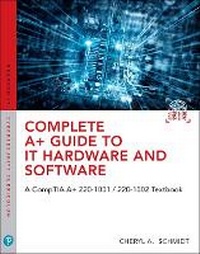
Complete A+ Guide to IT Hardware and Software
A CompTIA A+ Core 1 (220-1001) & CompTIA A+ Core 2 (220-1002) Textbook
8th Edition
Published on 18. September 2019
Book
Mixed media product
1280 pages
978-0-7897-6050-0 (ISBN)
Description
Master IT hardware and software installation, configuration, repair, maintenance, and troubleshooting and fully prepare for the CompTIA (R) A+ Core 1 (220-1001) and Core 2 (220-1002) exams.
This is your all-in-one, real-world, full-color guide to connecting, managing, and troubleshooting modern devices and systems in authentic IT scenarios. Its thorough instruction built on the CompTIA A+ Core 1 (220-1001) and Core 2 (220-1002) exam objectives includes coverage of Windows 10, Mac, Linux, Chrome OS, Android, iOS, cloud-based software, mobile and IoT devices, security, Active Directory, scripting, and other modern techniques and best practices for IT management.
Award-winning instructor Cheryl Schmidt also addresses widely-used legacy technologies-making this the definitive resource for mastering the tools and technologies you'll encounter in real IT and business environments. Schmidt's emphasis on both technical and soft skills will help you rapidly become a well-qualified, professional, and customer-friendly technician.
LEARN MORE QUICKLY AND THOROUGHLY WITH THESE STUDY AND REVIEW TOOLS:
Learning Objectives and chapter opening lists of CompTIA A+ Certification Exam Objectives make sure you know exactly what you'll be learning, and you cover all you need to know
Hundreds of photos, figures, and tables present information in a visually compelling full-color design
Practical Tech Tips provide real-world IT tech support knowledge
Soft Skills best-practice advice and team-building activities in every chapter cover key tools and skills for becoming a professional, customer-friendly technician
Review Questions-including true/false, multiple choice, matching, fill-in-the-blank, and open-ended questions-carefully assess your knowledge of each learning objective
Thought-provoking activities help students apply and reinforce chapter content, and allow instructors to "flip" the classroom if they choose
Key Terms identify exam words and phrases associated with each topic
Detailed Glossary clearly defines every key term
Dozens of Critical Thinking Activities take you beyond the facts to deeper understanding
Chapter Summaries recap key concepts for more efficient studying
Certification Exam Tips provide insight into the certification exam and preparation process
This book features chapter-ending exercises graded by course instructors. Answers are unavailable for independent study.
This is your all-in-one, real-world, full-color guide to connecting, managing, and troubleshooting modern devices and systems in authentic IT scenarios. Its thorough instruction built on the CompTIA A+ Core 1 (220-1001) and Core 2 (220-1002) exam objectives includes coverage of Windows 10, Mac, Linux, Chrome OS, Android, iOS, cloud-based software, mobile and IoT devices, security, Active Directory, scripting, and other modern techniques and best practices for IT management.
Award-winning instructor Cheryl Schmidt also addresses widely-used legacy technologies-making this the definitive resource for mastering the tools and technologies you'll encounter in real IT and business environments. Schmidt's emphasis on both technical and soft skills will help you rapidly become a well-qualified, professional, and customer-friendly technician.
LEARN MORE QUICKLY AND THOROUGHLY WITH THESE STUDY AND REVIEW TOOLS:
Learning Objectives and chapter opening lists of CompTIA A+ Certification Exam Objectives make sure you know exactly what you'll be learning, and you cover all you need to know
Hundreds of photos, figures, and tables present information in a visually compelling full-color design
Practical Tech Tips provide real-world IT tech support knowledge
Soft Skills best-practice advice and team-building activities in every chapter cover key tools and skills for becoming a professional, customer-friendly technician
Review Questions-including true/false, multiple choice, matching, fill-in-the-blank, and open-ended questions-carefully assess your knowledge of each learning objective
Thought-provoking activities help students apply and reinforce chapter content, and allow instructors to "flip" the classroom if they choose
Key Terms identify exam words and phrases associated with each topic
Detailed Glossary clearly defines every key term
Dozens of Critical Thinking Activities take you beyond the facts to deeper understanding
Chapter Summaries recap key concepts for more efficient studying
Certification Exam Tips provide insight into the certification exam and preparation process
This book features chapter-ending exercises graded by course instructors. Answers are unavailable for independent study.
More details
Edition
8th edition
Language
English
Place of publication
Upper Saddle River
United States
Publishing group
Pearson Education (US)
Target group
Professional and scholarly
Dimensions
Height: 285 mm
Width: 225 mm
Thickness: 45 mm
Weight
2520 gr
ISBN-13
978-0-7897-6050-0 (9780789760500)
Copyright in bibliographic data and cover images is held by Nielsen Book Services Limited or by the publishers or by their respective licensors: all rights reserved.
Schweitzer Classification
Other editions
New editions
Cheryl Schmidt | Christopher Lee
Complete A+ Guide to IT Hardware and Software
CompTIA A+ Exams 220-1101 & 220-1102
Book
10/2022
9th Edition
Pearson It Certification
€122.50
Shipment within 15-20 days
Previous edition
Cheryl Schmidt
Complete CompTIA A+ Guide to IT Hardware and Software
Book
08/2016
7th Edition
Pearson It Certification
€137.40
Article exhausted; check for reprint
Person
Cheryl Schmidt is a professor of Network Engineering Technology at Florida State College at Jacksonville. Prior to joining the faculty ranks, she oversaw the LAN and PC support for the college and other organizations. She started her career as an electronics technician in the U.S. Navy. She teaches computer repair and various networking topics, including CCNA, network management, and network design. She has published other works with Pearson, including IP Telephony Using CallManager Express and Routing and Switching in the Enterprise Lab Guide.
Cheryl has won awards for teaching and technology, including Outstanding Faculty of the Year, Innovative Teacher of the Year, Cisco Networking Academy Instructor Excellence Award, and Cisco Networking Academy Stand Out Instructor. She has presented at U.S. and international conferences. Cheryl keeps busy maintaining her technical certifications and teaching but also loves to travel, hike, do all types of puzzles, and read.
Cheryl has won awards for teaching and technology, including Outstanding Faculty of the Year, Innovative Teacher of the Year, Cisco Networking Academy Instructor Excellence Award, and Cisco Networking Academy Stand Out Instructor. She has presented at U.S. and international conferences. Cheryl keeps busy maintaining her technical certifications and teaching but also loves to travel, hike, do all types of puzzles, and read.
Content
Chapter 1: Introduction to the World of IT
Chapter 2: Connectivity
Chapter 3: On the Motherboard
Chapter 4: Introduction to Configuration
Chapter 5: Disassembly and Power.
Chapter 6: Memory
Chapter 7: Storage Devices
Chapter 8: Multimedia Devices
Chapter 9: Printers
Chapter 10: Mobile Devices
Chapter 11: Computer Design and Troubleshooting Review
Chapter 12: Internet Connectivity, Virtualization, and Cloud Technologies
Chapter 13: Networking
Chapter 14: Introduction to Operating Systems
Chapter 15: Introduction to Scripting
Chapter 16: Advanced Windows
Chapter 17: macOS and Linux Operating Systems
Chapter 18: Computer and Network Security
Chapter 19: Operational Procedures
Chapter 2: Connectivity
Chapter 3: On the Motherboard
Chapter 4: Introduction to Configuration
Chapter 5: Disassembly and Power.
Chapter 6: Memory
Chapter 7: Storage Devices
Chapter 8: Multimedia Devices
Chapter 9: Printers
Chapter 10: Mobile Devices
Chapter 11: Computer Design and Troubleshooting Review
Chapter 12: Internet Connectivity, Virtualization, and Cloud Technologies
Chapter 13: Networking
Chapter 14: Introduction to Operating Systems
Chapter 15: Introduction to Scripting
Chapter 16: Advanced Windows
Chapter 17: macOS and Linux Operating Systems
Chapter 18: Computer and Network Security
Chapter 19: Operational Procedures