

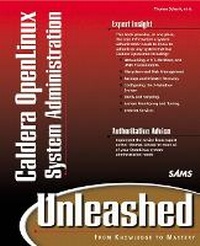
Caldera OpenLinux System Administration Unleashed
Published on 14. June 2000
Book
Mixed media product
1152 pages
978-0-672-31769-9 (ISBN)
Description
Caldera OpenLinux System Administration Unleashed shows you how to configure and manage an OpenLinux network for optimal performance. This book focuses on the everyday issues--operational and user--that system administrators must deal with in a 24x7 environment. Advanced topics covered include customizing the kernel, remote access and control, and intruder security. Much emphasis is given to skills related to running Caldera OpenLinux in a multi-network environment. Topics include networking in NT, NetWare, and Unix environments, file system and disk management, backups and disaster recovery, RAID, shells and scripting, system monitoring and tuning, and internet services.
More details
Language
English
Place of publication
Indianapolis
United States
Publishing group
Pearson Education (US)
Target group
College/higher education
Dimensions
Height: 230 mm
Width: 185 mm
Thickness: 55 mm
Weight
1863 gr
ISBN-13
978-0-672-31769-9 (9780672317699)
Copyright in bibliographic data and cover images is held by Nielsen Book Services Limited or by the publishers or by their respective licensors: all rights reserved.
Schweitzer Classification
Persons
Thomas Schenk is a Systems Engineer at VA Linux in its professional services division, where he serves as a consultant to VA Linux customers in the areas of system administration, tools programming, and managing large Linux installations. Prior to that he was a Senior System Administrator at Deja.com, where he oversaw the administration of one of the largest Linux-based Web sites on the Internet. His primary responsibilities at Deja.com included keeping track of new developments in the Linux community, maintaining the operating system template used on Deja.com servers, and helping to build relationships with Linux developers and vendors.
Content
INTRODUCTION.
So You Want to Be a System Administrator. Who Is This Book's Intended Audience? What Do You Need to Know Prior to Reading This Book? What Will You Learn from This Book? What Software Will You Need? How This Book Is Organized. Conventions Used in This Book.
I.INTRODUCTION TO LINUX SYSTEM ADMINISTRATION.
1. What Is a Systems Administrator?
The Linux System Administrator. Required Background and Skills. System Administrator Duties and Responsibilities. Summary.
2. Essential Tools for System Administrators.
Power Tools for Superusers. Web Resources for Administrators. Other Sources of Information. Summary.
II. LINUX ESSENTIALS.
3. Installation Strategies.
Default Installation Versus Customized Approaches. Cloning Installations. A Template-Based Approach. Summary.
4. Where Do I Find...?
Hand Me That Map, Please. Examining Processes. Device-Naming Scheme. Summary.
5. Starting Up and Shutting Down.
Linux Boot Loaders. The Linux Boot Process and System Initialization Scripts. Shutting Down. Summary.
6. System Failure Diagnosis and Recovery.
Kernel Oops. Hardware Errors. Diagnostic Tools. Building and Using Rescue Disks. Analysis of System Logs. Locating the Source of Kernel Errors. Seeking Assistance. Summary.
III. FILESYSTEM AND DISK MANAGEMENT.
7. Filesystems.
The Physical Realm. Filesystem Creation and Management. Filesystem Types. Space Management and Quotas. Summary.
8. Adding or Replacing Disks.
IDE Device Naming. Managing the /etc/fstab File. SCSI Concerns. Selecting a Controller. Other Devices. Summary.
9. Linux and RAID.
RAID Overview. Linux Software RAID. Hardware RAID and Linux. Other Sources of Information. Summary.
10. Removable Media Devices.
Removable Media Devices. Parallel Port Storage Devices. Granting Access to Users. Summary.
IV. BACKUPS AND DATA RECOVERY.
11. What to Back Up and How.
Files to Back Up. Determining Which Device to Use. Backup Strategies. Full Backups and Incrementals. Developing a Rotation Schedule. Developing Backup Scripts. Third-Party Backup Software. Summary.
12. Media Selection and Storage.
Sources of Information. Device Selection Criteria. Media Selection Criteria. Tape Driver Interfaces. Storage Issues. Summary.
13. Recovery from Data Loss.
Some Data Loss Scenarios. The Cost of Data Recovery. Disaster Recovery Planning. Summary.
V. NETWORKING.
14. TCP/IP and Ethernet.
Network Layers. IP Addresses. Running TCP/IP over Ethernet. Adding an Ethernet Interface. Routing. Name Services. Summary.
15. Sharing Resources.
Sharing with Linux/UNIX Hosts. Sharing with Other Operating Systems. Setting Up Print Queues. Network File Services. The Automount Daemon and autofs. Summary.
16. Network Monitoring.
Why Monitor? 9. Monitoring Systems. Sniffers. Dangers of Sniffers. Traffic Analyzers. Summary.
17. Integrating with Windows NT Networks.
Networking the Windows Way. Linux and Samba in an NT Environment. Summary.
18. Integrating with Other Network Operating Systems.
Using the Right Tool for the Job. Linux in a NetWare Environment. Linux in an AppleTalk Environment. Summary.
VI. INTERNET SERVICES.
19. Setting Up Internet Services.
Choosing Services to Offer. The Internet Server inetd. Using TCP-Wrappers. xinetd as an Alternative to inetd. Standard Services: Remote Login, Execution, and File-Copy. Secure Shell. Summary.
20. Electronic Mail.
MTAs, MUAs, and MDAs. Dealing with Spam. Choosing an MTA. Supporting Multiple Email Clients. Using Popular Linux Email Clients. Managing Aliases. Mailing Lists with majordomo. Summary.
21. FTP and Anonymous FTP.
FTP Objectives. FTP Connection Types. Allowing FTP Access to Your Servers. Security and Legal Issues. Summary.
22. Web Serving.
Apache. Apache Modules. Squid. Other Web Servers. Summary.
23. News Services.
So You Want to Run a News Server? 9. INN and Friends. News Clients. Places to Ask Questions and Find Answers. Summary.
24. Internet Telephony and Conferencing.
The Problems. Hardware Requirements. The Multicast Backbone. Internet Relay Chat (IRC). ICQ and Clones. Q-SeeMe. Summary.
VII. SECURITY AND FIREWALLS.
25. Security Principles.
Determining Your Security Needs. Securing Your Caldera Server. Developing Security Policies. Summary.
26. Firewalls.
Types of Firewalls. Firewall Policy. Linux Proxy Services. Setting Up a Firewall. Debugging Firewalls. Summary.
27. The Security Administrator's Toolbox.
Building Your Security Administrator's Toolbox. Security Resources on the Web. Linux Portal Sites. Other Sources of Information. Summary.
28. I've Been Hacked What Now?9.
Intruder Alert! Rules of Engagement. Determining the Extent of Intrusion. Starting from Scratch. Summary.
VIII. USER MANAGEMENT AND INTERACTION.
29. Users and Groups.
Working with Users and Groups. Adding and Deleting User Accounts. Dealing with Disgruntled Users. Deleting a User Account. Working with System Files. Using Groups Effectively. Creating Groups with Clear Boundaries. Using Groups to Grant Permissions. Using the newgrp and sg Commands. newgrp. Employing Other System Commands Related to Users and Groups. Summary.
30. Helping Users.
Users Are Not Losers. Developing a Help Desk. Learning How to Say No. Summary.
IX. SHELLS, SCRIPTING, AND AUTOMATION.
31. Shells.
Getting Started with Shells. bashThe Bourne Again Shell. tcshThe Enhanced C Shell. History. Other Shells. Summary.
32. Shell Scripting.
Introduction to Shell Scripting. Shell Scripting Using bash. Perl Scripting. Other Scripting Languages. Programming Tools. Summary.
33. Automation.
Managing Chaos. Automating Tasks. Using at for One-Time Tasks. Using cron. Debugging cron Jobs. Summary.
X. SYSTEM TUNING AND KERNEL BUILDING.
34. Tuning Your Linux System.
Tuning Considerations. Weighing Costs and Benefits of Tuning. Performance Measurement Techniques. Memory and Swap Space. Kernel Tuning via /proc. Summary.
35. Customizing the Linux Kernel.
Using the Source. Patching the Kernel Source. Kernel Loadable Modules. Kernel Building. Summary.
36. Case Study.
A Brief Background. Requirements. Constraints. The Carlos Effect. Specifications. Documenting the Project. Reviewing the Aransas Pass Independent School District Case Study.
Index.
So You Want to Be a System Administrator. Who Is This Book's Intended Audience? What Do You Need to Know Prior to Reading This Book? What Will You Learn from This Book? What Software Will You Need? How This Book Is Organized. Conventions Used in This Book.
I.INTRODUCTION TO LINUX SYSTEM ADMINISTRATION.
1. What Is a Systems Administrator?
The Linux System Administrator. Required Background and Skills. System Administrator Duties and Responsibilities. Summary.
2. Essential Tools for System Administrators.
Power Tools for Superusers. Web Resources for Administrators. Other Sources of Information. Summary.
II. LINUX ESSENTIALS.
3. Installation Strategies.
Default Installation Versus Customized Approaches. Cloning Installations. A Template-Based Approach. Summary.
4. Where Do I Find...?
Hand Me That Map, Please. Examining Processes. Device-Naming Scheme. Summary.
5. Starting Up and Shutting Down.
Linux Boot Loaders. The Linux Boot Process and System Initialization Scripts. Shutting Down. Summary.
6. System Failure Diagnosis and Recovery.
Kernel Oops. Hardware Errors. Diagnostic Tools. Building and Using Rescue Disks. Analysis of System Logs. Locating the Source of Kernel Errors. Seeking Assistance. Summary.
III. FILESYSTEM AND DISK MANAGEMENT.
7. Filesystems.
The Physical Realm. Filesystem Creation and Management. Filesystem Types. Space Management and Quotas. Summary.
8. Adding or Replacing Disks.
IDE Device Naming. Managing the /etc/fstab File. SCSI Concerns. Selecting a Controller. Other Devices. Summary.
9. Linux and RAID.
RAID Overview. Linux Software RAID. Hardware RAID and Linux. Other Sources of Information. Summary.
10. Removable Media Devices.
Removable Media Devices. Parallel Port Storage Devices. Granting Access to Users. Summary.
IV. BACKUPS AND DATA RECOVERY.
11. What to Back Up and How.
Files to Back Up. Determining Which Device to Use. Backup Strategies. Full Backups and Incrementals. Developing a Rotation Schedule. Developing Backup Scripts. Third-Party Backup Software. Summary.
12. Media Selection and Storage.
Sources of Information. Device Selection Criteria. Media Selection Criteria. Tape Driver Interfaces. Storage Issues. Summary.
13. Recovery from Data Loss.
Some Data Loss Scenarios. The Cost of Data Recovery. Disaster Recovery Planning. Summary.
V. NETWORKING.
14. TCP/IP and Ethernet.
Network Layers. IP Addresses. Running TCP/IP over Ethernet. Adding an Ethernet Interface. Routing. Name Services. Summary.
15. Sharing Resources.
Sharing with Linux/UNIX Hosts. Sharing with Other Operating Systems. Setting Up Print Queues. Network File Services. The Automount Daemon and autofs. Summary.
16. Network Monitoring.
Why Monitor? 9. Monitoring Systems. Sniffers. Dangers of Sniffers. Traffic Analyzers. Summary.
17. Integrating with Windows NT Networks.
Networking the Windows Way. Linux and Samba in an NT Environment. Summary.
18. Integrating with Other Network Operating Systems.
Using the Right Tool for the Job. Linux in a NetWare Environment. Linux in an AppleTalk Environment. Summary.
VI. INTERNET SERVICES.
19. Setting Up Internet Services.
Choosing Services to Offer. The Internet Server inetd. Using TCP-Wrappers. xinetd as an Alternative to inetd. Standard Services: Remote Login, Execution, and File-Copy. Secure Shell. Summary.
20. Electronic Mail.
MTAs, MUAs, and MDAs. Dealing with Spam. Choosing an MTA. Supporting Multiple Email Clients. Using Popular Linux Email Clients. Managing Aliases. Mailing Lists with majordomo. Summary.
21. FTP and Anonymous FTP.
FTP Objectives. FTP Connection Types. Allowing FTP Access to Your Servers. Security and Legal Issues. Summary.
22. Web Serving.
Apache. Apache Modules. Squid. Other Web Servers. Summary.
23. News Services.
So You Want to Run a News Server? 9. INN and Friends. News Clients. Places to Ask Questions and Find Answers. Summary.
24. Internet Telephony and Conferencing.
The Problems. Hardware Requirements. The Multicast Backbone. Internet Relay Chat (IRC). ICQ and Clones. Q-SeeMe. Summary.
VII. SECURITY AND FIREWALLS.
25. Security Principles.
Determining Your Security Needs. Securing Your Caldera Server. Developing Security Policies. Summary.
26. Firewalls.
Types of Firewalls. Firewall Policy. Linux Proxy Services. Setting Up a Firewall. Debugging Firewalls. Summary.
27. The Security Administrator's Toolbox.
Building Your Security Administrator's Toolbox. Security Resources on the Web. Linux Portal Sites. Other Sources of Information. Summary.
28. I've Been Hacked What Now?9.
Intruder Alert! Rules of Engagement. Determining the Extent of Intrusion. Starting from Scratch. Summary.
VIII. USER MANAGEMENT AND INTERACTION.
29. Users and Groups.
Working with Users and Groups. Adding and Deleting User Accounts. Dealing with Disgruntled Users. Deleting a User Account. Working with System Files. Using Groups Effectively. Creating Groups with Clear Boundaries. Using Groups to Grant Permissions. Using the newgrp and sg Commands. newgrp. Employing Other System Commands Related to Users and Groups. Summary.
30. Helping Users.
Users Are Not Losers. Developing a Help Desk. Learning How to Say No. Summary.
IX. SHELLS, SCRIPTING, AND AUTOMATION.
31. Shells.
Getting Started with Shells. bashThe Bourne Again Shell. tcshThe Enhanced C Shell. History. Other Shells. Summary.
32. Shell Scripting.
Introduction to Shell Scripting. Shell Scripting Using bash. Perl Scripting. Other Scripting Languages. Programming Tools. Summary.
33. Automation.
Managing Chaos. Automating Tasks. Using at for One-Time Tasks. Using cron. Debugging cron Jobs. Summary.
X. SYSTEM TUNING AND KERNEL BUILDING.
34. Tuning Your Linux System.
Tuning Considerations. Weighing Costs and Benefits of Tuning. Performance Measurement Techniques. Memory and Swap Space. Kernel Tuning via /proc. Summary.
35. Customizing the Linux Kernel.
Using the Source. Patching the Kernel Source. Kernel Loadable Modules. Kernel Building. Summary.
36. Case Study.
A Brief Background. Requirements. Constraints. The Carlos Effect. Specifications. Documenting the Project. Reviewing the Aransas Pass Independent School District Case Study.
Index.