

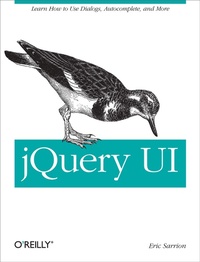
jQuery UI
Learn How to Use Dialogs, Autocomplete, and More
1st Edition
Published on 24. April 2012
Book
244 pages
978-1-4493-1699-0 (ISBN)
Description
With the jQuery UI library, you can apply the power and standards of jQuery to user interface design, complete with interactive elements, animation, and themeable widgets. This concise, code-heavy guide demonstrates how to harness interactive features that HTML5 lacks, including tabs, accordions, and dialog boxes. You'll also learn how to program common but complex tasks, such as managing drag and drop and autocomplete, that make it easier for users to interact with your site.
This book provides a quick tour of how jQuery UI can improve your HTML pages, followed by standalone chapters that focus on each of the components in detail. If you're a web developer or designer looking to enrich your website with new features-without having to dive into full-fledged Javascript-jQuery UI is a must.
This book covers the following extensions in version 1.8:
* Tab management
* Accordion menus
* Dialog boxes
* Buttons
* Progress bars
* Sliders
* Date pickers
* Autocompleters
* Drag and drop management
* Selection, resizing, and switching of elements
* New visual effects
More details
Other editions


Person
Eric Sarrion has written on Rails, HTML and CSS, J2EE, and JavaScript for O'Reilly France. He manages a small training and development company.
Content
- Preface
- Chapter 1: Introduction to jQuery UI
- Chapter 2: Tabs
- Chapter 3: Accordion Menus
- Chapter 4: Dialog Boxes
- Chapter 5: Buttons
- Chapter 6: Progress Bars
- Chapter 7: Sliders
- Chapter 8: Datepickers
- Chapter 9: Autocompletion
- Chapter 10: Drag-and-Drop
- Chapter 11: Selecting Items
- Chapter 12: Permutation of Elements in the Page
- Chapter 13: Resizing
- Chapter 14: Visual Effects in jQuery UI