

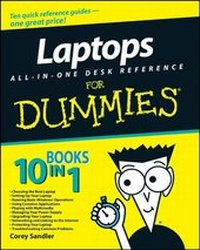
Laptops All-in-One Desk Reference For Dummies
1st Edition
Published on 9. May 2008
Book
Paperback/Softback
768 pages
978-0-470-14092-5 (ISBN)
Description
10 books in 1 -- your key to success with your laptop!
Your one-stop guide to setting up, using, and troubleshooting a laptop
Who'd have thought there was so much to know about such a compact, convenient device? You need this handy book! It helps you pick a laptop, decide what extras you need (or want), use applications for work and play, manage your power supply, join a network, keep your laptop safe and updated, and more.
Discover how to:
*
Synchronize your laptop with your desktop
*
Work with photos and videos
*
Connect to a wireless network
*
Add RAM, a drive, or peripherals
*
Travel safely with your laptop
Reviews / Votes
".this title consists of eight mini-books giving laptop owners the detailed information and advice they need." (Publishing News, Fri 14th March 2008) ".this title consists of eight mini-books giving laptop owners the detailed information and advice they need." (Publishing News, Fri 14th March 2008)More details
Edition
1., Auflage
Language
English
Place of publication
Chichester
United Kingdom
Publishing group
John Wiley and Sons Ltd
Target group
Professional and scholarly
Edition type
New edition
Illustrations
Illustrations
Dimensions
Height: 23.3 cm
Width: 18.7 cm
Weight
1106 gr
ISBN-13
978-0-470-14092-5 (9780470140925)
Schweitzer Classification
Other editions
New editions
Corey Sandler
Laptops All-in-One For Dummies
Book
05/2010
2nd Edition
Wiley
€33.90
Article is exhausted; no reprint
Additional editions
Corey Sandler
Laptops All-in-One Desk Reference For Dummies
E-Book
06/2008
Wiley
€15.99
Available for download
Person
Corey Sandler was the first executive editor of PC Magazine. He has written more than 160 books, including Upgrading & Fixing Laptops For Dummies and Laptops For Dummies Quick Reference.
Content
Introduction.
Book I: Choosing the Best Laptop.
Chapter 1: Knowing What You Want, Getting What You Need.
Chapter 2: Touring a Modern Laptop.
Chapter 3: Microprocessors, Memory, and Operating Systems.
Chapter 4: Doing It Yourself versus Calling in the Cavalry.
Book II: Setting Up Your Laptop.
Chapter 1: Installing or Upgrading an Operating System.
Chapter 2: Painting Flames on the Operating System: Customizing.
Chapter 3: Transferring Settings, E-mail, and Documents.
Chapter 4: Managing Files, Folders, Extensions.
Book III: Running Basic Windows Operations.
Chapter 1: Opening Windows.
Chapter 2: Using Built-in Windows Applications and Gadgets.
Chapter 3: Windows Maintenance Utilities.
Chapter 4: Honk, Honk! Windows Backup and Restore Utilities.
Book IV: Using Common Applications.
Chapter 1: Writing Documents.
Chapter 2: Crunching Data with Spreadsheets.
Chapter 3: Presenting Yourself with PowerPoint Professionalism.
Chapter 4: Checking Your Calendar.
Book V: Playing with Multimedia.
Chapter 1: Walking Through Windows Media Playe.
Chapter 2: Feeling the Music, Seeing the Stream.
Chapter 3: Hamming It Up for the Webcam.
Chapter 4: Gaming with a Laptop.
Book VI: Managing Your Power Supply.
Chapter 1: Using Your Power for Good Purposes.
Chapter 2: Replacing or Upgrading Your Power Source.
Chapter 3: Power-Management Utilities.
Book VII: Upgrading Your Laptop.
Chapter 1: Adding RAM.
Chapter 2: Adding or Replacing a Drive: Internal, External, CD, or DVD.
Chapter 3: Changing Your Input and Output Options.
Chapter 4: Going External with Printer, Network, and Special Peripherals.
Book VIII: Networking and Linking to the Internet.
Chapter 1: Networking with Other Machines.
Chapter 2: Managing a Windows Network.
Chapter 3: Going Wireless.
Chapter 4: Spinning the Web.
Chapter 5: Exchanging E-mail, IMs, and Newsgroups.
Chapter 6: Communicating with VoIP.
Book IX: Protecting Your Laptop.
Chapter 1: Traveling with a Laptop.
Chapter 2: Guarding Against Intruders.
Book X: Troubleshooting Common Problems.
Chapter 1: Sweating the Hard(ware) Stuff.
Chapter 2: Knowing When Good Software Goes Bad.
Index.