

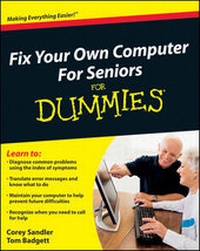
Fix Your Own Computer For Seniors For Dummies
1st Edition
Published on 29. December 2009
Book
Paperback/Softback
388 pages
978-0-470-50087-3 (ISBN)
Description
Learn to diagnose and fix simple PC problems with this easy-to-follow guide
When something goes wrong with your computer, it's frustrating and potentially expensive. With Fix Your Own Computer For Seniors For Dummies, you can find out what's wrong, how to fix it, whether you need to call in professional help, and how to practice preventive maintenance.
This friendly guide avoids techie jargon and shows you how to diagnose the problem, find out whether the software or hardware is at fault, make simple repairs, and add external devices such as scanners, printers, and hard drives. It also helps you maintain your computer through basic steps like defragmenting the hard drive and cleaning out files - techniques that can prevent a lot of problems from occurring in the first place.
* Written specifically for first-time computer users, this book explains how to diagnose basic PC problems, understand error messages, and fix common issues
* Specific step-by-step procedures guide you through basic repairs such as replacing the hard drive
* Explains common mistakes and how to avoid them
* Outlines the steps for preventive maintenance, such as how to defragment the hard drive, clean files, delete old files, and organize files
* Explores ways to expand and enhance a computer with external devices including hard drives, Web cameras, Web phones, scanners, printers, flash drives and other hardware
* Shows what you can fix yourself and when to seek help from a repair service or the manufacturer
Easy to read and follow, Fix Your Own Computer For Seniors For Dummies will boost your confidence when dealing with your computer and with professional technicians, too.
When something goes wrong with your computer, it's frustrating and potentially expensive. With Fix Your Own Computer For Seniors For Dummies, you can find out what's wrong, how to fix it, whether you need to call in professional help, and how to practice preventive maintenance.
This friendly guide avoids techie jargon and shows you how to diagnose the problem, find out whether the software or hardware is at fault, make simple repairs, and add external devices such as scanners, printers, and hard drives. It also helps you maintain your computer through basic steps like defragmenting the hard drive and cleaning out files - techniques that can prevent a lot of problems from occurring in the first place.
* Written specifically for first-time computer users, this book explains how to diagnose basic PC problems, understand error messages, and fix common issues
* Specific step-by-step procedures guide you through basic repairs such as replacing the hard drive
* Explains common mistakes and how to avoid them
* Outlines the steps for preventive maintenance, such as how to defragment the hard drive, clean files, delete old files, and organize files
* Explores ways to expand and enhance a computer with external devices including hard drives, Web cameras, Web phones, scanners, printers, flash drives and other hardware
* Shows what you can fix yourself and when to seek help from a repair service or the manufacturer
Easy to read and follow, Fix Your Own Computer For Seniors For Dummies will boost your confidence when dealing with your computer and with professional technicians, too.
More details
Other editions
Additional editions
Corey Sandler
Fix Your Own Computer For Seniors For Dummies
E-Book
01/2010
Wiley
€17.99
Available for download
Corey Sandler
Fix Your Own Computer For Seniors For Dummies
E-Book
12/2009
Wiley
€17.99
Available for download
Person
Corey Sandler was the first executive editor of PC Magazine. He has written more than 160 books, including all editions of Laptops All-in-One For Dummies. Tom Badgett has published more than 50 books and hundreds of magazine articles on technical topics. He has also worked as a journalist and broadcast documentary producer.
Content
Introduction.
Part I: A Computer Is Not a Toaster.
Chapter 1: Getting to Know the Parts You Can See.
Chapter 2: Thinking Inside the Box.
Chapter 3: Looking Through Windows and Other Software.
Part II: Keeping Your PC Healthy with Preventive Maintenance.
Chapter 4: Taking Care of Software.
Chapter 5: Practicing Good Computer Hygiene.
Chapter 6: Keeping Intruders out of Your Computer.
Chapter 7: Getting Help When Prevention Fails.
Part III: Fixing Sick Hardware.
Chapter 8: Repairing the Monitor.
Chapter 9: Solving Electrical and Mechanical Problems.
Chapter 10: Installing Memory.
Chapter 11: Changing a Drive, Made Easy.
Chapter 12: Fixing a Malfunctioning Printer.
Chapter 13: Taking Care of Your Mouse (or Trackball) and Keyboard.
Part IV: Resetting the Operating System.
Chapter 14: Repairing, Refreshing, and Reinstalling Windows.
Chapter 15: Checking and Changing System Configuration.
Chapter 16: Restoring Your Computer's Settings.
Chapter 17: Working in Safe Mode.
Part V: Troubleshooting Your PC.
18: Managing and Troubleshooting Devices.
19: Relieving Hard Times for Hard Drives.
20: Fixing Common Problems.
Glossary.
Index.
Part I: A Computer Is Not a Toaster.
Chapter 1: Getting to Know the Parts You Can See.
Chapter 2: Thinking Inside the Box.
Chapter 3: Looking Through Windows and Other Software.
Part II: Keeping Your PC Healthy with Preventive Maintenance.
Chapter 4: Taking Care of Software.
Chapter 5: Practicing Good Computer Hygiene.
Chapter 6: Keeping Intruders out of Your Computer.
Chapter 7: Getting Help When Prevention Fails.
Part III: Fixing Sick Hardware.
Chapter 8: Repairing the Monitor.
Chapter 9: Solving Electrical and Mechanical Problems.
Chapter 10: Installing Memory.
Chapter 11: Changing a Drive, Made Easy.
Chapter 12: Fixing a Malfunctioning Printer.
Chapter 13: Taking Care of Your Mouse (or Trackball) and Keyboard.
Part IV: Resetting the Operating System.
Chapter 14: Repairing, Refreshing, and Reinstalling Windows.
Chapter 15: Checking and Changing System Configuration.
Chapter 16: Restoring Your Computer's Settings.
Chapter 17: Working in Safe Mode.
Part V: Troubleshooting Your PC.
18: Managing and Troubleshooting Devices.
19: Relieving Hard Times for Hard Drives.
20: Fixing Common Problems.
Glossary.
Index.