

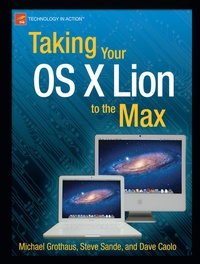
Taking Your OS X Lion to the Max
Published on 11. October 2011
Book
Paperback/Softback
XIV, 256 pages
978-1-4302-3668-9 (ISBN)
Description
The Mac has come a long way, and OS X Lion is the best version yet of Apple's desktop and laptop operating system. Stable, powerful, and versatile, the Mac allows you to do everyday tasks with ease. Taking Your OS X Lion to the Max walks you through the awesome features and apps standard on the Mac and the new OS X 10.7 Lion to help you become a true power user. You'll discover keyboard shortcuts and gestures to help save time-whether you're on a iMac, Mac mini, Macbook Pro, Air, or other Mac computer. In terms of apps, you'll learn about iLife, iCal, Mail, Mac App Store, Safari, Address Book and more. You'll see how to use amazing built-in applications like Time Machine, Photo Booth, and Front Row. Also, you'll learn how connect to your other Apple devices like iPhone or iPad, Apple TV and more. You'll sync, work and play remotely, file and screen share, make your Mac secure, or even make your Mac a Windows PC. After reading this book, you will be able to fully leverage your Mac and the new OS X. And, have some fun, too!
More details
Edition
1st ed.
Language
English
Place of publication
Berkeley
United States
Target group
Popular/general
Product notice
Paperback (trade)
Unsewn / adhesive bound
Illustrations
XIV, 256 p.
Dimensions
Height: 235 mm
Width: 191 mm
Thickness: 14 mm
Weight
449 gr
ISBN-13
978-1-4302-3668-9 (9781430236689)
DOI
10.1007/978-1-4302-3669-6
Schweitzer Classification
Other editions
Additional editions
Steve Sande | Michael Grothaus | Dave Caolo
Taking Your OS X Lion to the Max
E-Book
12/2011
APress
€26.99
Available for download
Persons
Steve Sande has been a loyal fan of Apple technology since buying his first Mac in 1984. Originally trained as a civil engineer, Steve's career as an IT professional blossomed in the 1990s. A longtime blogger, Steve is an editor at The Unofficial Apple Weblog (TUAW.com) and the author of three books about Apple's iWeb application. He lives with his wife of 31 years in Highlands Ranch, Colorado.
Content
* Finder Basics * File Management * Mac App Store * Managing Your Data: AutoSave and Versions * Controlling your Mac * Controlling your Mac: Mission Control, Dashboard * Built-in-apps: Mail * Built-in-apps: iCal and Address Book * Browsing the Web with Safari * Communicating in Real-Time with iChat and FaceTime * System Preferences * Lion Server