

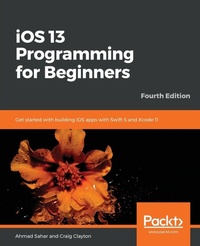
iOS 13 Programming for Beginners
Get started with building iOS apps with Swift 5 and Xcode 11
4th Edition
Published on 24. January 2020
Book
Paperback/Softback
822 pages
978-1-83882-190-6 (ISBN)
Description
A step-by-step guide to learning iOS app development and exploring the latest Apple development tools
Key Features
Explore the latest features of Xcode 11 and the Swift 5 programming language in this updated fourth edition
Kick-start your iOS programming career and have fun building your own iOS apps
Discover the new features of iOS 13 such as Dark Mode, iPad apps for Mac, SwiftUI, and more
Book DescriptioniOS 13 comes with features ranging from Dark Mode and Catalyst through to SwiftUI and Sign In with Apple. If you're a beginner and are looking to experiment and work with these features to create your own apps, then this updated fourth edition gets you off to a strong start. The book offers a comprehensive introduction for programmers who are new to iOS, covering the entire process of learning the Swift language, writing your own apps, and publishing them on the App Store. This edition is updated and revised to cover the new iOS 13 features along with Xcode 11 and Swift 5.
The book starts with an introduction to the Swift programming language, and how to accomplish common programming tasks with it. You'll then start building the user interface (UI) of a complete real-world app, using the latest version of Xcode, and also implement the code for views, view controllers, data managers, and other aspects of mobile apps. The book will then help you apply the latest iOS 13 features to existing apps, along with introducing you to SwiftUI, a new way to design UIs. Finally, the book will take you through setting up testers for your app, and what you need to do to publish your app on the App Store.
By the end of this book, you'll be well versed with how to write and publish apps, and will be able to apply the skills you've gained to enhance your apps.What you will learn
Get to grips with the fundamentals of Xcode 11 and Swift 5, the building blocks of iOS development
Understand how to prototype an app using storyboards
Discover the Model-View-Controller design pattern, and how to implement the desired functionality within the app
Implement the latest iOS features such as Dark Mode and Sign In with Apple
Understand how to convert an existing iPad app into a Mac app
Design, deploy, and test your iOS applications with industry patterns and practices
Who this book is forThis book is for anyone who has programming experience but is completely new to Swift and iOS app development. Experienced programmers looking to explore the latest iOS 13 features will also find this book useful.
Key Features
Explore the latest features of Xcode 11 and the Swift 5 programming language in this updated fourth edition
Kick-start your iOS programming career and have fun building your own iOS apps
Discover the new features of iOS 13 such as Dark Mode, iPad apps for Mac, SwiftUI, and more
Book DescriptioniOS 13 comes with features ranging from Dark Mode and Catalyst through to SwiftUI and Sign In with Apple. If you're a beginner and are looking to experiment and work with these features to create your own apps, then this updated fourth edition gets you off to a strong start. The book offers a comprehensive introduction for programmers who are new to iOS, covering the entire process of learning the Swift language, writing your own apps, and publishing them on the App Store. This edition is updated and revised to cover the new iOS 13 features along with Xcode 11 and Swift 5.
The book starts with an introduction to the Swift programming language, and how to accomplish common programming tasks with it. You'll then start building the user interface (UI) of a complete real-world app, using the latest version of Xcode, and also implement the code for views, view controllers, data managers, and other aspects of mobile apps. The book will then help you apply the latest iOS 13 features to existing apps, along with introducing you to SwiftUI, a new way to design UIs. Finally, the book will take you through setting up testers for your app, and what you need to do to publish your app on the App Store.
By the end of this book, you'll be well versed with how to write and publish apps, and will be able to apply the skills you've gained to enhance your apps.What you will learn
Get to grips with the fundamentals of Xcode 11 and Swift 5, the building blocks of iOS development
Understand how to prototype an app using storyboards
Discover the Model-View-Controller design pattern, and how to implement the desired functionality within the app
Implement the latest iOS features such as Dark Mode and Sign In with Apple
Understand how to convert an existing iPad app into a Mac app
Design, deploy, and test your iOS applications with industry patterns and practices
Who this book is forThis book is for anyone who has programming experience but is completely new to Swift and iOS app development. Experienced programmers looking to explore the latest iOS 13 features will also find this book useful.
More details
Edition
4th Revised edition
Language
English
Place of publication
Birmingham
United Kingdom
Target group
Professional and scholarly
US School Grade: College Graduate Student
Edition type
Revised edition
Dimensions
Height: 235 mm
Width: 191 mm
Thickness: 44 mm
Weight
1503 gr
ISBN-13
978-1-83882-190-6 (9781838821906)
Copyright in bibliographic data and cover images is held by Nielsen Book Services Limited or by the publishers or by their respective licensors: all rights reserved.
Schweitzer Classification
Other editions
Additional editions
Ahmad Sahar | Craig Clayton
iOS 13 Programming for Beginners
Get started with building iOS apps with Swift 5 and Xcode 11
E-Book
09/2024
4th Edition
Packt Publishing
€25.99
Available for download
Persons
Ahmad Sahar is a trainer, presenter, and consultant at Tomafuwi Productions, specializing in conducting training courses for macOS and iOS, macOS Support Essentials certification courses, and iOS Development courses. He is a member of the DevCon iOS and MyCocoaHeads online communities in Malaysia and has conducted presentations and talks for both groups. In his spare time, he likes building and programming LEGO Mindstorms robots. Craig Clayton is a self-taught, senior iOS engineer, instructor and mentor at Ed Farm, specializing in cultivate change and promote innovation in education. He also volunteered as the organizer of the Suncoast iOS meetup group in the Tampa/St. Petersburg area for three years, preparing presentations and hands-on talks for this group and other groups in the community.
Content
Table of Contents
Getting Familiar with Xcode
Simple Values and Types
Conditionals and Optionals
Range Operators and Loops
Collection Types
Functions and Closures
Classes, Structures, and Enumerations
Protocols, Extensions, and Error Handling
Setting Up the Basic Structure
Building Your App Structure in Storyboard
Finishing Up Your App Structure in Storyboard
Modifying and Configuring Cells
Getting Started with MVC and Collection Views
Getting Data into Collection Views
Getting Started with Table Views
Getting Started with MapKit
Getting Started with JSON Files
Displaying Data in a Static Table View
Getting Started with Custom UIControls
Getting Started with Cameras and Photo Libraries
Understanding Core Data
Saving and Loading from Core Data
Getting Started with Dark Mode
Getting Started with MAC Catalyst
Getting Started with SwiftUI
Getting Started with Sign In with Apple
Testing and Submitting Your App to the App Store
Getting Familiar with Xcode
Simple Values and Types
Conditionals and Optionals
Range Operators and Loops
Collection Types
Functions and Closures
Classes, Structures, and Enumerations
Protocols, Extensions, and Error Handling
Setting Up the Basic Structure
Building Your App Structure in Storyboard
Finishing Up Your App Structure in Storyboard
Modifying and Configuring Cells
Getting Started with MVC and Collection Views
Getting Data into Collection Views
Getting Started with Table Views
Getting Started with MapKit
Getting Started with JSON Files
Displaying Data in a Static Table View
Getting Started with Custom UIControls
Getting Started with Cameras and Photo Libraries
Understanding Core Data
Saving and Loading from Core Data
Getting Started with Dark Mode
Getting Started with MAC Catalyst
Getting Started with SwiftUI
Getting Started with Sign In with Apple
Testing and Submitting Your App to the App Store