

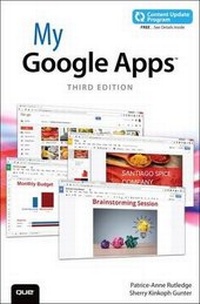
My Google Apps (includes Content Update Program)
3rd Edition
Will be published approx. on 28. January 2040
Book
Paperback/Softback
400 pages
978-0-7897-5810-1 (ISBN)
Description
Full-color, step-by-step tasks walk you through doing exactly what you want with Google Apps. Learn how to:
Use Google Apps to reduce technology expenses and grow your business
Choose the best Google Apps version for your needs
Quickly activate and customize your account
Give your users customized email that uses your domain, not gmail.com
Connect Gmail to your smartphone so your email and schedule always go with you
Create, format, edit, print, and collaborate on documents with Docs
Track and analyze your data with Sheets
Create presentations with Slides and present anywhere via the Internet
Cut travel costs: run video meetings online with Google Hangouts
Improve project collaboration with a shared Sites workspace
Efficiently manage and share your schedule with Calendar
Store and share your files for secure anytime/anywhere access
Sync your files between your PC or Mac and Google Drive in the cloud
Use Vault to archive content and activity for compliance or other legal reasons
COVERS: Gmail, Calendar, Drive, Docs, Sheets, Slides, Hangouts, Sites, Vault
Step-by-step instructions with callouts to new Google Apps screenshots that show you exactly what to do.
Help when you run into Google Apps problems or limitations.
Tips and Notes to help you get the most from Google Apps.
Use Google Apps to reduce technology expenses and grow your business
Choose the best Google Apps version for your needs
Quickly activate and customize your account
Give your users customized email that uses your domain, not gmail.com
Connect Gmail to your smartphone so your email and schedule always go with you
Create, format, edit, print, and collaborate on documents with Docs
Track and analyze your data with Sheets
Create presentations with Slides and present anywhere via the Internet
Cut travel costs: run video meetings online with Google Hangouts
Improve project collaboration with a shared Sites workspace
Efficiently manage and share your schedule with Calendar
Store and share your files for secure anytime/anywhere access
Sync your files between your PC or Mac and Google Drive in the cloud
Use Vault to archive content and activity for compliance or other legal reasons
COVERS: Gmail, Calendar, Drive, Docs, Sheets, Slides, Hangouts, Sites, Vault
Step-by-step instructions with callouts to new Google Apps screenshots that show you exactly what to do.
Help when you run into Google Apps problems or limitations.
Tips and Notes to help you get the most from Google Apps.
More details
Other editions
Previous edition
Patrice-Anne Rutledge | Sherry Kinkoph Gunter
My Google Apps
Book
06/2015
2nd Edition
Que Corporation,U.S.
€42.89
Article exhausted; check for reprint
Content
Prologue - What is Google Apps?
Chapter 1 - Getting Started with Google Apps
Chapter 2 - Managing Email and Contacts with Gmail
Chapter 3 - Organizing Your Schedule with Calendar
Chapter 4 - Storing and Sharing Files on Drive
Chapter 5 - Creating Documents with Docs
Chapter 6 - Tracking and Analyzing Data with Sheets
Chapter 7 - Creating Presentations with Slides
Chapter 8 - Communicating with Hangouts
Chapter 9 - Creating Websites with Sites
Chapter 10 - Archiving with Vault
Chapter 11 - Exploring Other Google Tools
Chapter 1 - Getting Started with Google Apps
Chapter 2 - Managing Email and Contacts with Gmail
Chapter 3 - Organizing Your Schedule with Calendar
Chapter 4 - Storing and Sharing Files on Drive
Chapter 5 - Creating Documents with Docs
Chapter 6 - Tracking and Analyzing Data with Sheets
Chapter 7 - Creating Presentations with Slides
Chapter 8 - Communicating with Hangouts
Chapter 9 - Creating Websites with Sites
Chapter 10 - Archiving with Vault
Chapter 11 - Exploring Other Google Tools