

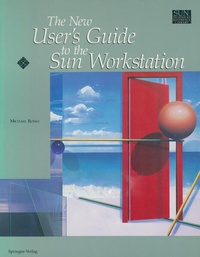
The New User's Guide to the Sun Workstation
Published on 19. December 1990
Book
Paperback/Softback
VII, 203 pages
978-0-387-97249-7 (ISBN)
Description
Welcome Sun users. This guide will be your key to understanding your Sun workstation. Within these pages you will find out how to use all of the basic functions and capabilities in a minimal amount of time. From SunView to Security, from Backups to Permissions, you will find out what you need quickly. This book is not intended to replace the current Sun docu mentation. It is a fast learning tool for you to become a functional Sun user quickly. Each chapter will cover the basic information needed to allow you to use that area efficiently. The chapters on UNIX file systems and permissions are for beginners' reference and will aid in learning the file system. All examples will refer to the machine name 1 tahoe. This is done to make the references to a system prompt consistent and avoid confusion. You should use this book in conjunction with the Sun manual pages included with your system. When referencing system com mands or functions, the manual pages will give you the additional capabilities which will prove invaluable in the future. I hope you enjoy this book and your new Sun workstation.
More details
Series
Edition
Softcover reprint of the original 1st ed. 1991
Language
English
Place of publication
New York
United States
Target group
Professional and scholarly
Research
Illustrations
162 s/w Abbildungen
VII, 203 p. 162 illus.
Dimensions
Height: 244 mm
Width: 189 mm
Thickness: 12 mm
Weight
417 gr
ISBN-13
978-0-387-97249-7 (9780387972497)
DOI
10.1007/978-1-4612-3000-7
Schweitzer Classification
Other editions
Additional editions
Michael Russo
The New User's Guide to the Sun Workstation
E-Book
12/2012
Springer
€96.29
Available for download
Content
1 Logging into Your System.- 2 Basic File System.- 3 File Permissions.- 4 Manual Pages.- 5 Executing Commands.- 6 Editors.- 7 Your Home Directory.- 8 SunView.- 9 MailTool.- 10 Networking.- 11 Backing Up Your System.- 12 Printing a File.- 13 System Security.- 14 Rebooting Your System.- Future Reading.