

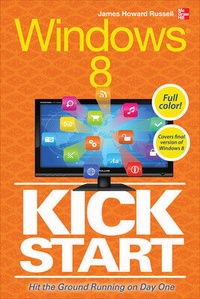
Windows 8 Kickstart
Published on 16. December 2012
Book
Paperback/Softback
272 pages
978-0-07-180582-7 (ISBN)
Description
Publisher's Note: Products purchased from Third Party sellers are not guaranteed by the publisher for quality, authenticity, or access to any online entitlements included with the product.
Your full-color go-to guide-covering the final version of Windows 8!
Get started enjoying the innovative features of Microsoft's latest operating system release on any device quickly and easily with Windows 8 Kickstart. Loaded with crisp, full-color screenshots, this practical, visual guide focuses on the best ways to maximize the operating system's capabilities. Customize and secure your system, manage files, browse the Web, download apps, enjoy multimedia, manage photos, connect to social media networks, and much more. Tips, Notes, Warnings, and Now You Know sidebars offer solutions to potential pitfalls and veteran insight helps you get the most out of Windows 8.
Configure and customize Windows 8
Manage your desktop
Organize files with Windows Explorer
Keep Windows 8 up to date and secure
Get started with Windows 8-style apps
Surf the web
Connect with social media and instant messaging
View and manage photos
Play music, video, and games
Print files and manage devices
Your full-color go-to guide-covering the final version of Windows 8!
Get started enjoying the innovative features of Microsoft's latest operating system release on any device quickly and easily with Windows 8 Kickstart. Loaded with crisp, full-color screenshots, this practical, visual guide focuses on the best ways to maximize the operating system's capabilities. Customize and secure your system, manage files, browse the Web, download apps, enjoy multimedia, manage photos, connect to social media networks, and much more. Tips, Notes, Warnings, and Now You Know sidebars offer solutions to potential pitfalls and veteran insight helps you get the most out of Windows 8.
Configure and customize Windows 8
Manage your desktop
Organize files with Windows Explorer
Keep Windows 8 up to date and secure
Get started with Windows 8-style apps
Surf the web
Connect with social media and instant messaging
View and manage photos
Play music, video, and games
Print files and manage devices
More details
Language
English
Place of publication
United States
Publishing group
McGraw-Hill Education - Europe
Illustrations
85 Illustrations
Dimensions
Height: 295 mm
Width: 104 mm
Thickness: 13 mm
Weight
320 gr
ISBN-13
978-0-07-180582-7 (9780071805827)
Copyright in bibliographic data and cover images is held by Nielsen Book Services Limited or by the publishers or by their respective licensors: all rights reserved.
Schweitzer Classification
Other editions
Additional editions
James Russell
Windows 8 Kickstart
E-Book
12/2012
1st Edition
McGraw-Hill Education
€41.69
Available for download
Person
James Howard Russell (Atascadero, CA) is a co-author of Facebook for Dummies, both Mini and Pocket Editions (Wiley) as well as The Official Red Hat Linux User's Guide (Red Hat Press/Wiley), The SAIR Linux and GNU Certified Administrator All-in-One Exam Guide (McGraw Hill), practice exam questions for the Linux+ Certification Bible CD-ROM (Hungry Minds, Inc.) and HTML: Your Visual Blueprint for Designing Web Pages with HTML, CSS, and XHTML (Wiley). He also writes and edits technical articles for Demand Media Studios on technical topics including Windows 7, Android smartphones, and World of Warcraft. Russell has installed, configured, and debugged Windows for a variety of OS versions including the Windows 8 Consumer Preview, Windows 7, Windows Visa, and all versions of Windows back to Windows 3. Russell digs deep into configuration issues on Windows PCs and has removed viruses, repaired sound and other hardware driver issues, and fixed a myriad of other configuration problems on PCs.
Content
Part I: Orient Yourself to Windows 8
Chapter 1: Start Up Windows 8
Chapter 2: Configure Your Start Screen & Customize Your Settings
Chapter 3: Control Your Windows 8 Desktop
Chapter 4 : Organize Files with Windows Explorer
Chapter 5: Keep Windows 8 Up To Date and Secure
Part II: Explore Tiles, Media, and Apps
Chapter 6: Get Started with Windows 8-Style Apps
Chapter 7: Surf the Net
Chapter 8: Share with Social Media and Instant Messaging
Chapter 9: View and Manage Photos
Chapter 10: Play Music and Video
Chapter 11: Play Games on Windows
Chapter 12: Get Apps from the Windows Store
Part III: Get Productive with Windows 8
Chapter 13: Print Files and Manage Devices
Chapter 14: Get Started with Microsoft Office
Chapter 1: Start Up Windows 8
Chapter 2: Configure Your Start Screen & Customize Your Settings
Chapter 3: Control Your Windows 8 Desktop
Chapter 4 : Organize Files with Windows Explorer
Chapter 5: Keep Windows 8 Up To Date and Secure
Part II: Explore Tiles, Media, and Apps
Chapter 6: Get Started with Windows 8-Style Apps
Chapter 7: Surf the Net
Chapter 8: Share with Social Media and Instant Messaging
Chapter 9: View and Manage Photos
Chapter 10: Play Music and Video
Chapter 11: Play Games on Windows
Chapter 12: Get Apps from the Windows Store
Part III: Get Productive with Windows 8
Chapter 13: Print Files and Manage Devices
Chapter 14: Get Started with Microsoft Office