

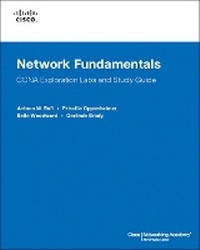
Network Fundamentals, CCNA Exploration Labs and Study Guide
Description
Study Guide
The dozens of exercises in this book help you learn the concepts and configurations crucial to your success as a CCNA exam candidate. Each chapter is slightly different and includes multiple-choice, fill-in-the-blank, and open-ended questions designed to help you:
Review vocabulary
Strengthen troubleshooting skills
Boost configuration skills
Reinforce concepts
Research topics
Labs and Activities
Hands-On Labs-This icon identifies the hands-on labs created for each chapter. Work through all the labs as provided to gain a deep understanding of CCNA knowledge and skills to ultimately succeed on the CCNA Certification Exam.
Packet Tracer Companion-This icon identifies the companion activities that correspond to some hands-on labs. You use Packet Tracer to complete a simulation of the hands-on lab.
Packet Tracer Skills Integration Challenge-Each chapter concludes with a culminating activity called the Packet Tracer Skills Integration Challenge. These challenging activities require you to pull together several skills learned from the chapter, as well as previous chapters, to successfully complete one comprehensive exercise.
Use this book with:
Network Fundamentals,
CCNA Exploration
Companion Guide
ISBN-10: 1-58713-208-7
ISBN-13: 978-158713-208-7
Companion CD-ROM
The CD-ROM provides all the Packet Tracer Companion and Packet Tracer Challenge files that are referenced throughout the book as indicated by the icons. These files work with Packet Tracer software V4.1.x, which is available through the Academy Connection website. Ask your instructor for access to the Packet Tracer software.
This book is part of the Cisco Networking Academy Series from Cisco Press (R). Books in this series support and complement the Cisco Networking Academy curriculum.
More details
Other editions
Previous edition
Persons
projects and computer programs. Tony has a master's degree in information science from the University of Maryland and a bachelor's degree in industrial technology from Southern Illinois University.
Priscilla Oppenheimer is an author and network consultant with more than 25 years of experience in the computer industry. Priscilla has a master's degree in information science from the University of Michigan and has worked at such big-name companies as Apple Computer and Cisco Systems. She currently teaches at Southern Oregon University and provides network consulting to companies in her hometown of Ashland, Oregon, and elsewhere.
Belle Woodward, CCNA, CCAI, CCNP, is an assistant professor in the School of Information Systems and Applied Technologies in the College of Applied Sciences and Arts at Southern Illinois University (SIU) in Carbondale, Illinois. She has more than nine years experience in the networking and network security field. Belle teaches network security, advanced networking, and telecommunications. After redesigning the networking and network security undergraduate curriculum, her students took first place at the 2006 Regional Midwestern Collegiate Cyber Defense Competition (CCDC) and fourth place at the national CCDC. In addition to publishing several journal articles in the network
security discipline, Belle has also contributed several chapters included in published network security and networking books.
Gerlinde Brady has been teaching Cisco CCNA and CCNP courses at Cabrillo College, a Cisco Regional Networking Academy, since 1999. She holds a master's degree in education from the University of Hannover, Germany, and a master's degree in translation (English/German) from the Monterey Institute of International Studies. Her IT industry experience includes LAN design, network administration, technical support, and training.
Content
Chapter 1: Living in a Network-Centric World
Communicating in a Network-Centric World
</b>Concept Questions
Vocabulary Exercise: Completion
<b>Communication: An Essential Part of Our Lives
</b>
Concept Questions
<b>The Network as a Platform
</b>Vocabulary Exercise: Define
Vocabulary Exercise: Identify
Vocabulary Exercise: Matching
Vocabulary Exercise: Completion
Concept Questions
<b>The Architecture of the Internet
</b>Vocabulary Exercise: Define
Concept Questions
Vocabulary Exercise: Completion
<b>Trends in Networking
</b>Multiple-Choice Questions
<b>Activity 1-1: Using Google Earth to View the World (1.1.1.4)
</b>Task 1: Install Google Earth
Task 2: Run Google Earth
Task 3: Navigate the Google Earth Interface
Task 4: Reflection
Task 5: Challenge
Task 6: Clean Up
<b>Activity 1-2: Identifying Top Security Vulnerabilities (1.4.5.3)
</b>Task 1: Locate the SANS Resources
Task 2: Review the SANS Resources
Task 3: Collect Data
Task 4: Reflection
Task 5: Challenge
<b>Lab 1-1: Using Collaboration Tools: IRC and IM (1.6.1.1)
</b>Task 1: Configure the Chat Client
Task 2: Connect to the Chat Server
Task 3: Consider the Chat Session
Task 4: Reflection
Task 5: Challenge
Task 6: Clean Up
<b>Lab 1-2: Using Collaboration Tools: Wikis and Web Logs (1.6.2.1)
</b>Task 1: Define the Terms Wiki and Blog
Task 2: Explore Wiki Features with the TWiki Tutorial
Task 3: Reflection
Task 4: Challenge
Task 5: Clean Up
<b>Skills Integration Challenge: Introduction to Packet Tracer (1.7.1.3)
</b>Task 1: Explore the PT Interface
Task 2: Explore PT Operations
Task 3: Review the Standard Lab Setup
Task 4: Reflection
<b>Chapter 2: Communicating over the Network
The Platform for Communications
</b>Concept Questions
Vocabulary Exercise: Matching
<b>LANs, WANs, and Internetworks
</b>Vocabulary Exercise: Completion
Vocabulary Exercise: Matching
<b>Protocols
</b>Vocabulary Exercise: Completion
Concept Questions
<b>Using Layered Models
</b>Vocabulary Exercise: Matching
<b>Network Addressing
</b>Vocabulary Exercise: Completion
Multiple-Choice Questions
<b>Activity 2-1: Using NeoTrace to View Internetworks (2.2.5.1)
</b>Task 1: Trace Route to Remote Server
Task 2: Trace Route Using NeoTrace
Task 3: Reflection
Task 4: Challenge
Task 5: Clean Up
<b>Lab 2-1: Topology Orientation and Building a Small Network (2.6.1.1)
</b>Task 1: Create a Peer-to-Peer Network
Task 2: Identify the Cables Used in a Network
Task 3: Cable the Peer-to-Peer Network
Task 4: Connect Your Workstations to the Classroom Lab Switch
Task 5: Reflection
Packet Tracer Companion: Topology Orientation and Building a Small Network (2.6.1.2)
<b>Lab 2-2: Using Wireshark to View Protocol Data Units (2.6.2.1)
</b>Task 1: Ping PDU Capture
Task 2: FTP PDU Capture
Task 3: HTTP PDU Capture
Task 4: Reflection
Task 5: Challenge
Task 6: Cleanup
Packet Tracer Companion: Using Packet Tracer to View Protocol Data Units (2.6.2.2)
<b>Skills Integration Challenge: Examining Packets (2.7.1.3)
</b>Task 1: Complete the Topology
Task 2: Add Simple PDUs in Real-Time Mode
Task 3: Analyze PDUs in Simulation Mode (Packet Tracing)
Task 4: Experiment with the Model of the Standard Lab Setup
Task 5: Reflection
<b>Chapter 3: Application Layer Functionality and Protocols </b>
<b>Applications: The Interface Between the Networks
</b>Vocabulary Exercise: Matching
Concept Questions
<b>Making Provisions for Applications and Services
</b>Vocabulary Exercise: Matching
Multiple-Choice Questions
<b>Application Layer Protocols and Services Examples
</b>Vocabulary Exercise: Matching
Vocabulary Exercise: Completion
Multiple-Choice Questions
<b>Activity 3-1: Data Stream Capture (3.4.1.1)
</b>Task 1: Create a Sound File
Task 2: Observe the Properties of the Audio File
Task 3: Reflection
Task 4: Clean Up
<b>Lab 3-1: Managing a Web Server (3.4.2.1)
</b>Task 1: Download, Install, and Verify the Apache Web Server
Task 2: Verify the Default Web Server Configuration File
Task 3: Capture and Analyze HTTP Traffic with Wireshark
Task 4: Challenge
Task 5: Reflection
Task 6: Clean Up
<b>Lab 3-2: E-mail Services and Protocols (3.4.3.1)
</b>Task 1: Configure the Pod Host Computer for E-mail Service
Task 2: Capture and Analyze E-mail Communication Between the Pod Host Computer and an E-mail Server
Task 3: Challenge
Task 4: Reflection
Task 5: Clean Up
<b>Skills Integration Challenge: Configuring Hosts and Services (3.5.1.3)
</b>Task 1: ?Repair? and Test the Topology
Task 2: Explore How DNS and HTTP Work Together
Task 3: Reflection
<b>Chapter 4: OSI Transport Layer
Roles of the Transport Layer
</b>Vocabulary Exercise: Matching
Concept Questions
Vocabulary Exercise: Completion
Port Type Ranges Exercise
<b>The TCP Protocol: Communicating with Reliability
</b>Concept Questions
Vocabulary Exercise: Matching
<b>Managing TCP Sessions
</b>Internet Research Exercise
Concept Questions
<b>The UDP Protocol: Communicating with Low Overhead
</b>Vocabulary Exercise: Completion
<b>Lab 4-1: Observing TCP and UDP Using netstat (4.5.1.1)
</b>Task 1: Explain Common netstat Command Parameters and Outputs
Task 2: Use netstat to Examine Protocol Information on a Pod Host Computer
Task 3: Reflection
Task 4: Challenge
Task 5: Cleanup
<b>Lab 4-2: TCP/IP Transport Layer Protocols, TCP and UDP (4.5.2.1)
</b>Task 1: Identify TCP Header Fields and Operation Using a Wireshark FTP Session Capture
Task 2: Identify UDP Header Fields and Operation Using a Wireshark TFTP Session Capture
Task 3: Reflection
Task 4: Challenge
Task 5: Cleanup
<b>Lab 4-3: Application and Transport Layer Protocols (4.5.3.1)
</b>Task 1: Configure the Pod Host Computer to Capture Application Layer Protocols
Task 2: Capture and Analyze HTTP Communication Between the Pod Host Computer and a Web Server
Task 3: Capture and Analyze FTP Communication Between the Pod Host Computer and a Web Server
Task 4: Reflection
Task 5: Challenge
Task 6: Clean Up
Packet Tracer Companion: Application and Transport Layer Protocols Examination (4.5.3.2)
<b>Skills Integration Challenge: Analyzing the Application and Transport Layers (4.6.1.3)
</b>Task 1: Repair and Test the Topology
Task 2: Explore How DNS, UDP, HTTP, and TCP Work Together
Task 3: Reflection
<b>Chapter 5: OSI Network Layer
IPv4
</b>Concept Questions
Vocabulary Exercise: Completion
Vocabulary Exercise: Define
<b>Networks: Dividing Hosts into Groups
</b>Internet Research Exercise
Vocabulary Exercise: Completion
<b>Routing: How Our Data Packets Are Handled
</b>Concept Questions
Vocabulary Exercise: Define
<b>Routing Processes: How Routes Are Learned
</b>Vocabulary Exercise: Completion
<b>Lab 5-1: Examining a Device?s Gateway (5.5.1.1)
</b>Task 1: Understand and Explain the Purpose of a Gateway Address
Task 2: Understand How Network Information Is Configured on a Windows
Task 3: Troubleshoot a Hidden Gateway Address Problem
Task 4: Reflection
Task 5: Challenge
Task 6: Clean Up
Packet Tracer Companion: Examining a Device?s Gateway (5.5.1.2)
<b>Lab 5-2: Examining a Route (5.5.2.1)
</b>Task 1: Use the route Command to Modify a Windows Computer Routing Table
Task 2: Use a Windows Telnet Client Command telnet to Connect to a Cisco Router
Task 3: Examine Router Routes Using Basic Cisco IOS Commands
Task 4: Reflection
Task 5: Challenge
Task 6: Clean Up
Packet Tracer Companion: Examining a Route (5.5.2.2)
<b>Skills Integration Challenge: Routing IP Packets (5.6.1.3)
</b>Task 1: Configure a Router Interface
Task 2: Examining Routes
Task 3: Configure a Route Using a GUI
Task 4: Examine the Routing of the IP Packet
Task 5: Reflection
<b>Chapter 6: Addressing the Network: IPv4
IPv4 Addresses
</b>Concept Questions
Binary-to-Decimal Conversion Exercise
Decimal-to-Binary Conversion Exercise
<b>Addresses for Different Purposes
</b>Vocabulary Exercise: Matching
Internet Research Exercise
Vocabulary: Completion
Concept Questions
<b>Assigning Addresses
</b>Internet Research Exercises
Concept Questions
<b>Is It on My Network?
</b>Binary Matching Exercise
Concept Questions
Internet Research Exercise
<b>Calculating Addresses
</b>Concept Questions
Multiple-Choice Questions
<b>Testing the Network Layer
</b>Concept Questions
Vocabulary Exercise: Completion
<b>Lab 6-1: Ping and Traceroute (6.7.1.1)
</b>Task 1: Use the ping Command to Verify Simple TCP/IP Network Connectivity
Task 2: Use the tracert Command to Verify TCP/IP Connectivity
Task 3: Challenge
Task 4: Reflection
Task 5: Clean Up
Packet Tracer Companion: ping and traceroute (6.7.1.2)
<b>Lab 6-2: Examining ICMP Packets (6.7.2.1)
</b>Task 1: Understand the Format of ICMP Packets
Task 2: Use Wireshark to Capture and Examine ICMP Messages
Task 3: Challenge
Task 4: Reflection
Task 5: Clean Up
Packet Tracer Companion: Examining ICMP Packets (6.7.2.2)
<b>Activity 6-1: IPv4 Address Subnetting, Part 1 (6.7.3.1)
</b>Task 1: For a Given IP Address, Determine Network Information
Task 2: Challenge
Task 3: Clean Up
<b>Activity 6-2: IPv4 Address Subnetting, Part 2 (6.7.4.1)
</b>Task 1: For a Given IP Address and Subnet Mask, Determine Subnet
Information
Task 2: Challenge
Task 3: Clean Up
<b>Lab 6-3: Subnet and Router Configuration (6.7.5.1)
</b>Task 1: Subnet the Address Space
Task 2: Determine Interface Addresses
Task 3: Configure the Serial and FastEthernet Addresses
Task 4: Verify the Configurations
Task 5: Reflection
Packet Tracer Companion: Subnet and Router Configuration (6.7.5.2)
<b>Skills Integration Challenge: Planning Subnets and Configuring IP Addresses (6.8.1.3)
</b>Task 1: IP Subnet Planning
Task 2: Finish Building the Network in Packet Tracer
Task 3: Configure the Network
Task 4: Test the Network
Task 5: Reflection
<b>Chapter 7: OSI Data Link Layer
Data Link Layer: Accessing the Media
</b>Vocabulary Exercise: Matching
Concept Questions
Vocabulary Exercise: Completion
<b>Media Access Control Techniques
</b>Concept Questions
Vocabulary Exercise: Completion
<b>Media Access Control: Addressing and Framing Data
</b>Vocabulary Exercise: Matching
Concept Questions
<b>Putting It All Together: Follow Data Through an Internetwork
</b>Vocabulary Exercise: Completion
<b>Lab 7-1: Frame Examination (7.5.2.1)
</b>Task 1: Explain the Header Fields in an Ethernet II Frame
Task 2: Use Wireshark to Capture and Analyze Ethernet II Frames
Task 3: Challenge
Task 4: Reflection
Task 5: Clean Up
<b>Skills Integration Challenge: Data Link Layer Issues (7.6.1.3)
</b>Task 1: IP Subnet Planning
Task 2: Finish Building the Network in Packet Tracer, Attending to Some Layer 2 Issues
Task 3: Configure the Network
Task 4: Test the Network
Task 5: Reflection
<b>Chapter 8: OSI Physical Layer
The Physical Layer: Communication Signals
</b>Vocabulary Exercise: Completion
Concept Questions
<b>Physical Signaling and Encoding: Representing Bits
</b>Concept Questions
Vocabulary Exercise: Completion
Vocabulary Exercise: Matching
<b>Physical Media: Connecting Communication
</b>Concept Questions
Vocabulary Exercise: Matching
<b>Lab 8-1: Media Connectors Lab Activity (Lab 8.4.1.1)
</b>Task 1: Become Familiar with the Most Common Functions of a Cable Tester
Task 2: Test Different Cables for Type and Wiring Problems
Task 3: Perform Initial Configuration of the Fluke LinkRunner
Task 4: Verify Cable Length
Task 5: Reflection
Task 6: Challenge
Task 7: Clean Up
<b>Skills Integration Challenge: Connecting Devices and Exploring the Physical View (8.5.1.3)
</b>Task 1: Connect the Devices in the Standard Lab Setup
Task 2: View the Standard Lab Setup in the Physical Workspace
<b>Chapter 9: Ethernet
Overview of Ethernet
</b>Vocabulary Exercise: Matching
Concept Questions
<b>Ethernet: Communication Through the LAN
</b>Vocabulary Exercise: Matching
Concept Questions
<b>The Ethernet Frame
</b>Vocabulary Exercise: Matching
Multiple-Choice Questions
Concept Questions
<b>Ethernet Media Access Control
</b>Vocabulary Exercise: Completion
Concept Questions
<b>Ethernet Physical Layer
</b>Vocabulary Exercise: Completion
<b>Hubs and Switches
</b>Vocabulary Exercise: Matching
Vocabulary Exercise: Completion
Concept Question
<b>Address Resolution Protocol (ARP)
</b>Multiple-Choice Questions
<b>Lab 9-1: Address Resolution Protocol (9.8.1.1)
</b>Task 1: Use the Windows arp Command
Task 2: Use Wireshark to Examine ARP Exchanges
Task 3: Reflection
Task 4: Challenge
Task 5: Clean Up
Packet Tracer Companion: Address Resolution Protocol (9.8.1.2)
<b>Lab 9-2: Cisco Switch MAC Table Examination (9.8.2.1)
</b>Task 1: Use the Telnet Protocol to Log in to a Cisco Switch
Task 2: Use the Cisco IOS show mac-address-table Command to Examine MAC Addresses and Port Associations
Task 3: Challenge
Task 4: Reflection
Task 5: Clean Up
Packet Tracer Companion: Cisco Switch MAC Table Examination (9.8.2.2)
<b>Lab 9-3: Intermediary Device as an End Device (9.8.3.1)
</b>Task 1: Use Wireshark to Capture and Analyze Frames Originating from Network Nodes
Task 2: Examine the Origination of Frames in a Small Network
Task 3: Reflection
Task 4: Challenge
Task 5: Clean Up
Packet Tracer Companion: An Intermediary Device as an End Device (9.8.3.2)
<b>Skills Integration Challenge: Switched Ethernet (9.9.1.3)
</b>Task 1: IP Subnet Planning
Task 2: Repair Problems with the Ethernet Switched LAN
Task 3: Test the Network
Task 4: Reflection
<b>Chapter 10: Planning and Cabling Networks
LANs: Making the Physical Connection
</b>Concept Questions
Multiple-Choice Questions
Vocabulary Exercise: Completion
<b>Device Interconnections
</b>Concept Questions
Vocabulary Exercise: Completion
<b>Developing an Addressing Scheme
</b>Concept Questions
<ulary Exercise: CompletionMultiple-Choice Questions
<b>Calculating the Subnets
</b>Concept Questions
<b>Device Interconnections
</b>Concept Question
Multiple-Choice Questions
<b>Lab 10-1: How Many Networks? (10.3.2.2)
</b>Task 1: Determine the Number of Subnets in Topology Diagram A
Task 2: Record Subnet Information
Task 3: Determine the Number of Subnets in Topology Diagram B
Task 4: Record Subnet Information
Task 5: Determine the Number of Subnets in Topology Diagram C
Task 6: Record Subnet Information
Task 7: Determine the Number of Subnets in Topology Diagram D
Task 8: Record Subnet Information
Task 9: Reflection
<b>Lab 10-2: Creating a Small Lab Topology (10.6.1.1)
</b>Task 1: Design the Logical Network
Task 2: Configure the Physical Lab Topology
Task 3: Configure the Logical Topology
Task 4: Verify Network Connectivity
Task 5: Reflection
Task 6: Challenge
Task 7: Clean Up
Packet Tracer Companion: Creating a Small Topology (10.6.1.2)
<b>Lab 10-3: Establishing a Console Session with HyperTerminal (10.6.2.1)
</b>Task 1: Connect a Router and Computer with a Console Cable
Task 2: Configure HyperTerminal to Establish a Console Session with a Cisco IOS Router
Task 3: Configure HyperTerminal to Establish a Console Session with a Cisco IOS Switch
Task 3: Reflection
Task 4: Challenge
Task 5: Clean Up
<b>Lab 10-3 (Alternative): Establishing a Console Session with TeraTerm
</b>Task 1: Connect a Router and Computer with a Console Cable
Task 2: Configure TeraTerm Web to Establish a Console Session with the Router
Task 3: Reflection
Task 4: Challenge
Task 5: Clean Up
Packet Tracer Companion: Establishing a Console Session with PT Terminal (10.6.2.2)
<b>Lab 10-4: Establishing a Console Session with Minicom (10.6.3.1)
</b>Task 1: Connect a Router and Computer with a Console Cable
Task 2: Configure Minicom to Establish a Console Session with the Router
Task 3: Perform Basic Commands
Task 4: Reflection
Task 5: Clean Up
<b>Skills and Integration Challenge: Planning and Cabling Networks (10.7.1.3)
</b>Task 1: Build the Network Topology
Task 2: Create and Assign an Addressing Scheme
Task 3: Interface Configuration
Task 4: Testing Connectivity
<b>Chapter 11: Configuring and Testing Your Network
Configuring Cisco Devices: IOS Basics
</b>Concept Questions
Vocabulary Exercise: Matching
Cisco IOS Command Exercises
Test Your Knowledge
<b>Applying a Basic Configuration Using Cisco IOS
</b>Concept Questions
Multiple-Choice Questions
Vocabulary Exercise: Completion
<b>Verifying Connectivity
</b>Test Your Knowledge
Concept Question
<b>Lab 11-1: Network Latency Documentation with ping (11.4.3.3)
</b>Task 1: Use the ping Command to Document Network Latency
Task 2: Compute Various Statistics on the Output of a ping Capture
Task 3: Measure Delay Effects from Larger Datagrams
Task 4: Reflection
Task 5: Challenge
<b>Lab 11-2: Basic Cisco Device Configuration (11.5.1.1)
</b>Task 1: Configure Cisco Router Global Configuration Settings
Task 2: Configure Cisco Router Password Access
Task 3: Configure Cisco Router Interfaces
Task 4: Save the Router Configuration Files
Task 5: Configure a Cisco Switch
Task 6: Reflection
Task 7: Challenge
Task 8: Clean Up
Packet Tracer Companion: Basic Cisco Device Configuration (11.5.1.2)
<b>Lab 11-3: Managing Device Configuration (11.5.2.1)
</b>Task 1: Configure Network Connectivity
Task 2: Use TFTP to Save and Restore a Cisco IOS Configuration
Task 3: Reflection
Task 4: Challenge
Task 5: Clean Up
Packet Tracer Companion: Managing Device Configuration (11.5.2.2)
<b>Lab 11-4: Configure Host Computers for IP Networking (11.5.3.1)
</b>Task 1: Design the Logical Lab Topology
Task 2: Configure the Physical Lab Topology
Task 3: Configure the Logical Topology
Task 4: Verify Network Connectivity
Task 5: Reflection
Task 6: Challenge
Task 7: Clean Up
<b>Lab 11-5: Network Testing (11.5.4.1)
</b>Task 1: Design the Logical Lab Topology
Task 2: Configure the Physical Lab Topology
Task 3: Configure the Logical Topology
Task 4: Verify Network Connectivity
Task 5: Reflection
Task 6: Challenge
Task 7: Clean Up
<b>Lab 11-6: Network Documentation with Utility Commands (11.5.5.1)
</b>Task 1: Design the Logical Lab Topology
Task 2: Configure the Physical Lab Topology
Task 3: Configure the Logical Topology
Task 4: Verify Network Connectivity
Task 5: Document the Network
Task 6: Reflection
Task 7: Challenge
Task 8: Clean Up
<b>Lab 11-7: Case Study: Datagram Analysis with Wireshark (11.5.6.1)
</b>Task 1: Prepare the Lab
Task 2: Review the Process of Data Flowing Through the Network
Task 3: Analyze Captured Packets
Task 4: Complete the Final Analysis
Task 5: Conclusion
Task 6: Summary
<b>Skills Integration Challenge: Configuring and Analyzing Networks (11.6.1.3)
</b>Task 1: Plan
Task 2: Build and Configure the Network
Task 3: Test and Analyze
Task 4: Reflection