

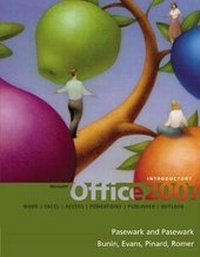
Microsoft (R) Office 2007
Introductory
Published on 2. October 2007
Book
Hardback
952 pages
978-1-4239-0396-3 (ISBN)
Description
This text includes features that make learning easy and enjoyable - yet - challenging for learners. The text includes a wide range of learning experiences from activities with one or two commands to simulations and case studies that challenge and sharpen learners' problem-solving skills.
Reviews / Votes
INTRODUCTION. Lesson 1: Microsoft Windows(R) Vista Basics. Lesson 2: Microsoft Office(R) 2007 Basics. MICROSOFT WORD 2007. Lesson 1: Word Basics. Lesson 2: Basic Editing. Lesson 3: Helpful Word Features. Lesson 4: Formatting Text. Lesson 5: Formatting Paragraphs and Documents. Lesson 6: Working with Graphics. Lesson 7: Working with Documents. Lesson 8: Increasing Efficiency Using Word. MICROSOFT EXCEL 2007. Lesson 1: Excel Basics. Lesson 2: Changing the Appearance of a Worksheet. Lesson 3: Organizing the Worksheet. Lesson 4: Entering Worksheet Formulas. Lesson 5: Using Functions. Lesson 6: Enhancing a Worksheet. Lesson 7: Working with Multiple Worksheets and Workbooks. Lesson 8: Working with Charts. MICROSOFT ACCESS 2007. Lesson 1: Access Basics. Lesson 2: Creating a Database. Lesson 3: Creating Queries. Lesson 4: Creating and Modifying Forms. Lesson 5: Creating and Modifying Reports. Lesson 6: Integrating Access. MICROSOFT POWERPOINT 2007. Lesson 1: PowerPoint Basics. Lesson 2: Creating and Enhancing PowerPoint Presentations. Lesson 3: Working with Visual Elements. Lesson 4: Expanding on PowerPoint Basics. MICROSOFT OUTLOOK 2007. Lesson 1: Outlook Basics and E-mail. Lesson 2: Calendar. Lesson 3: Working with Other Outlook Tools. Microsoft Publisher 2007. Lesson 1: Publisher Basics. Lesson 2: Enhancing Publisher Documents. Additional Material: Capstone Simulation: Green Way Lawn Care Service. Appendix A: Computer Concepts. Appendix B: Keyboarding Touch System Improvement.More details
Edition
International Edition
Language
English
Place of publication
Boston, MA
United States
Publishing group
Cengage Learning, Inc
Target group
College/higher education
Dimensions
Height: 282 mm
Width: 214 mm
Thickness: 40 mm
Weight
2340 gr
ISBN-13
978-1-4239-0396-3 (9781423903963)
Copyright in bibliographic data and cover images is held by Nielsen Book Services Limited or by the publishers or by their respective licensors: all rights reserved.
Schweitzer Classification
Persons
Over the past 25 years, Robin M. Romer has focused on writing and editing books about computing, including computer applications, Web design and development, and service desks. In 2001, Robin sold her successful imprint, Acada Books, to return to her roots and concentrate on hands-on writing and editing. She has authored and contributed to more than 30 books and edited more than 50 titles. In addition to writing popular textbooks on Microsoft (R) and Adobe (R), Barbara Waxer teaches Copyright and Digital Media at Santa Fe Community College. Her text INTERNET SURF AND TURF: THE ESSENTIAL GUIDE TO COPYRIGHT, FAIR USE AND FINDING MEDIA won the 2006 Texty Award, presented by the Text and Academic Authors Association, as well as the New England Book Show Award in the College Category. Jessica Evans is the author or co-author of more than 50 titles from the New Perspectives, Illustrated, and Succeeding in Business Series. Ms. Evans also has extensive work experience for the Cengage Learning Computing team as a developmental editor and has edited more than 40 projects on programming languages, database concepts, SQL, Oracle, database applications, Office applications, and website development. Pasewark LTD is a family owned business. The authors have written more than 100 books about computers, accounting, and office technology. Pasewark LTD authors are members of several professional associations that help authors write better books. The authors have been recognized with numerous awards for classroom teaching. Ann Fisher is a freelance writer and developmental editor who has worked on many Course Technology titles over the last ten years, including Adobe titles, such as InDesign, Illustrator, Photoshop and Dreamweaver. She has also co-authored Adobe Premiere Pro 2.0. Ann brings her experience in software training to her clear, effective style of writing and editing. Katherine T. Pinard has more than 25 years of experience writing and editing books about computer concepts, applications, and technology. She has co-authored or contributed to more than 20 successful books and has edited or managed more than 60 titles. She is MOS certified in Word and PowerPoint. Rachel Biheller Bunin has been writing and editing books on computer applications for almost 25 years. She has been an invited speaker on PowerPoint and presentation graphics at several national conferences. Rachel received a Masters in Educational Technology from Fordham University.
Content
INTRODUCTION.
Lesson 1: Microsoft Windows (R) Vista Basics.
Lesson 2: Microsoft Office (R) 2007 Basics.
MICROSOFT WORD 2007.
Lesson 1: Word Basics.
Lesson 2: Basic Editing.
Lesson 3: Helpful Word Features.
Lesson 4: Formatting Text.
Lesson 5: Formatting Paragraphs and Documents.
Lesson 6: Working with Graphics.
Lesson 7: Working with Documents.
Lesson 8: Increasing Efficiency Using Word.
MICROSOFT EXCEL 2007.
Lesson 1: Excel Basics.
Lesson 2: Changing the Appearance of a Worksheet.
Lesson 3: Organizing the Worksheet.
Lesson 4: Entering Worksheet Formulas.
Lesson 5: Using Functions.
Lesson 6: Enhancing a Worksheet.
Lesson 7: Working with Multiple Worksheets and Workbooks.
Lesson 8: Working with Charts.
MICROSOFT ACCESS 2007.
Lesson 1: Access Basics.
Lesson 2: Creating a Database.
Lesson 3: Creating Queries.
Lesson 4: Creating and Modifying Forms.
Lesson 5: Creating and Modifying Reports.
Lesson 6: Integrating Access.
MICROSOFT POWERPOINT 2007.
Lesson 1: PowerPoint Basics.
Lesson 2: Creating and Enhancing PowerPoint Presentations.
Lesson 3: Working with Visual Elements.
Lesson 4: Expanding on PowerPoint Basics.
MICROSOFT OUTLOOK 2007.
Lesson 1: Outlook Basics and E-mail.
Lesson 2: Calendar.
Lesson 3: Working with Other Outlook Tools.
Microsoft Publisher 2007.
Lesson 1: Publisher Basics.
Lesson 2: Enhancing Publisher Documents.
Additional Material:
Capstone Simulation: Green Way Lawn Care Service.
Appendix A: Computer Concepts.
Appendix B: Keyboarding Touch System Improvement.
Lesson 1: Microsoft Windows (R) Vista Basics.
Lesson 2: Microsoft Office (R) 2007 Basics.
MICROSOFT WORD 2007.
Lesson 1: Word Basics.
Lesson 2: Basic Editing.
Lesson 3: Helpful Word Features.
Lesson 4: Formatting Text.
Lesson 5: Formatting Paragraphs and Documents.
Lesson 6: Working with Graphics.
Lesson 7: Working with Documents.
Lesson 8: Increasing Efficiency Using Word.
MICROSOFT EXCEL 2007.
Lesson 1: Excel Basics.
Lesson 2: Changing the Appearance of a Worksheet.
Lesson 3: Organizing the Worksheet.
Lesson 4: Entering Worksheet Formulas.
Lesson 5: Using Functions.
Lesson 6: Enhancing a Worksheet.
Lesson 7: Working with Multiple Worksheets and Workbooks.
Lesson 8: Working with Charts.
MICROSOFT ACCESS 2007.
Lesson 1: Access Basics.
Lesson 2: Creating a Database.
Lesson 3: Creating Queries.
Lesson 4: Creating and Modifying Forms.
Lesson 5: Creating and Modifying Reports.
Lesson 6: Integrating Access.
MICROSOFT POWERPOINT 2007.
Lesson 1: PowerPoint Basics.
Lesson 2: Creating and Enhancing PowerPoint Presentations.
Lesson 3: Working with Visual Elements.
Lesson 4: Expanding on PowerPoint Basics.
MICROSOFT OUTLOOK 2007.
Lesson 1: Outlook Basics and E-mail.
Lesson 2: Calendar.
Lesson 3: Working with Other Outlook Tools.
Microsoft Publisher 2007.
Lesson 1: Publisher Basics.
Lesson 2: Enhancing Publisher Documents.
Additional Material:
Capstone Simulation: Green Way Lawn Care Service.
Appendix A: Computer Concepts.
Appendix B: Keyboarding Touch System Improvement.