

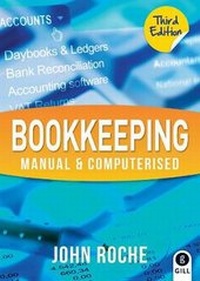
Bookkeeping Manual & Computerised
3rd Edition
Published on 24. August 2012
Book
Paperback/Softback
384 pages
978-0-7171-5270-4 (ISBN)
Description
This bestselling text provides instruction on how to record, edit, interpret and analyse financial data using manual and computerised bookkeeping systems.
Includes three different company accounts for a total of six monthly periods in the source document booklet.
The same data is used in both the manual and computerised sections, facilitating comparison of results.
Illustrates the basic principles and entries of bookkeeping in two sections:
SECTION 1: Manual Bookkeeping
Explains how to identify source documents and make entries in the appropriate daybooks.
Details the process and importance of cross-checking.
Works through the transfer of entries into the various ledgers and explains how to produce a Trial Balance.
Illustrates the process of bank reconciliation and the production of a VAT 3 form.
SECTION 2: Computerised Bookkeeping
Relates specifically to the TASBooks package, but can be easily adapted to suit other bookkeeping accounts packages.
Screen shots throughout provide step-by-step instructions on how to install the TASBooks program, clear down the data and set up new companies, customers, suppliers, nominal accounts and products.
Explains how to produce reports and compare these to the manual daybooks and ledgers.
Includes a sample project and exam, complete with solutions and marking schemes.
WRITTEN FOR
Students of FETAC level 5 Bookkeeping - Manual & Computerised module.
Includes three different company accounts for a total of six monthly periods in the source document booklet.
The same data is used in both the manual and computerised sections, facilitating comparison of results.
Illustrates the basic principles and entries of bookkeeping in two sections:
SECTION 1: Manual Bookkeeping
Explains how to identify source documents and make entries in the appropriate daybooks.
Details the process and importance of cross-checking.
Works through the transfer of entries into the various ledgers and explains how to produce a Trial Balance.
Illustrates the process of bank reconciliation and the production of a VAT 3 form.
SECTION 2: Computerised Bookkeeping
Relates specifically to the TASBooks package, but can be easily adapted to suit other bookkeeping accounts packages.
Screen shots throughout provide step-by-step instructions on how to install the TASBooks program, clear down the data and set up new companies, customers, suppliers, nominal accounts and products.
Explains how to produce reports and compare these to the manual daybooks and ledgers.
Includes a sample project and exam, complete with solutions and marking schemes.
WRITTEN FOR
Students of FETAC level 5 Bookkeeping - Manual & Computerised module.
More details
Edition
3rd Revised edition
Language
English
Place of publication
Dublin
Ireland
Publishing group
Gill
Target group
College/higher education
Edition type
Revised edition
Dimensions
Height: 245 mm
Width: 175 mm
Thickness: 25 mm
Weight
781 gr
ISBN-13
978-0-7171-5270-4 (9780717152704)
Copyright in bibliographic data and cover images is held by Nielsen Book Services Limited or by the publishers or by their respective licensors: all rights reserved.
Schweitzer Classification
Other editions
Previous edition
Book
03/2003
2nd Edition
Gill Education
€55.89
Article exhausted; check for reprint
Person
John Roche has many years' experience teaching business subjects at FETAC level 5 and has delivered numerous in-service courses for teachers, particularly in computerised accounts. He is the author Step by Step Computer Applications.
Content
CONTENTS
Chapter 1:
Manual Bookkeeping
Daybooks
Ledgers
Trial Balance
Bank Reconciliation
VAT 3 Form
Further Exercises in Manual Bookkeeping
Chapter 2:
Installing TASBooks Program
Clear Down Data
Creating New Company
Creating Accounts
Chapter 3:
Computerised Bookkeeping
Sales Invoices and Credit Notes
Sales Ledger
Purchase Ledger
Cash Book
Nominal Ledger
Customers and Suppliers
Products and Services
Report Printing
Backup and Restore
Chapter 4:
Sample Manual Project
Sample Solutions
Sample Marking Scheme
Chapter 5:
Sample Computer Examination
Sample Solutions
Sample Marking Scheme
Chapter 1:
Manual Bookkeeping
Daybooks
Ledgers
Trial Balance
Bank Reconciliation
VAT 3 Form
Further Exercises in Manual Bookkeeping
Chapter 2:
Installing TASBooks Program
Clear Down Data
Creating New Company
Creating Accounts
Chapter 3:
Computerised Bookkeeping
Sales Invoices and Credit Notes
Sales Ledger
Purchase Ledger
Cash Book
Nominal Ledger
Customers and Suppliers
Products and Services
Report Printing
Backup and Restore
Chapter 4:
Sample Manual Project
Sample Solutions
Sample Marking Scheme
Chapter 5:
Sample Computer Examination
Sample Solutions
Sample Marking Scheme