

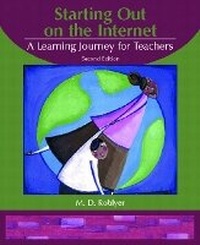
Starting Out on the Internet
A Learning Journey for Teachers
2nd Edition
Published on 10. July 2002
Book
Paperback/Softback
79 pages
978-0-13-110970-4 (ISBN)
Description
For courses in Computers in Education, Instructional Media and Technology, and Internet for Teachers.
Appropriate for use either on an individual computer or in a lab setting, this brief, practical guide takes a step-by-step approach to learning to navigate the Internet and use it as a powerful resource for teaching and learning
Appropriate for use either on an individual computer or in a lab setting, this brief, practical guide takes a step-by-step approach to learning to navigate the Internet and use it as a powerful resource for teaching and learning
More details
Edition
2nd edition
Language
English
Place of publication
United States
Publishing group
Pearson Education (US)
Target group
Professional and scholarly
Dimensions
Height: 235 mm
Width: 191 mm
Weight
168 gr
ISBN-13
978-0-13-110970-4 (9780131109704)
Copyright in bibliographic data and cover images is held by Nielsen Book Services Limited or by the publishers or by their respective licensors: all rights reserved.
Schweitzer Classification
Other editions
New editions

Book
01/2006
3rd Edition
Pearson
€18.14
Article is exhausted; no reprint
Previous edition

M. D. Roblyer | Jack Edwards
Multimedia Edition of Integrating Educational Technology Into Teaching
Book
10/2001
2nd Edition
Pearson
€50.87
Article exhausted; check for reprint
Content
Preface.
1. Understanding URLs.
2. Navigating the Net.
3. Starting Up Search Engines.
4. Using Bookmarks.
5. Evaluating Internet Information.
6. Avoiding Internet Pitfalls.
7. Downloading and Using Images.
8. Downloading Programs and Plug-Ins.
9. Internet Troubleshooting.
10. Integrating the Internet into Teaching.
11. Creating Your Own Web Site.
Appendix: Answers to Exercise Questions.
1. Understanding URLs.
2. Navigating the Net.
3. Starting Up Search Engines.
4. Using Bookmarks.
5. Evaluating Internet Information.
6. Avoiding Internet Pitfalls.
7. Downloading and Using Images.
8. Downloading Programs and Plug-Ins.
9. Internet Troubleshooting.
10. Integrating the Internet into Teaching.
11. Creating Your Own Web Site.
Appendix: Answers to Exercise Questions.