

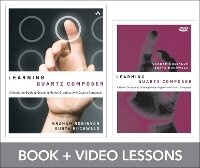
Learning Quartz Composer, Book Component
A Hands-On Guide to Creating Motion Graphics with Quartz Composer
Book
Paperback/Softback
192 pages
978-0-321-85758-3 (ISBN)
Description
Take Your Digital Content into Real Time with Quartz Composer!
Apple's Quartz Composer makes it amazingly easy to create real-time graphics of all kinds: for filmmaking, digital content, building projection, animation, graphically rich apps, Dashboard Widgets, and more. But few content creators use QC, because they've had practically no useful help-until now. In this book/DVD package, two renowned VJs who've pushed this tool to the limit show you how to do it, too!
You don't need any technical experience: In Learning Quartz Composer Graham Robinson and Surya Buchwald introduce each concept through a hands-on project, with videos demonstrating every step. They start by offering beautiful visual feedback and encouraging you to freely explore. The video and text work together to help you build mastery fast, as you create everything from data-driven effects to compelling live performance visuals!
If you're a motion graphics designer, filmmaker, animator, VJ, artist, interactive programmer, Cocoa developer, or anyone tired of hitting the render button, this package will guide you from zero to hero in no time... and it just might be the most fun instructional guide you'll ever read!
Coverage Includes
Mastering Quartz Composer's powerful interface
Grabbing live inputs from music or cameras for unique interaction and improvisation
Outputting video files for everything from smartphone screens to HD video edits
Using built-in image filters to add visual effects
Creating organic motion with LFOs, interpolation, and trackballs
Fixing problems and figuring out what you did wrong
Making rain, fire, and other cool stuff with particles
Integrating MIDI musical instruments and other audio resources
Mastering lighting and timelines
Building richer environments with replication, iteration, and 3D modeling
Pushing the boundaries with secret patches, CoreImage filters, and GLSL
Apple's Quartz Composer makes it amazingly easy to create real-time graphics of all kinds: for filmmaking, digital content, building projection, animation, graphically rich apps, Dashboard Widgets, and more. But few content creators use QC, because they've had practically no useful help-until now. In this book/DVD package, two renowned VJs who've pushed this tool to the limit show you how to do it, too!
You don't need any technical experience: In Learning Quartz Composer Graham Robinson and Surya Buchwald introduce each concept through a hands-on project, with videos demonstrating every step. They start by offering beautiful visual feedback and encouraging you to freely explore. The video and text work together to help you build mastery fast, as you create everything from data-driven effects to compelling live performance visuals!
If you're a motion graphics designer, filmmaker, animator, VJ, artist, interactive programmer, Cocoa developer, or anyone tired of hitting the render button, this package will guide you from zero to hero in no time... and it just might be the most fun instructional guide you'll ever read!
Coverage Includes
Mastering Quartz Composer's powerful interface
Grabbing live inputs from music or cameras for unique interaction and improvisation
Outputting video files for everything from smartphone screens to HD video edits
Using built-in image filters to add visual effects
Creating organic motion with LFOs, interpolation, and trackballs
Fixing problems and figuring out what you did wrong
Making rain, fire, and other cool stuff with particles
Integrating MIDI musical instruments and other audio resources
Mastering lighting and timelines
Building richer environments with replication, iteration, and 3D modeling
Pushing the boundaries with secret patches, CoreImage filters, and GLSL
More details
Persons
Graham Robinson runs Shakinda Productions in Belfast, Ireland, specializing in innovative projection design and interactive visual systems creation. He believes that technology allows us to create art that can inspire humanity and transform society, and has performed audio visual sets all over the world as VJ Shakinda worldwide.
Surya Buchwald runs MMMLabs in Portland, Oregon, creating interactive experiences for Nike, Intel, Scion, and others. He traverses the globe as VJ for the Glitch Mob, bringing the Quartz Composer magic to fans worldwide. He also creates interactive video instruments and performs with them as Momo the Monster.
Surya Buchwald runs MMMLabs in Portland, Oregon, creating interactive experiences for Nike, Intel, Scion, and others. He traverses the globe as VJ for the Glitch Mob, bringing the Quartz Composer magic to fans worldwide. He also creates interactive video instruments and performs with them as Momo the Monster.
Content
Preface xv Acknowledgments xxi
About the Authors xxiii
Part I: Quartz Beginner 1
Chapter 1: What Is Quartz Composer and Why Should I Learn It? 3
Play Video Introduction to Quartz Composer 3
Installing and Setting Up Quartz Composer 5
Outputs 5
Flexibility 7
Experimentation 7
Summary 7
Challenges 8
Chapter 2: The Interface and Playing a Movie 9
Launching Quartz Composer 9
Editor versus WYSISYG 11
Viewer 13
Patch Library (Creator) 13
Patch Inspector/Patch Variables 16
Playing a Movie Tutorial Instructions 16
Summary 18
Challenges 19
Chapter 3: Adding Visual Effects (Pimping It Out) 21
Adding a Filter 21
Filter Chains and Layering 23
Filter Tools 24
Core Image FX and FPS 30
Summary 32
Challenges 32
Chapter 4: Using LFOs, Interpolation, and Trackballs to Move Stuff 33
Interpolation Patch: Do Stuff for a Bit 33
Interpolation as an Amazing Calculator 36
LFO 37
Hierarchies with Environment Patches: Trackball and 3D Transformation 39
Summary 42
Challenges 42
Chapter 5: Debugging (When Things Go Wrong) 43
Using Image with String 43
Debugging Tips 45
Summary 46
Challenges 47
Chapter 6: Particles (Little Flying Bits of Bling) 49
Add to Library (Creating a Clip in Leopard) 49
Starting Point Composition 51
The Particle System 51
Real-World Modeling 54
Blend Modes 57
Summary 57
Challenges 57
Chapter 7: Mouse Input (Making Your Mouse Do Cool Stuff) 59
Particle Systems Control 59
Smoothing Input 61
Drag-and-Drop Interaction 64
Controlling a Kaleidoscope 68
Summary 69
Challenges 69
Chapter 8: MIDI Interfacing (Getting Sliders and Knobs Involved) 71
MIDI Notes 71
How to Get the Information 71
MIDI Virtual Macros 73
MIDI Notes to Control Sprites 76
Adding in MIDI Controllers 82
Further Control 84
Summary 84
Challenges 84
Chapter 9: Interacting with Audio (Get Stuff Grooving to the Beat) 85
Working with Audio Input 85
Output 89
Challenges 90
Chapter 10: Lighting and Timelines (The Dark Side of QC) 91
Video Tutorial on Lighting 92
Timelines 94
Summary 96
Challenges 96
Chapter 11: Replication/Iteration (The Bomb) 97
Demo: Replicate in Space 97
Iteration 101
Summary 105
Challenges 105
Part II: Quartz Ninja 107
Chapter 12: Modeling Complex Environments (3D Cities) 109
Texturing 110
One City Building 112
Beat Reaction 112
Macro It Up 113
Duplication 114
Video Walls 115
Replicating 116
Master Scale 117
Finishing the Plan 118
Camera 119
Summary 119
Challenges 119
Chapter 13: Create a Cocoa App (Send Quartz to Your Friends) 121
Xcode 121
Demo: Create an Application with Snow Leopard/Leopard 122
Demo: Create an Application with Lion 124
More Features: Publishing Inputs with Snow Leopard and Leopard 127
More Features: Publishing Inputs with Lion 129
Summary 131
Challenges 131
Chapter 14: Create a Screensaver 133
Making the Screensaver 133
Adding Options 135
Summary 136
Challenges 136
Chapter 15: Secret Patches, Core Image Filters, and GLSL (Pushing the Boundaries) 137
Private Patches 137
Plugins 138
JavaScript 139
GLSL 139
Core Image Filters 139
OpenCL 142
Summary 142
Challenges 142
Index 143
Patch Index 151
About the Authors xxiii
Part I: Quartz Beginner 1
Chapter 1: What Is Quartz Composer and Why Should I Learn It? 3
Play Video Introduction to Quartz Composer 3
Installing and Setting Up Quartz Composer 5
Outputs 5
Flexibility 7
Experimentation 7
Summary 7
Challenges 8
Chapter 2: The Interface and Playing a Movie 9
Launching Quartz Composer 9
Editor versus WYSISYG 11
Viewer 13
Patch Library (Creator) 13
Patch Inspector/Patch Variables 16
Playing a Movie Tutorial Instructions 16
Summary 18
Challenges 19
Chapter 3: Adding Visual Effects (Pimping It Out) 21
Adding a Filter 21
Filter Chains and Layering 23
Filter Tools 24
Core Image FX and FPS 30
Summary 32
Challenges 32
Chapter 4: Using LFOs, Interpolation, and Trackballs to Move Stuff 33
Interpolation Patch: Do Stuff for a Bit 33
Interpolation as an Amazing Calculator 36
LFO 37
Hierarchies with Environment Patches: Trackball and 3D Transformation 39
Summary 42
Challenges 42
Chapter 5: Debugging (When Things Go Wrong) 43
Using Image with String 43
Debugging Tips 45
Summary 46
Challenges 47
Chapter 6: Particles (Little Flying Bits of Bling) 49
Add to Library (Creating a Clip in Leopard) 49
Starting Point Composition 51
The Particle System 51
Real-World Modeling 54
Blend Modes 57
Summary 57
Challenges 57
Chapter 7: Mouse Input (Making Your Mouse Do Cool Stuff) 59
Particle Systems Control 59
Smoothing Input 61
Drag-and-Drop Interaction 64
Controlling a Kaleidoscope 68
Summary 69
Challenges 69
Chapter 8: MIDI Interfacing (Getting Sliders and Knobs Involved) 71
MIDI Notes 71
How to Get the Information 71
MIDI Virtual Macros 73
MIDI Notes to Control Sprites 76
Adding in MIDI Controllers 82
Further Control 84
Summary 84
Challenges 84
Chapter 9: Interacting with Audio (Get Stuff Grooving to the Beat) 85
Working with Audio Input 85
Output 89
Challenges 90
Chapter 10: Lighting and Timelines (The Dark Side of QC) 91
Video Tutorial on Lighting 92
Timelines 94
Summary 96
Challenges 96
Chapter 11: Replication/Iteration (The Bomb) 97
Demo: Replicate in Space 97
Iteration 101
Summary 105
Challenges 105
Part II: Quartz Ninja 107
Chapter 12: Modeling Complex Environments (3D Cities) 109
Texturing 110
One City Building 112
Beat Reaction 112
Macro It Up 113
Duplication 114
Video Walls 115
Replicating 116
Master Scale 117
Finishing the Plan 118
Camera 119
Summary 119
Challenges 119
Chapter 13: Create a Cocoa App (Send Quartz to Your Friends) 121
Xcode 121
Demo: Create an Application with Snow Leopard/Leopard 122
Demo: Create an Application with Lion 124
More Features: Publishing Inputs with Snow Leopard and Leopard 127
More Features: Publishing Inputs with Lion 129
Summary 131
Challenges 131
Chapter 14: Create a Screensaver 133
Making the Screensaver 133
Adding Options 135
Summary 136
Challenges 136
Chapter 15: Secret Patches, Core Image Filters, and GLSL (Pushing the Boundaries) 137
Private Patches 137
Plugins 138
JavaScript 139
GLSL 139
Core Image Filters 139
OpenCL 142
Summary 142
Challenges 142
Index 143
Patch Index 151