

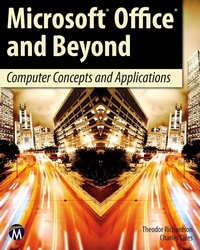
Microsoft Office and Beyond
Computer Concepts and Applications
1st Edition
Will be published approx. on 19. August 2011
Book
Paperback/Softback
600 pages
978-1-936420-29-2 (ISBN)
Description
No detailed description available for "Microsoft Office and Beyond".
More details
Edition
1. Auflage
Language
English
Place of publication
Herndon, VA
United States
Target group
College/higher education
US School Grade: College Graduate Student
Product notice
Klappenbroschur
Illustrations
fully illustrated
fully illustrated
Dimensions
Height: 254 mm
Width: 203 mm
Thickness: 31 mm
Weight
1177 gr
ISBN-13
978-1-936420-29-2 (9781936420292)
Copyright in bibliographic data and cover images is held by Nielsen Book Services Limited or by the publishers or by their respective licensors: all rights reserved.
Schweitzer Classification
Other editions
Additional editions
E-Book
07/2011
1st Edition
Mercury Learning and Information
€98.99
Available for download
Persons
Richardson Theodor:
Theodor Richardson is the Associate Vice Chancellor for Academic Affairs at South College and has written several books in areas of computer science.
Thies Charles:
Charles Thies attended the University of Denver where he received a Masters of Applied Science in Computer Information Systems. He has worked for the Department of Defense in assignments overseas as an information technology professional and is published in the Journal of Information Science Applied Research. He is the Director of Digital Publishing and Information Technology at Books International, Inc. and has taught numerous college courses in computer science.
Content
Part I: The Computer Environment
1) Introduction to Computer Concepts
2) Using the Computing Environment
3) Working with the Web
4) Microsoft Outlook and Email Clients
Part II: Word Processing and Microsoft Word
5) Introduction to Word
6) Developing and Editing Documents
7) Advanced Features
Part III: Presentation Software and Microsoft PowerPoint
8) Introduction to PowerPoint
9) Creating Presentations
10) Advanced Features
Part IV: Spreadsheet Software and Microsoft Excel
11) Introduction to Excel
12) Developing a Worksheet
13) Formulas, Functions and the What-If Analysis
14) Advanced Features
Part V: Database Software and Microsoft Access
15) Introduction to Databases
16) Developing a Database
17) Queries and Maintaining the Database
Appendices
A) OS Scripting
B) Programming in Excel and Access
1) Introduction to Computer Concepts
2) Using the Computing Environment
3) Working with the Web
4) Microsoft Outlook and Email Clients
Part II: Word Processing and Microsoft Word
5) Introduction to Word
6) Developing and Editing Documents
7) Advanced Features
Part III: Presentation Software and Microsoft PowerPoint
8) Introduction to PowerPoint
9) Creating Presentations
10) Advanced Features
Part IV: Spreadsheet Software and Microsoft Excel
11) Introduction to Excel
12) Developing a Worksheet
13) Formulas, Functions and the What-If Analysis
14) Advanced Features
Part V: Database Software and Microsoft Access
15) Introduction to Databases
16) Developing a Database
17) Queries and Maintaining the Database
Appendices
A) OS Scripting
B) Programming in Excel and Access