

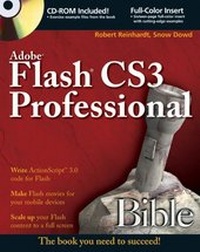
Adobe Flash CS3 Professional Bible
1st Edition
Published on 9. October 2007
Book
Paperback/Softback
1232 pages
978-0-470-11937-2 (ISBN)
Description
Deliver winning Flash content with this one-stop guide
Two of the savviest Flash experts in the industry show you how to add impact to your Web content. Robert Reinhardt and Snow Dowd know all the techniques and tricks -- and they take you under the hood in this one-stop total reference guide to Flash CS3 Professional. Follow their tutorials, learn from cool examples, and discover insider secrets you won't find in any other book. Don't miss the special 16-page color insert loaded with spectacular examples.
* Learn Flash CS3's vector-based drawing program
*
Use filters, effects, masks, and layers to add impact
*
Unravel the nuts and bolts of ActionScript 3.0 code
*
Integrate sound, video, and graphics
*
Apply HTML and Text Field formatting
*
Create a game in Flash and win
*
Add interactivity and publish your Flash movies
What's on the CD-ROM?
The CD includes the original Flash project files with ActionScript code for the examples in the book, along with custom components for image loading and effects.
See the CD appendix for details and complete system requirements.
Two of the savviest Flash experts in the industry show you how to add impact to your Web content. Robert Reinhardt and Snow Dowd know all the techniques and tricks -- and they take you under the hood in this one-stop total reference guide to Flash CS3 Professional. Follow their tutorials, learn from cool examples, and discover insider secrets you won't find in any other book. Don't miss the special 16-page color insert loaded with spectacular examples.
* Learn Flash CS3's vector-based drawing program
*
Use filters, effects, masks, and layers to add impact
*
Unravel the nuts and bolts of ActionScript 3.0 code
*
Integrate sound, video, and graphics
*
Apply HTML and Text Field formatting
*
Create a game in Flash and win
*
Add interactivity and publish your Flash movies
What's on the CD-ROM?
The CD includes the original Flash project files with ActionScript code for the examples in the book, along with custom components for image loading and effects.
See the CD appendix for details and complete system requirements.
More details
Series
Edition
1., Auflage
Language
English
Place of publication
Chichester
United Kingdom
Publishing group
John Wiley and Sons Ltd
Target group
Professional and scholarly
Illustrations
illustrations (some colour)
Dimensions
Height: 23 cm
Width: 18.7 cm
Thickness: 45 mm
Weight
1902 gr
ISBN-13
978-0-470-11937-2 (9780470119372)
Schweitzer Classification
Persons
Robert Reinhardt is Vice President of the Multimedia Platforms group for Schematic and a highly respected authority on Flash and Flash Video. He created the screen graphics for Sean Penn's film The Pledge, a Flash Web site for the film Training Day, and other projects.
Snow Dowd is a coprincipal at [theMAKERS] and has worked with Robert Reinhardt on various high-profile multimedia projects.
Snow Dowd is a coprincipal at [theMAKERS] and has worked with Robert Reinhardt on various high-profile multimedia projects.
Content
Preface.
Acknowledgments.
Part I: An Introduction to Flash Web Production.
Chapter 1: Understanding the Flash CS3 Framework.
Chapter 2: Exploring Web Technologies.
Chapter 3: Planning Flash Projects.
Part II: Mastering the Flash Environment.
Chapter 4: Interface Fundamentals.
Chapter 5: Drawing in Flash.
Chapter 6: Symbols, Instances, and the Library.
Chapter 7: Applying Color.
Chapter 8: Working with Text.
Chapter 9: Modifying Graphics.
Part III: Creating Animation and Effects.
Chapter 10: Animation Strategies.
Chapter 11: Timeline Animation.
Chapter 12: Applying Filters and Effects.
Chapter 13: Applying Layer Types.
Chapter 14: Character Animation Techniques.
Part IV: Integrating Media Files with Flash.
Chapter 15: Adding Sound.
Chapter 16: Importing Artwork.
Chapter 17: Displaying Video.
Part V: Adding Basic Interactivity to Flash Movies.
Chapter 18: Understanding Actions and Event Handlers.
Chapter 19: Building Timelines and Interactions.
Chapter 20: Making Your First Flash CS3 Project.
Part VI: Distributing Flash Movies.
Chapter 21: Publishing Flash Movies.
Chapter 22: Integrating Flash Content with Web Pages.
Chapter 23: Using the Flash Player and Projector.
Part VII: Approaching ActionScript.
Chapter 24: Knowing the Nuts and Bolts of Code.
Chapter 25: Controlling Movie Clips.
Chapter 26: Using Functions and Arrays.
Chapter 27: Interacting with Movie Clips.
Part VIII: Applying ActionScript.
Chapter 28: Animating with ActionScript.
Chapter 29: Sharing and Loading Assets.
Chapter 30: Sending Data in and out of Flash.
Chapter 31: Applying HTML and Text Field Formatting.
Chapter 32: Creating a Game in Flash.
Chapter 33: Managing and Troubleshooting Flash Movies.
Part IX: Integrating Components and Data-Binding.
Chapter 34: Using Components.
Chapter 35: Binding Data and Events to AS2 Components.
Chapter 36: Building an Image Gallery Component.
Part X: Appendixes.
Appendix A: Using the CD-ROM.
Appendix B: Guest Experts' Information.
Appendix C: Digital Audio Basics.
Appendix D: Digital Video Basics.
Index.
Wiley Publishing Inc. End-User License Agreement
Acknowledgments.
Part I: An Introduction to Flash Web Production.
Chapter 1: Understanding the Flash CS3 Framework.
Chapter 2: Exploring Web Technologies.
Chapter 3: Planning Flash Projects.
Part II: Mastering the Flash Environment.
Chapter 4: Interface Fundamentals.
Chapter 5: Drawing in Flash.
Chapter 6: Symbols, Instances, and the Library.
Chapter 7: Applying Color.
Chapter 8: Working with Text.
Chapter 9: Modifying Graphics.
Part III: Creating Animation and Effects.
Chapter 10: Animation Strategies.
Chapter 11: Timeline Animation.
Chapter 12: Applying Filters and Effects.
Chapter 13: Applying Layer Types.
Chapter 14: Character Animation Techniques.
Part IV: Integrating Media Files with Flash.
Chapter 15: Adding Sound.
Chapter 16: Importing Artwork.
Chapter 17: Displaying Video.
Part V: Adding Basic Interactivity to Flash Movies.
Chapter 18: Understanding Actions and Event Handlers.
Chapter 19: Building Timelines and Interactions.
Chapter 20: Making Your First Flash CS3 Project.
Part VI: Distributing Flash Movies.
Chapter 21: Publishing Flash Movies.
Chapter 22: Integrating Flash Content with Web Pages.
Chapter 23: Using the Flash Player and Projector.
Part VII: Approaching ActionScript.
Chapter 24: Knowing the Nuts and Bolts of Code.
Chapter 25: Controlling Movie Clips.
Chapter 26: Using Functions and Arrays.
Chapter 27: Interacting with Movie Clips.
Part VIII: Applying ActionScript.
Chapter 28: Animating with ActionScript.
Chapter 29: Sharing and Loading Assets.
Chapter 30: Sending Data in and out of Flash.
Chapter 31: Applying HTML and Text Field Formatting.
Chapter 32: Creating a Game in Flash.
Chapter 33: Managing and Troubleshooting Flash Movies.
Part IX: Integrating Components and Data-Binding.
Chapter 34: Using Components.
Chapter 35: Binding Data and Events to AS2 Components.
Chapter 36: Building an Image Gallery Component.
Part X: Appendixes.
Appendix A: Using the CD-ROM.
Appendix B: Guest Experts' Information.
Appendix C: Digital Audio Basics.
Appendix D: Digital Video Basics.
Index.
Wiley Publishing Inc. End-User License Agreement