

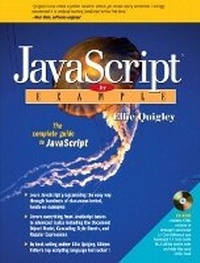
JavaScript by Example
Published on 3. July 2003
Book
Mixed media product
752 pages
978-0-13-140162-4 (ISBN)
Description
Appropriate for every beginning-to-intermediate level course in JavaScript programming; and for any Web design or development course that includes coverage of creating dynamic pages with JavaScript.
Ellie Quigley's JavaScript by Example is singularly well suited for students of all kinds who wish to master JavaScript, including: first-time programmers; Web designers delivering dynamic content; experienced scripters moving from languages such as Perl; and system administrators working with browser-based administration tools that utilize JavaScript. Quigley utilizes the same proven approach that have made her books on Unix/Linux shell programming and Perl scripting favorites amongst students worldwide. She has carefully created a technically strong learning path interlaced with hundreds of small examples that demonstrate JavaScripts wide range of practical applications. This book strikes a perfect balance: serious, yet exceptionally accessible. One step at a time, it guides JavaScript beginners through every essential JavaScript concept and programming technique, including script setup, data types, variables, dialog boxes, operators, control structures, functions, and JavaScript objects. By the time students reach the end of the book, they will be creating remarkably sophisticated programs based on DOM and CSS.
Ellie Quigley's JavaScript by Example is singularly well suited for students of all kinds who wish to master JavaScript, including: first-time programmers; Web designers delivering dynamic content; experienced scripters moving from languages such as Perl; and system administrators working with browser-based administration tools that utilize JavaScript. Quigley utilizes the same proven approach that have made her books on Unix/Linux shell programming and Perl scripting favorites amongst students worldwide. She has carefully created a technically strong learning path interlaced with hundreds of small examples that demonstrate JavaScripts wide range of practical applications. This book strikes a perfect balance: serious, yet exceptionally accessible. One step at a time, it guides JavaScript beginners through every essential JavaScript concept and programming technique, including script setup, data types, variables, dialog boxes, operators, control structures, functions, and JavaScript objects. By the time students reach the end of the book, they will be creating remarkably sophisticated programs based on DOM and CSS.
More details
Language
English
Place of publication
Upper Saddle River
United States
Publishing group
Pearson Education (US)
Target group
College/higher education
Dimensions
Height: 235 mm
Width: 175 mm
Thickness: 25 mm
Weight
1080 gr
ISBN-13
978-0-13-140162-4 (9780131401624)
Copyright in bibliographic data and cover images is held by Nielsen Book Services Limited or by the publishers or by their respective licensors: all rights reserved.
Schweitzer Classification
Other editions
New editions
Ellie Quigley
JavaScript by Example
Book
10/2010
2nd Edition
Pearson
€45.79
Article not available at the moment
Person
Preface. Acknowledgments. 1. Introduction to JavaScript. What JavaScript Is. What JavaScript Is Not. What JavaScript Is Used For. JavaScript and Events. What Versions? What Browsers? Where to Put JavaScript. JavaScript and Old or Disabled Browsers. JavaScript from External Files. Exercises. 2. Script Setup. The HTML Document and JavaScript. Syntactical Details. Generating HTML and Printing Output. About Debugging. Exercises. 3. The Building Blocks: Data Types, Literals, and Variables. Data Types. Variables. Bugs to Watch For. Exercises. 4. Dialog Boxes. Interacting with the User. Exercises. 5. Operators. About JavaScript Operators and Expressions. Types of Operators. Number, String, or Boolean? Datatype Conversion. Special Operators. Exercises. 6. Under Certain Conditions. Exercises. Control Structures, Blocks, and Compound Statements. Conditionals. Loops. Exercises. 7. Functions. What Is a Function? Debugging. Exercises. 8. Objects. What Are Objects? User-Defined Objects. Manipulating Objects. Exercises. 9. JavaScript Core Objects. What Are Core Objects? Array Objects. Array Properties and Methods. The Date Object. The Math Object. What Is a Wrapper Object? Exercises. 10. The Browser Objects: Navigator, Windows, and Frames. JavaScript and the Browser Object Model. Exercises. 11. The Document Objects: Forms, Images, and Links. The Document Object Model. Introduction to Forms. Introduction to Images. Introduction to Links. Exercises. 12. Handling Events. Introduction to Event Handlers. Event Handlers as JavaScript Methods. Handling a Window or Frame Event. Handling Mouse Events. Handling Link Events. Handling a Form Event. Handling Key Events: onKeyPress, onKeyDown, and onKeyUp. Handling Error Events. The event Object. Exercises. 13. Regular Expressions and Pattern Matching. What Is a Regular Expression? Creating a Regular Expression. Getting Control--The Metacharacters. Form Validation with Regular Expressions. Exercises. 14. Cookies. What Are Cookies? Creating a Cookie with JavaScript. Exercises. 15. Dynamic HTML: Style Sheets, the DOM, and JavaScript. What Is Dynamic HTML? What Is a Style Sheet? Types of Style Sheets. Where Does JavaScript Fit In? Exercises. A. JavaScript Web Resources. B. HTML Documents: A Basic Introduction. Intro to the Intro. What Is HTML? HTML Tags. The Minimal HTML Document. Character Formatting. Linking. Adding Comments. Case Sensitivity. Graphics and Images. Troubleshooting. Metatags, Cascading Style Sheets, and Java. Looking Behind the Scenes (or, What Did We Do Before the Right-Click?). What About Frames? Some Final Thoughts. C. CGI and Perl: They Hyper Dynamic Duo. What Is CGI? Internet Communication Between Client and Server. Creating a Web Page with HTML. How HTML and CGI Work Together. Log Files. Where to Find CGI Applications. Getting Information Into and Out of the CGI Script. Processing Forms with CGI. The CGI.pm Module. Exercise C.1. Exercise C.2. Index.
Content
Preface.
Acknowledgments.
1. Introduction to JavaScript.
What JavaScript Is. What JavaScript Is Not. What JavaScript Is Used For. JavaScript and Events. What Versions? What Browsers? Where to Put JavaScript. JavaScript and Old or Disabled Browsers. JavaScript from External Files. Exercises.
2. Script Setup.
The HTML Document and JavaScript. Syntactical Details. Generating HTML and Printing Output. About Debugging. Exercises.
3. The Building Blocks: Data Types, Literals, and Variables.
Data Types. Variables. Bugs to Watch For. Exercises.
4. Dialog Boxes.
Interacting with the User. Exercises.
5. Operators.
About JavaScript Operators and Expressions. Types of Operators. Number, String, or Boolean? Datatype Conversion. Special Operators. Exercises.
6. Under Certain Conditions. Exercises. Control Structures, Blocks, and Compound Statements. Conditionals. Loops. Exercises.
7. Functions.
What Is a Function? Debugging. Exercises.
8. Objects.
What Are Objects? User-Defined Objects. Manipulating Objects. Exercises.
9. JavaScript Core Objects.
What Are Core Objects? Array Objects. Array Properties and Methods. The Date Object. The Math Object. What Is a Wrapper Object? Exercises.
10. The Browser Objects: Navigator, Windows, and Frames.
JavaScript and the Browser Object Model. Exercises.
11. The Document Objects: Forms, Images, and Links.
The Document Object Model. Introduction to Forms. Introduction to Images. Introduction to Links. Exercises.
12. Handling Events.
Introduction to Event Handlers. Event Handlers as JavaScript Methods. Handling a Window or Frame Event. Handling Mouse Events. Handling Link Events. Handling a Form Event. Handling Key Events: onKeyPress, onKeyDown, and onKeyUp. Handling Error Events. The event Object. Exercises.
13. Regular Expressions and Pattern Matching.
What Is a Regular Expression? Creating a Regular Expression. Getting Control-The Metacharacters. Form Validation with Regular Expressions. Exercises.
14. Cookies.
What Are Cookies? Creating a Cookie with JavaScript. Exercises.
15. Dynamic HTML: Style Sheets, the DOM, and JavaScript.
What Is Dynamic HTML? What Is a Style Sheet? Types of Style Sheets. Where Does JavaScript Fit In? Exercises.
A. JavaScript Web Resources.
B. HTML Documents: A Basic Introduction.
Intro to the Intro. What Is HTML? HTML Tags. The Minimal HTML Document. Character Formatting. Linking. Adding Comments. Case Sensitivity. Graphics and Images. Troubleshooting. Metatags, Cascading Style Sheets, and Java. Looking Behind the Scenes (or, What Did We Do Before the Right-Click?). What About Frames? Some Final Thoughts.
C. CGI and Perl: They Hyper Dynamic Duo.
What Is CGI? Internet Communication Between Client and Server. Creating a Web Page with HTML. How HTML and CGI Work Together. Log Files. Where to Find CGI Applications. Getting Information Into and Out of the CGI Script. Processing Forms with CGI. The CGI.pm Module. Exercise C.1. Exercise C.2.
Index.
Acknowledgments.
1. Introduction to JavaScript.
What JavaScript Is. What JavaScript Is Not. What JavaScript Is Used For. JavaScript and Events. What Versions? What Browsers? Where to Put JavaScript. JavaScript and Old or Disabled Browsers. JavaScript from External Files. Exercises.
2. Script Setup.
The HTML Document and JavaScript. Syntactical Details. Generating HTML and Printing Output. About Debugging. Exercises.
3. The Building Blocks: Data Types, Literals, and Variables.
Data Types. Variables. Bugs to Watch For. Exercises.
4. Dialog Boxes.
Interacting with the User. Exercises.
5. Operators.
About JavaScript Operators and Expressions. Types of Operators. Number, String, or Boolean? Datatype Conversion. Special Operators. Exercises.
6. Under Certain Conditions. Exercises. Control Structures, Blocks, and Compound Statements. Conditionals. Loops. Exercises.
7. Functions.
What Is a Function? Debugging. Exercises.
8. Objects.
What Are Objects? User-Defined Objects. Manipulating Objects. Exercises.
9. JavaScript Core Objects.
What Are Core Objects? Array Objects. Array Properties and Methods. The Date Object. The Math Object. What Is a Wrapper Object? Exercises.
10. The Browser Objects: Navigator, Windows, and Frames.
JavaScript and the Browser Object Model. Exercises.
11. The Document Objects: Forms, Images, and Links.
The Document Object Model. Introduction to Forms. Introduction to Images. Introduction to Links. Exercises.
12. Handling Events.
Introduction to Event Handlers. Event Handlers as JavaScript Methods. Handling a Window or Frame Event. Handling Mouse Events. Handling Link Events. Handling a Form Event. Handling Key Events: onKeyPress, onKeyDown, and onKeyUp. Handling Error Events. The event Object. Exercises.
13. Regular Expressions and Pattern Matching.
What Is a Regular Expression? Creating a Regular Expression. Getting Control-The Metacharacters. Form Validation with Regular Expressions. Exercises.
14. Cookies.
What Are Cookies? Creating a Cookie with JavaScript. Exercises.
15. Dynamic HTML: Style Sheets, the DOM, and JavaScript.
What Is Dynamic HTML? What Is a Style Sheet? Types of Style Sheets. Where Does JavaScript Fit In? Exercises.
A. JavaScript Web Resources.
B. HTML Documents: A Basic Introduction.
Intro to the Intro. What Is HTML? HTML Tags. The Minimal HTML Document. Character Formatting. Linking. Adding Comments. Case Sensitivity. Graphics and Images. Troubleshooting. Metatags, Cascading Style Sheets, and Java. Looking Behind the Scenes (or, What Did We Do Before the Right-Click?). What About Frames? Some Final Thoughts.
C. CGI and Perl: They Hyper Dynamic Duo.
What Is CGI? Internet Communication Between Client and Server. Creating a Web Page with HTML. How HTML and CGI Work Together. Log Files. Where to Find CGI Applications. Getting Information Into and Out of the CGI Script. Processing Forms with CGI. The CGI.pm Module. Exercise C.1. Exercise C.2.
Index.