

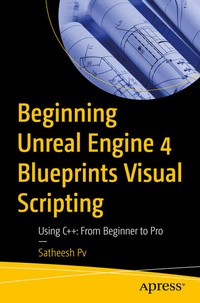
Beginning Unreal Engine 4 Blueprints Visual Scripting
Using C++: From Beginner to Pro
Published on 26. November 2020
Book
Paperback/Softback
XIII, 165 pages
978-1-4842-6395-2 (ISBN)
Description
Combines visual scripting and C++ programing to get the best from of UE4(The Blueprints book by Packt does not cover C++ in detail) Covers Blueprints and C++ in detail to give sound foundation for game development in UE4(The Packt book using visual scripting and C++ concentrates solely on VR development in UE4) Implements visual scripting and C++ to develop gameplay, object interaction, and materials(None of the books cover physics and material development) Applies the concepts through a demo game example(None of the books show how to develop a game using a practical example)
More details
Edition
1st ed.
Language
English
Place of publication
Berkeley
United States
Target group
Professional and scholarly
Illustrations
1 farbige Abbildung, 134 s/w Abbildungen
XIII, 165 p. 135 illus., 1 illus. in color.
Dimensions
Height: 235 mm
Width: 155 mm
Thickness: 11 mm
Weight
283 gr
ISBN-13
978-1-4842-6395-2 (9781484263952)
DOI
10.1007/978-1-4842-6396-9
Schweitzer Classification
Other editions
Additional editions
E-Book
11/2020
APress
€56.99
Available for download
Person
Satheesh Pv is a game programmer living in Mumbai, India. He started his career as a game developer in 2012 by making a first-person multiplayer game with his brother and close friend using Unreal Development Kit and created Unreal X-Editor, which was an IDE developed for UnrealScript, the native scripting language of Unreal Engine 3. He was selected by Epic Games as one of the closed beta testers for Unreal Engine 4 before its public release. He is also a moderator at Unreal Engine forums as well as a spotlight member and Engine contributor.
Content
Chapter 1: Introduction to Unreal Engine 4.- Chapter 2: Introduction to Blueprints.- Chapter 3: C++ and Unreal Engine.- Chapter 4: Gameplay Framework.- Chapter 5: Basic Physics and Raycasting.- Chapter 6: Importing Meshes, Textures, and Creating Materials.- Chapter 7: Project: Demo Game.