

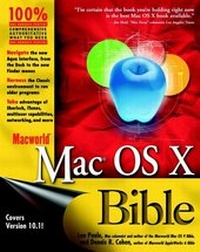
Macworld Mac OS X Bible
1st Edition
Published on 15. December 2001
Book
Paperback/Softback
936 pages
978-0-7645-3467-6 (ISBN)
Description
This is new-generation follow-up to the best-selling Macworld Mac OS Bible, the latest edition of which has over 60,000 copies in print. This totally revised edition delves into Apple's powerful new OS X. The book is packed with hundreds of helpful explanations, tips and techniques from Mac gurus Lon Poole and Dennis Cohen.
More details
Persons
About the Author Lon Poole is the award-winning author or coauthor of over two dozen computer books, including all seven books about other versions of the Mac OS, four additional Mac books, and numerous others. His popular "Quick Tips" column ran in Macworld magazine for over 15 years, and he has written 65 magazine feature articles on Mac topics. He has a B.A. in Computer Science from the University of California, Berkeley. Lon lives in northern California with his wife and two sons. He enjoys hiking, bicycling, carpentry, and traveling. Dennis R. Cohen has written or contributed to many books, including Macworld Microsoft Office 2001 Bible, Macworld Apple Works 6 Bible, Apple Works 6 For Dummies, and Mac Secrets (6th Edition) as well as being the technical editor for over fifty titles in just the last few years. A software developer for over 20 years and a Mac developer since 1984, he brings a history not only with the Mac, but also with other platforms. Dennis lives in Sunnyvale, California, with his Boston Terrier, Spenser.
Content
Foreword.
Acknowledgments.
Introduction.
PART I: Getting to Know Mac OS X.
Chapter 1: What Is Mac OS X?
Chapter 2: Exploring the Environment.
Chapter 3: Managing Your Workspace.
Chapter 4: Enhancing Your Workspace.
Chapter 5: Working with Applications and Documents.
Chapter 6: Going on the Internet.
Chapter 7: Searching with Sherlock.
Chapter 8: Getting Help.
PART II: At Work with Mac OS X.
Chapter 9: Printing Documents.
Chapter 10: Accessing Files Via Local Network and Internet.
Chapter 11: Harnessing Standard Devices.
Chapter 12: Taking Charge of Fonts.
Chapter 13: Viewing and Editing Video.
Chapter 14: Playing and Recording Audio.
Chapter 15: Setting System Preferences.
PART III: Beyond the Basics of Mac OS X.
Chapter 16: Managing User Accounts and Privileges.
Chapter 17: Mastering Speech.
Chapter 18: Setting up a Local Network.
Chapter 19: Sharing Your Files.
Chapter 20: Deploying More Network Services.
Chapter 21: Automating with AppleScript.
PART IV: Making the Most of Mac OS X.
Chapter 22: Working with Included Programs.
Chapter 23: Enhancing Your System with Utility Software.
Chapter 24: Uncovering Tips and Secrets.
Chapter 25: Maintaining Mac OS X.
Chapter 26: Commanding UNIX.
PART V: Appendixes.
Appendix A: Installing Mac OS X.
Appendix B: Installing Applications.
Appendix C: Exploiting Keyboard Shortcuts.
Glossary.
Index.
Acknowledgments.
Introduction.
PART I: Getting to Know Mac OS X.
Chapter 1: What Is Mac OS X?
Chapter 2: Exploring the Environment.
Chapter 3: Managing Your Workspace.
Chapter 4: Enhancing Your Workspace.
Chapter 5: Working with Applications and Documents.
Chapter 6: Going on the Internet.
Chapter 7: Searching with Sherlock.
Chapter 8: Getting Help.
PART II: At Work with Mac OS X.
Chapter 9: Printing Documents.
Chapter 10: Accessing Files Via Local Network and Internet.
Chapter 11: Harnessing Standard Devices.
Chapter 12: Taking Charge of Fonts.
Chapter 13: Viewing and Editing Video.
Chapter 14: Playing and Recording Audio.
Chapter 15: Setting System Preferences.
PART III: Beyond the Basics of Mac OS X.
Chapter 16: Managing User Accounts and Privileges.
Chapter 17: Mastering Speech.
Chapter 18: Setting up a Local Network.
Chapter 19: Sharing Your Files.
Chapter 20: Deploying More Network Services.
Chapter 21: Automating with AppleScript.
PART IV: Making the Most of Mac OS X.
Chapter 22: Working with Included Programs.
Chapter 23: Enhancing Your System with Utility Software.
Chapter 24: Uncovering Tips and Secrets.
Chapter 25: Maintaining Mac OS X.
Chapter 26: Commanding UNIX.
PART V: Appendixes.
Appendix A: Installing Mac OS X.
Appendix B: Installing Applications.
Appendix C: Exploiting Keyboard Shortcuts.
Glossary.
Index.