

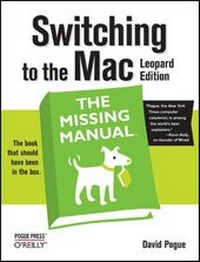
Switching to the Mac: The Missing Manual, Leopard Edition
1st Edition
Published on 1. April 2008
Book
Paperback/Softback
608 pages
978-0-596-51412-9 (ISBN)
Description
Is Windows giving you pause? Ready to make the leap to the Mac instead? There has never been a better time to switch from Windows to Mac, and this incomparable guide will help you make a smooth transition. New York Times columnist and Missing Manuals creator David Pogue gets you past three challenges: transferring your stuff, assembling Mac programs so you can do what you did with Windows, and learning your way around Mac OS X.
Why is this such a good time to switch? Upgrading from one version of Windows to another used to be simple. But now there's Windows Vista, a veritable resource hog that forces you to relearn everything. Learning a Mac is not a piece of cake, but once you do, the rewards are oh-so-much better. No viruses, worms or spyware. No questionable firewalls, inefficient permissions, or other strange features. Just a beautiful machine with a thoroughly reliable system. And if you're still using Windows XP, we've got you covered, too.
If you're ready to take on Mac OS X Leopard, the latest edition of this bestselling guide tells you everything you need to know:
* Transferring your stuff -- Moving photos, MP3s, and Microsoft Office documents is the easy part. This book gets you through the tricky things: extracting your email, address book, calendar, Web bookmarks, buddy list, desktop pictures, and MP3 files.
* Re-creating your software suite -- Big-name programs (Word, Photoshop, Firefox, Dreamweaver, and so on) are available in both Mac and Windows versions, but hundreds of other programs are available only for Windows. This guide identifies the Mac equivalents and explains how to move your data to them.
* Learning Leopard -- Once you've moved into the Mac, a final task awaits: Learning your way around. Fortunately, you're in good hands with the author of Mac OS X: The Missing Manual, the #1 bestselling guide to the Macintosh.
Moving from Windows to a Mac successfully and painlessly is the one thing Apple does not deliver. Switching to the Mac: The Missing Manual, Leopard Edition is your ticket to a new computing experience.
More details
Other editions
Additional editions
E-Book
02/2008
1st Edition
O'Reilly
€35.99
Available for download
E-Book
02/2008
1st Edition
O'Reilly
€29.99
Available for download
Person
David Pogue, Yale '85, is the weekly personal-technology columnist for the New York Times and an Emmy award-winning tech correspondent for CBS News. With 3 million books in print, he is also one of the world's bestselling how-to authors. He wrote or co-wrote seven books in the "for Dummies" series (including Macs, Magic, Opera, and Classical Music); in 1999, he launched his own series of complete, funny computer books called the Missing Manual series, which now includes 30 titles.David and his wife Jennifer Pogue, MD, live in Connecticut with their three young children. His web site is www.davidpogue.com.David Pogue, Yale '85, is the weekly personal-technology columnist for the New York Times and an Emmy award-winning tech correspondent for CBS News. With 3 million books in print, he is also one of the world's bestselling how-to authors. He wrote or co-wrote seven books in the "for Dummies" series (including Macs, Magic, Opera, and Classical Music); in 1999, he launched his own series of complete, funny computer books called the Missing Manual series, which now includes 30 titles.David and his wife Jennifer Pogue, MD, live in Connecticut with their three young children. His web site is www.davidpogue.com.
Content
- The Missing Credits
- Introduction
-
Welcome to Macintosh
- Chapter 1: How the Mac Is Different
- Chapter 2: Folders, Dock, & Windows
- Chapter 3: Files, Icons, & Spotlight
- Chapter 4: Documents, Programs, & Spaces
-
Moving In
- Chapter 5: Eight Ways to Transfer Your Files
- Chapter 6: Transferring Email and Contacts
- Chapter 7: Special Software, Special Problems
- Chapter 8: Windows on Macintosh
- Chapter 9: Hardware on the Mac
-
The Mac Online
- Chapter 10: Internet Setup
- Chapter 11: Mail & Address Book
- Chapter 12: Safari & iChat
-
Putting Down Roots
- Chapter 13: Accounts, Parental Controls, & Security
- Chapter 14: Networking, File Sharing, & Screen Sharing
- Chapter 15: System Preferences
- Chapter 16: The Free Programs
-
Appendixes
- Installation & Troubleshooting
- The "Where'd It Go?" Dictionary
- The Master Mac OS X Secret Keystroke List
- Colophon