

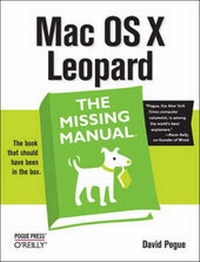
Mac OS X Leopard: The Missing Manual
1st Edition
Published on 15. January 2008
Book
Paperback/Softback
912 pages
978-0-596-52952-9 (ISBN)
Description
With Leopard, Apple has unleashed the greatest version of Mac OS X yet, and David Pogue is back with another meticulous Missing Manual to cover the operating system with a wealth of detail. The new Mac OS X 10.5, better known as Leopard, is faster than its predecessors, but nothing's too fast for Pogue and this Missing Manual. It's just one of reasons this is the most popular computer book of all time.
Mac OS X: The Missing Manual, Leopard Edition is the authoritative book for Mac users of all technical levels and experience. If you're new to the Mac, this book gives you a crystal-clear, jargon-free introduction to the Dock, the Mac OS X folder structure, and the Mail application. There are also mini-manuals on iLife applications such as iMovie, iDVD, and iPhoto, and a tutorial for Safari, Mac's web browser.
This Missing Manual is amusing and fun to read, but Pogue doesn't take his subject lightly. Which new Leopard features work well and which do not? What should you look for? What should you avoid? Mac OS X: The Missing Manual, Leopard Edition offers an objective and straightforward instruction for using:
* Leopard's totally revamped Finder
* Spaces to group your windows and organize your Mac tasks
* Quick Look to view files before you open them
* The Time Machine, Leopard's new backup feature
* Spotlight to search for and find anything in your Mac
* Front Row, a new way to enjoy music, photos, and videos
* Enhanced Parental Controls that come with Leopard
* Quick tips for setting up and configuring your Mac to make it your own
There's something new on practically every page of this new edition, and David Pogue brings his celebrated wit and expertise to every one of them. Mac's brought a new cat to town and Mac OS X: The Missing Manual, Leopard Edition is a great new way to tame it.
More details
Other editions
Additional editions
David Pogue
Mac OS X Leopard: The Missing Manual
E-Book
12/2007
1st Edition
O'Reilly
€29.49
Available for download
David Pogue
Mac OS X Leopard: The Missing Manual
E-Book
12/2007
1st Edition
O'Reilly
€24.49
Available for download
Person
David Pogue, Yale '85, is the weekly personal-technology columnist for the New York Times and an Emmy award-winning tech correspondent for CBS News. With 3 million books in print, he is also one of the world's bestselling how-to authors. He wrote or co-wrote seven books in the "for Dummies" series (including Macs, Magic, Opera, and Classical Music); in 1999, he launched his own series of complete, funny computer books called the Missing Manual series, which now includes 30 titles.David and his wife Jennifer Pogue, MD, live in Connecticut with their three young children. His web site is www.davidpogue.com.
Content
- The Missing Credits
- Introduction
-
Part I: The Mac OS X Desktop
- Chapter 1: Folders and Windows
- Chapter 2: Organizing Your Stuff
- Chapter 3: Spotlight
- Chapter 4: Dock, Desktop, and Toolbars
-
Part II: Programs in Mac OS X
- Chapter 5: Documents, Programs, and Spaces
- Chapter 6: Time Machine, Syncing, and Moving Data
- Chapter 7: Automator and AppleScript
- Chapter 8: Windows on Macintosh
-
Part III: The Components of Mac OS X
- Chapter 9: System Preferences
- Chapter 10: The Free Programs
- Chapter 11: CDs, DVDs, and iTunes
-
Part IV: The Technologies of Mac OS X
- Chapter 12: Accounts, Parental Controls, and Security
- Chapter 13: Networking, File Sharing, and Screen Sharing
- Chapter 14: Printing, Faxing, Fonts, and Graphics
- Chapter 15: Sound, Movies, and Speech
- Chapter 16: The Unix Crash Course
- Chapter 17: Hacking Mac OS X
-
Part V: Mac OS Online
- Chapter 18: Internet Setup
- Chapter 19: Mail and Address Book
- Chapter 20: Safari
- Chapter 21: iChat
- Chapter 22: SSH, FTP, VPN, and Web Sharing
-
Part VI: Appendixes
- Appendix A: Installing Mac OS X 10.5
- Appendix B: Troubleshooting
- Appendix C: The Windows-to-Mac Dictionary
- Appendix D: Where to Go From Here
- Appendix E: The Master Mac OS X Secret Keystroke List
- Colophon