

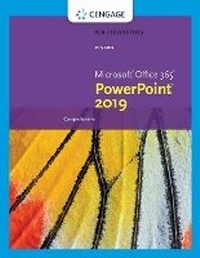
New Perspectives MicrosoftA (R)Office 365 & PowerPointA (R) 2019 Comprehensive
Published on 13. February 2019
Book
Paperback/Softback
464 pages
978-0-357-02616-8 (ISBN)
Description
Develop the Microsoft (R) Office 365 and PowerPoint 2019 skills students need to be successful in college and beyond with the emphasis on critical-thinking, problem-solving, and in-depth coverage found in NEW PERSPECTIVES MICROSOFT OFFICE 365 & POWERPOINT 2019: COMPREHENSIVE. Updated with all-new case scenarios, this edition clearly applies the skills students are learning to real-world situations to make concepts even more relevant across the applications and reinforces critical skills to make them successful in their educational and professional careers. In addition, MindTap and updated SAM (Skills Assessment Manager) online resources are available to guide additional study and ensure successful results.
More details
Edition
New edition
Language
English
Place of publication
Boston, MA
United States
Publishing group
Cengage Learning, Inc
Target group
College/higher education
Edition type
New edition
Dimensions
Height: 20 mm
Width: 215 mm
Thickness: 274 mm
Weight
998 gr
ISBN-13
978-0-357-02616-8 (9780357026168)
Copyright in bibliographic data and cover images is held by Nielsen Book Services Limited or by the publishers or by their respective licensors: all rights reserved.
Schweitzer Classification
Other editions
New editions
Jennifer Campbell
New Perspectives Collection, MicrosoftA (R) 365A (R) & PowerPointA (R) 2021 Comprehensive
Book
01/2023
Course Technology Inc
€84.17
Shipment within 15-20 days
Person
Katherine T. Pinard has more than 25 years of experience writing and editing books about computer concepts, applications, and technology. She has co-authored or contributed to more than 20 successful books and has edited or managed more than 60 titles. She is MOS certified in Word and PowerPoint.
Content
Presentation Concepts: Planning, Developing, and Giving a Presentation.
Module 1: Creating a Presentation.
Module 2: Adding Media and Special Effects.
Module 3: Applying Advanced Formatting to Objects.
Module 4: Advanced Animations and Distributing Presentations.
Module 5: Integrating PowerPoint (R) with Other Programs.
Module 6: Customizing Presentations and the PowerPoint (R) Environment.
Index.
Module 1: Creating a Presentation.
Module 2: Adding Media and Special Effects.
Module 3: Applying Advanced Formatting to Objects.
Module 4: Advanced Animations and Distributing Presentations.
Module 5: Integrating PowerPoint (R) with Other Programs.
Module 6: Customizing Presentations and the PowerPoint (R) Environment.
Index.