

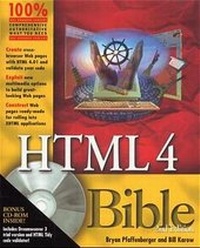
HTML 4 Bible
2nd Edition
Published on 3. August 2000
Book
Mixed media product
792 pages
978-0-7645-3473-7 (ISBN)
Description
HTML 4 Bible, 2nd Edition is your comprehensive reference to the latest standard for Web page construction. Build internet and intranet documents that are fully compliant with the rules of HTML 4.01, making them suitable for inclusion in xHTML applications. Once they're in xHTML, they can be integrated with SMIL, MathML, and SVG technologies to create full-featured Web applications. The book's CD-ROM holds the Amaya, Internet Explorer, Netscape Communicator and Opera web browsers, allowing you to readily test your pages for cross-browser compliance. Also on the CD-ROM is TidyHTML, the best tool for validating your 4.01 source code.
More details
Edition
2., Aufl.
Language
English
Place of publication
Foster City
United States
Publishing group
John Wiley & Sons Inc
Target group
College/higher education
Professional and scholarly
Edition type
Revised edition
Illustrations
1 CD-ROM
Dimensions
Height: 23.3 cm
Width: 19 cm
Weight
1304 gr
ISBN-13
978-0-7645-3473-7 (9780764534737)
Schweitzer Classification
Other editions
New editions

Bryan Pfaffenberger | Steven M. Schafer | Chuck White
HTML, XHTML, and CSS Bible
Book
07/2004
3rd Edition
Hungry Minds Inc,U.S.
€39.90
Article exhausted; check for reprint
Previous edition
Pfaffenberger | Gutzmnan
HTML 4 Bible
Book
07/1998
Hungry Minds Inc,U.S.
€73.22
Article exhausted; check for reprint
Persons
BRYAN PFAFFENBERGER is the author of more than 75 books on computers and the Internet, including the best-selling Discover the Internet. He teaches advanced professional communication and the sociology of computing in the University of Virginia's Division of Technology, Culture, and Communication. In addition to writing several computer books, BILL KAROW has served as a contributor or technical editor on more than 30 other books. Formerly in charge of systems development for Walt Disney Entertainment, Bill now serves as a computer consultant in the Orlando area when he is not riding his bicycle.
Content
Preface. Acknowledgments. PART I: HTML 4 QUICK START. Chapter 1: HTML 4 Basics. Chapter 2: The HTML 4 Way. Chapter 3: Creating Your First Web Page. Chapter 4: Going Public! PART II: UNDERSTANDING HTML 4. Chapter 5: Introducing HTML. Chapter 6: What About XML/XSL Chapter 7: Introducing XHTML: HTML's Future. Chapter 8: Choosing an HTML Editor. Chapter 9: Writing for the Web. Chapter 10: Considering Special Needs Web Accessibility. Chapter 11: Understanding Server Options. PART III: DEVELOPING DOCUMENT STRUCTURE WITH HTML 4. Chapter 12: Understanding HTML 4 Document Architecture. Chapter 13: Specifying the HTML Version and Document Title. Chapter 14: Specifying Metadata. Chapter 15: Structuring Lines and Paragraphs with Block-Level Elements. Chapter 16: Creating Lists. Chapter 17: Using Inline Elements and Special Characters. Chapter 18: Adding Hyperlinks. Chapter 19: Inserting Graphics and Other Objects. Chapter 20: Adding Tables. Chapter 21: Creating Forms and Inserting Scripts. Chapter 22: Creating Frames. Chapter 23: Grouping Elements with DIV and SPAN. Chapter 24: Testing and Validating Your HTML. PART IV: ENHANCING PRESENTATION WITH CASCADING STYLE SHEETS. Chapter 25: Introducing Cascading Style Sheets. Chapter 26: Learning CSS Syntax. Chapter 27: Adding Styles to Your Web Pages. Chapter 28: Adding Colors and Backgrounds. Chapter 29: Formatting Paragraphs. Chapter 30: Formatting Tables. Chapter 31: Adding Fonts. PART V: LAY IT OUT LIKE THE PROS. Chapter 32: Essentials of Web Page Design. Chapter 33: Understanding CSS Positioning Options. Chapter 34: Positioning Graphics and Text. Chapter 35: Cool CSS Positioning Tips and Tricks. Chapter 36: Structuring Multipage Sites. PART VI: ADDING SENSORY EXCITEMENT AND INTERACTIVITY. Chapter 37: Creating Still Graphics for the Web. Chapter 38: Creating Animated Graphics for the Web. Chapter 39: Designing and Implementing Imagemaps. Chapter 40: Producing and Adding Sounds. Chapter 41: Producing and Adding Video. Chapter 42: Incorporating Plug-Ins and ActiveX Controls. Chapter 43: Adding Java Applets. Chapter 44: Creating Subscriptions with the Channel Definition Format. Chapter 45: Accessing External Databases. Chapter 46: Building a Community: Incorporating Discussion Groups and Chat. PART VII: USING CROSS-BROWSER DYNAMIC HTML. Chapter 47: Introducing Dynamic HTML and the Document Object Model. Chapter 48: Cross-Browser Basics with JavaScript. Chapter 49: Frames, Layers, and the Shell Game. Chapter 50: Doing Windows with JavaScript. Appendix A: HTML 4 Data Types. Appendix B: HTML 4 Elements Reference. Appendix C: HTML 4 Attributes Reference. Appendix D: HTML 4 Character Entities Reference. Appendix E: Cascading Style Sheets Reference. Appendix F: Language Codes Reference. Appendix G: Hex Notations Reference. Appendix H: About the CD-ROM. Index. End-User License Agreement. CD-ROM Installation Instructions.