

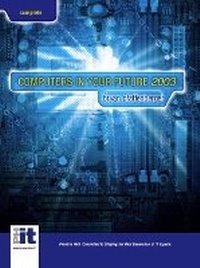
Computers in Your Future, Complete Edition
5th Edition
Published on 10. May 2002
Book
Paperback/Softback
750 pages
978-0-13-035468-6 (ISBN)
Description
For courses in Computer Concepts, Introduction to Computers, Computer Literacy/MIS, CIS, Computer Science, Business.
This introduction to computers is noted for its lucid explanations of computing concepts, practical applications of technology theory, and emphasis on the historical and societal impacts of technological innovations. It features integrated coverage of management information systems, networking, email, and the Internet.
This introduction to computers is noted for its lucid explanations of computing concepts, practical applications of technology theory, and emphasis on the historical and societal impacts of technological innovations. It features integrated coverage of management information systems, networking, email, and the Internet.
More details
Edition
5th edition
Language
English
Place of publication
United States
Publishing group
Pearson Education (US)
Target group
Professional and scholarly
Dimensions
Height: 276 mm
Width: 215 mm
Thickness: 18 mm
Weight
1275 gr
ISBN-13
978-0-13-035468-6 (9780130354686)
Copyright in bibliographic data and cover images is held by Nielsen Book Services Limited or by the publishers or by their respective licensors: all rights reserved.
Schweitzer Classification
Other editions
New editions
Book
05/2003
6th Edition
Pearson
€56.94
Article exhausted; check for reprint
Previous edition
Bryan Pfaffenberger | Roberta Baber
Computers in Your Future
Book
02/2001
4th Edition
Pearson
€42.08
Article exhausted; check for reprint
Content
Complete Edition
1. Becoming Fluent with Computers and the Internet.
Spotlight: History of Computers and the Internet. (Website only)
2. Inside the System Unit.
3. Storing Data: Electronic Filing Cabinets.
4. Input and Output: Data In, Information Out.
Spotlight: Buying and Upgrading Your Computer System.
5. System Software: Keeping the Computer Running Smoothly.
6. Application Software: Essentials for Knowledge Workers.
Spotlight: Multimedia and Virtual Reality.
7. Understanding the Internet.
Spotlight: Using Email.
8. The World Wide Web and Electronic Commerce.
Spotlight: Creating a Web Page.
9. Telecommunications: Exchanging Data Via the Telephone System.
10. Networks: Superhighways for Digital Information.
11. Privacy and Encryption.
12. Computer Crime and Security.
Spotlight: Ethics: Doing the Right Thing.
Spotlight: Avoiding Risks to Your Health. (Website only)
13. Databases and Information Systems.
14. Systems Analysis and Design.
15. Programming Languages and Program Development.
16. Careers and Certification.
Spotlight: Emerging Technologies.
Introductory Version
1. Becoming Fluent with Computers and the Internet.
Spotlight: History of Computers and the Internet. (Website only)
2. Inside the System Unit.
3. Storing Data: Electronic Filing Cabinets.
4. Input and Output: Data In, Information Out.
Spotlight: Buying and Upgrading Your Computer System.
5. System Software: Keeping the Computer Running Smoothly.
6. Application Software: Essentials for Knowledge Workers.
Spotlight: Multimedia and Virtual Reality.
7. Understanding the Internet.
Spotlight: Using Email.
8. The World Wide Web and Electronic Commerce.
Spotlight: Creating a Web Page.
9. Telecommunications: Exchanging Data Via the Telephone System.
10. Networks: Superhighways for Digital Information.
11. Privacy and Encryption.
12. Computer Crime and Security.
Spotlight: Ethics: Doing the Right Thing.
Spotlight: Avoiding Risks to Your Health. (Website only)
Brief Edition
1. Becoming Fluent with Computers and the Internet.
Spotlight: History of Computers and the Internet. (Website only)
2. Inside the System Unit.
3. Storing Data: Electronic Filing Cabinets.
4. Input and Output: Data In, Information Out.
Spotlight: Buying and Upgrading Your Computer System.
5. System Software: Keeping the Computer Running Smoothly.
6. Application Software: Essentials for Knowledge Workers.
Spotlight: Multimedia and Virtual Reality.
7. Understanding the Internet.
Spotlight: Using Email.
8. The World Wide Web and Electronic Commerce.
Spotlight: Creating a Web Page.
1. Becoming Fluent with Computers and the Internet.
Spotlight: History of Computers and the Internet. (Website only)
2. Inside the System Unit.
3. Storing Data: Electronic Filing Cabinets.
4. Input and Output: Data In, Information Out.
Spotlight: Buying and Upgrading Your Computer System.
5. System Software: Keeping the Computer Running Smoothly.
6. Application Software: Essentials for Knowledge Workers.
Spotlight: Multimedia and Virtual Reality.
7. Understanding the Internet.
Spotlight: Using Email.
8. The World Wide Web and Electronic Commerce.
Spotlight: Creating a Web Page.
9. Telecommunications: Exchanging Data Via the Telephone System.
10. Networks: Superhighways for Digital Information.
11. Privacy and Encryption.
12. Computer Crime and Security.
Spotlight: Ethics: Doing the Right Thing.
Spotlight: Avoiding Risks to Your Health. (Website only)
13. Databases and Information Systems.
14. Systems Analysis and Design.
15. Programming Languages and Program Development.
16. Careers and Certification.
Spotlight: Emerging Technologies.
Introductory Version
1. Becoming Fluent with Computers and the Internet.
Spotlight: History of Computers and the Internet. (Website only)
2. Inside the System Unit.
3. Storing Data: Electronic Filing Cabinets.
4. Input and Output: Data In, Information Out.
Spotlight: Buying and Upgrading Your Computer System.
5. System Software: Keeping the Computer Running Smoothly.
6. Application Software: Essentials for Knowledge Workers.
Spotlight: Multimedia and Virtual Reality.
7. Understanding the Internet.
Spotlight: Using Email.
8. The World Wide Web and Electronic Commerce.
Spotlight: Creating a Web Page.
9. Telecommunications: Exchanging Data Via the Telephone System.
10. Networks: Superhighways for Digital Information.
11. Privacy and Encryption.
12. Computer Crime and Security.
Spotlight: Ethics: Doing the Right Thing.
Spotlight: Avoiding Risks to Your Health. (Website only)
Brief Edition
1. Becoming Fluent with Computers and the Internet.
Spotlight: History of Computers and the Internet. (Website only)
2. Inside the System Unit.
3. Storing Data: Electronic Filing Cabinets.
4. Input and Output: Data In, Information Out.
Spotlight: Buying and Upgrading Your Computer System.
5. System Software: Keeping the Computer Running Smoothly.
6. Application Software: Essentials for Knowledge Workers.
Spotlight: Multimedia and Virtual Reality.
7. Understanding the Internet.
Spotlight: Using Email.
8. The World Wide Web and Electronic Commerce.
Spotlight: Creating a Web Page.