

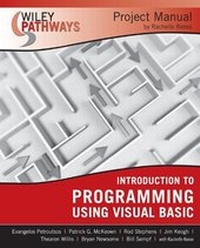
Wiley Pathways Introduction to Programming using Visual Basics Project Manual
1st Edition
Published on 4. May 2007
Book
Paperback/Softback
288 pages
978-0-470-11412-4 (ISBN)
Description
You can get there
Introduction to Programming Using Visual Basic Project Manual offers a wealth of easy-to-read, practical, up-to-date activities that reinforce fundamental Visual Basic programming concepts. You'll also learn to develop the core competencies and skills you'll need in the real world, such as how to:
* Install Visual Studio 2005
* Convert between data types
* Debug an application
* Build a concentration game
* Create data entry forms
* Build and use an abstract class
* Use query builder
* Access relational data in an application
* Create a webpage using HTML
With five to seven projects per chapter ranging from easy to more advanced, Introduction to Programming Using Visual Basic Project Manual is ideal for both traditional and online courses that are oriented toward Visual Basic programming skills.
Introduction to Programming Using Visual Basic Project Manual is an excellent companion to Petroutsos and McKeown's Introduction to Programming Using Visual Basic (ISBN: 978-0-470-10188-9).
Wiley Pathwayshelps you achieve your goals
Not every student is on the same path, but every student wants to succeed. The Information Technology series in the new Wiley Pathways imprint helps you achieve your goals. The books and project manuals in this series--Introduction to Databases, Introduction to Programming Using Visual Basic, Introduction to Operating Systems, Networking Basics, Windows Network Administration, Network Security Fundamentals, and PC Hardware Essentials--offer a coordinated information technology curriculum. Learn more at www.wiley.com/go/pathways.
Introduction to Programming Using Visual Basic Project Manual offers a wealth of easy-to-read, practical, up-to-date activities that reinforce fundamental Visual Basic programming concepts. You'll also learn to develop the core competencies and skills you'll need in the real world, such as how to:
* Install Visual Studio 2005
* Convert between data types
* Debug an application
* Build a concentration game
* Create data entry forms
* Build and use an abstract class
* Use query builder
* Access relational data in an application
* Create a webpage using HTML
With five to seven projects per chapter ranging from easy to more advanced, Introduction to Programming Using Visual Basic Project Manual is ideal for both traditional and online courses that are oriented toward Visual Basic programming skills.
Introduction to Programming Using Visual Basic Project Manual is an excellent companion to Petroutsos and McKeown's Introduction to Programming Using Visual Basic (ISBN: 978-0-470-10188-9).
Wiley Pathwayshelps you achieve your goals
Not every student is on the same path, but every student wants to succeed. The Information Technology series in the new Wiley Pathways imprint helps you achieve your goals. The books and project manuals in this series--Introduction to Databases, Introduction to Programming Using Visual Basic, Introduction to Operating Systems, Networking Basics, Windows Network Administration, Network Security Fundamentals, and PC Hardware Essentials--offer a coordinated information technology curriculum. Learn more at www.wiley.com/go/pathways.
More details
Product info
PB
Edition
1., Auflage
Language
English
Place of publication
Chichester
United Kingdom
Publishing group
John Wiley and Sons Ltd
Target group
Professional and scholarly
Dimensions
Height: 27.6 cm
Width: 21.8 cm
Thickness: 1.5 cm
Weight
548 gr
ISBN-13
978-0-470-11412-4 (9780470114124)
Schweitzer Classification
Persons
Evangelos Petroutsos works as a consultant on large projects, teaches VB and SQL, writes articles, and continues to write code. He has authored and co-authored dozens of programming titles, including the best-selling Mastering Visual Basic .NET, Mastering Database Programming with Visual Basic, and Visual Basic .NET Developer's Handbook, all from Sybex. Evangelos has been a Visual Basic programmer since version 1.
Patrick G. McKeown is Professor Emeritus and former Head of the Department of Management Information Systems at the University of Georgia. He is the author of over 30 other textbooks in the areas of management science, information systems, and computer programming and has taught all over the world including Finland, Portugal, South Africa, and New Zealand. He is a member of the Council of Fellows of the Text and Academic Authors Association.
Rachelle Reese has been designing and developing technical training courses for over ten years and has written a number of books on programming. She has an MA from San Jose State University. She is also a Microsoft Certified Application Developer (MCAD).
Patrick G. McKeown is Professor Emeritus and former Head of the Department of Management Information Systems at the University of Georgia. He is the author of over 30 other textbooks in the areas of management science, information systems, and computer programming and has taught all over the world including Finland, Portugal, South Africa, and New Zealand. He is a member of the Council of Fellows of the Text and Academic Authors Association.
Rachelle Reese has been designing and developing technical training courses for over ten years and has written a number of books on programming. She has an MA from San Jose State University. She is also a Microsoft Certified Application Developer (MCAD).
Content
1. An Introduction to Programming and Visual Basic
1.1 Verifying Installation Requirements
1.2 Installing Visual Studio 2005
1.3 Using Help
1.4 Setting Form Properties
1.5 Adding Controls
1.6 Programming Events
2. Using Variables, Constants, and Operators
2.1 Declaring and Using Variables
2.2 Converting Between Data Types
2.3 Understanding Option Explicit and Option Strict
2.4 Using Constants and Enumerations
2.5 Defining Order of Precedence
3. Managing Program Flow
3.1 Choosing the Best Decision Statement
3.2 Using Loops
3.3 Building a Weather Reporter
3.4 Designing and Building an Interest Calculator
3.5 Debugging an Application
4. Saving Time with Reusable Code
4.1 Creating Functions and Subs
4.2 Passing Arguments to Procedures
4.3 Drawing on a Form
4.4 Using Global Variables and.NET Framework Objects
4.5 Using Shared Methods
4.6 Implementing Structured Exception Handling
5. Using Arrays and Collections
5.1 Using Arrays
5.2 Creating a To Do List with Dynamic Arrays
5.3 Analyzing Lists of Random Numbers
5.4 Building a Concentration Game
5.5 Using the Hashtable Class
6. Handling User Input and Formatting Output
6.1 Using Selection Controls
6.2 Creating a Data Entry Form
6.3 Using Dynamic Controls
6.4 Manipulating Strings
6.5 Manipulating Dates and Numbers
7. Building Menus and Toolbars
7.1 Implementing Standard Menu Items
7.2 Adding Custom Menu Items
7.3 Creating Dynamic Menus
7.4 Adding Context Menus
7.5 Adding Toolbars
8. Creating Your Own Classes
8.1 Creating and Testing a Simple Class
8.2 Creating Advanced Properties and Methods
8.3 Creating a Shared Member
8.4 Inheriting from the ArrayList Class
8.5 Inheriting from a Custom Class
8.6 Building and Using an Abstract Class
9. Accessing Data
9.1 Defining Tables and Relationships
9.2 Accessing Data Using Drag and Drop
9.3 Using Query Builder
9.4 Advanced Drag-and-Drop Binding
9.5 Data Binding Through Code
10. Programming Input and Output
10.1 Creating a Simple Text Editor
10.2 Reading and Writing Files Using Sequential Access
10.3 Reading and Writing Files Using Random Access
10.4 Using the Graphics Objects
10.5 Printing
11. Deploying Your Application
11.1 Choosing a Deployment Method
11.2 Using Configuration Settings
11.3 Using Conditional Compilation
11.4 Setting Project Properties
11.5 Creating a Windows Installer Package
12. Building a Web Application
12.1 Creating a Web Page Using HTML
12.2 Using Tables and Hyperlinks
12.3 Creating an HTML Form
12.4 Creating an ASP.NET Web Site
12.5 Managing State in ASP.NET
1.1 Verifying Installation Requirements
1.2 Installing Visual Studio 2005
1.3 Using Help
1.4 Setting Form Properties
1.5 Adding Controls
1.6 Programming Events
2. Using Variables, Constants, and Operators
2.1 Declaring and Using Variables
2.2 Converting Between Data Types
2.3 Understanding Option Explicit and Option Strict
2.4 Using Constants and Enumerations
2.5 Defining Order of Precedence
3. Managing Program Flow
3.1 Choosing the Best Decision Statement
3.2 Using Loops
3.3 Building a Weather Reporter
3.4 Designing and Building an Interest Calculator
3.5 Debugging an Application
4. Saving Time with Reusable Code
4.1 Creating Functions and Subs
4.2 Passing Arguments to Procedures
4.3 Drawing on a Form
4.4 Using Global Variables and.NET Framework Objects
4.5 Using Shared Methods
4.6 Implementing Structured Exception Handling
5. Using Arrays and Collections
5.1 Using Arrays
5.2 Creating a To Do List with Dynamic Arrays
5.3 Analyzing Lists of Random Numbers
5.4 Building a Concentration Game
5.5 Using the Hashtable Class
6. Handling User Input and Formatting Output
6.1 Using Selection Controls
6.2 Creating a Data Entry Form
6.3 Using Dynamic Controls
6.4 Manipulating Strings
6.5 Manipulating Dates and Numbers
7. Building Menus and Toolbars
7.1 Implementing Standard Menu Items
7.2 Adding Custom Menu Items
7.3 Creating Dynamic Menus
7.4 Adding Context Menus
7.5 Adding Toolbars
8. Creating Your Own Classes
8.1 Creating and Testing a Simple Class
8.2 Creating Advanced Properties and Methods
8.3 Creating a Shared Member
8.4 Inheriting from the ArrayList Class
8.5 Inheriting from a Custom Class
8.6 Building and Using an Abstract Class
9. Accessing Data
9.1 Defining Tables and Relationships
9.2 Accessing Data Using Drag and Drop
9.3 Using Query Builder
9.4 Advanced Drag-and-Drop Binding
9.5 Data Binding Through Code
10. Programming Input and Output
10.1 Creating a Simple Text Editor
10.2 Reading and Writing Files Using Sequential Access
10.3 Reading and Writing Files Using Random Access
10.4 Using the Graphics Objects
10.5 Printing
11. Deploying Your Application
11.1 Choosing a Deployment Method
11.2 Using Configuration Settings
11.3 Using Conditional Compilation
11.4 Setting Project Properties
11.5 Creating a Windows Installer Package
12. Building a Web Application
12.1 Creating a Web Page Using HTML
12.2 Using Tables and Hyperlinks
12.3 Creating an HTML Form
12.4 Creating an ASP.NET Web Site
12.5 Managing State in ASP.NET