

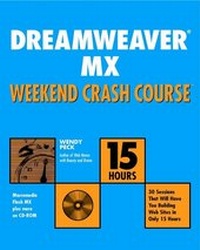
Dreamweaver MX Weekend Crash Course
1st Edition
Published on 17. July 2002
Book
Paperback/Softback
XXII, 362 pages
978-0-7645-4930-4 (ISBN)
Description
* Updated coverage of the new version: Enhanced and detailed coverage of all the newest features in Dreamweaver over the span of a weekend.
* Series features: Easy to follow 30-minute sessions make learning Dreamweaver simple and fast! Each session is designed to take 30 minutes to complete, so the Crash Course is an intense 15-hour learning period beginning on Friday evening and ending on Sunday afternoon.
ABOUT THE CD-ROM:
CD includes self-assessment software so readers can test their knowledge of ActionScript, plus author source code and examples.
* Series features: Easy to follow 30-minute sessions make learning Dreamweaver simple and fast! Each session is designed to take 30 minutes to complete, so the Crash Course is an intense 15-hour learning period beginning on Friday evening and ending on Sunday afternoon.
ABOUT THE CD-ROM:
CD includes self-assessment software so readers can test their knowledge of ActionScript, plus author source code and examples.
Reviews / Votes
"A...strength is it's rigid structureA..." (MacFormat, December 2002)More details
Series
Edition
1., Auflage
Language
English
Place of publication
Foster City
United States
Publishing group
John Wiley & Sons Inc
Target group
Professional and scholarly
Edition type
New edition
Illustrations
illustrations
Dimensions
Height: 23.5 cm
Width: 18 cm
Weight
578 gr
ISBN-13
978-0-7645-4930-4 (9780764549304)
Schweitzer Classification
Other editions
Previous edition

Wendy Peck
Dreamweaver 4 Weekend Crash Course
Book
04/2001
Hungry Minds Inc,U.S.
€27.90
Article exhausted; check for reprint
Person
Wendy lives in Kenora, Ontario, Canada. In addition to authoring the previous edition of the Dreamweaver Weekend Crash Course, Wendy recently wrote Web Menus with Beauty and Brains.Wendy is a professional Web designer and columnist for webreference.com. She has been in the commercial graphic design business since 1989, moving from print to the Web in 1998. In addition to her design business, she is currently a professional trainer for business and marketing, graphics, desktop publishing and communication.
Content
Preface.
Acknowledgments.
FRIDAY.
Part I-Friday Evening.
Session 1-Introducing Dreamweaver MX.
Session 2-Getting Started.
Session 3-Understanding Dreamweaver Site Structure.
Session 4-Creating a Document.
SATURDAY.
Part II-Saturday Morning.
Session 5-Defining a Dreamweaver Site.
Session 6-Building a Dreamweaver Site.
Session 7-Using Tables for Liquid Design.
Session 8-Enhancing Tables with Background Color and Images.
Session 9-Adding Backgrounds, Meta Tags, and Links.
Session 10-Transferring Files.
Part III-Saturday Afternoon.
Session 11-Editing HTML.
Session 12-Creating and Checking Links.
Session 13-Generating JavaScript Rollovers.
Session 14-Creating Forms.
Session 15-Creating Library Items.
Session 16-Creating Templates.
Part IV-Saturday Evening.
Session 17-Planning Site Navigation.
Session 18-Continuing to Build Site Navigation.
Session 19-Creating a Template for a New Site.
Session 20-Preparing Library Items for the New Site.
SUNDAY.
Part V-Sunday Morning.
Session 21-Exploring Dreamweaver's Production Tools.
Session 22-Understanding Web Graphics.
Session 23-Controlling Text with CSS.
Session 24-Pulling Your Site Together.
Session 25-Creating a Finished Page.
Session 26-Placing and Creating the Extras.
Part VI-Sunday Afternoon.
Session 27-Using Layers for Layout.
Session 28-Creating Motion with DHTML.
Session 29-Working with Frames.
Session 30-Increasing Productivity.
Appendix A-Answers to Part Reviews.
Appendix B-What's on the CD-ROM?
Appendix C-Working with Other Software.
Index.
End User License Agreement.
Acknowledgments.
FRIDAY.
Part I-Friday Evening.
Session 1-Introducing Dreamweaver MX.
Session 2-Getting Started.
Session 3-Understanding Dreamweaver Site Structure.
Session 4-Creating a Document.
SATURDAY.
Part II-Saturday Morning.
Session 5-Defining a Dreamweaver Site.
Session 6-Building a Dreamweaver Site.
Session 7-Using Tables for Liquid Design.
Session 8-Enhancing Tables with Background Color and Images.
Session 9-Adding Backgrounds, Meta Tags, and Links.
Session 10-Transferring Files.
Part III-Saturday Afternoon.
Session 11-Editing HTML.
Session 12-Creating and Checking Links.
Session 13-Generating JavaScript Rollovers.
Session 14-Creating Forms.
Session 15-Creating Library Items.
Session 16-Creating Templates.
Part IV-Saturday Evening.
Session 17-Planning Site Navigation.
Session 18-Continuing to Build Site Navigation.
Session 19-Creating a Template for a New Site.
Session 20-Preparing Library Items for the New Site.
SUNDAY.
Part V-Sunday Morning.
Session 21-Exploring Dreamweaver's Production Tools.
Session 22-Understanding Web Graphics.
Session 23-Controlling Text with CSS.
Session 24-Pulling Your Site Together.
Session 25-Creating a Finished Page.
Session 26-Placing and Creating the Extras.
Part VI-Sunday Afternoon.
Session 27-Using Layers for Layout.
Session 28-Creating Motion with DHTML.
Session 29-Working with Frames.
Session 30-Increasing Productivity.
Appendix A-Answers to Part Reviews.
Appendix B-What's on the CD-ROM?
Appendix C-Working with Other Software.
Index.
End User License Agreement.