

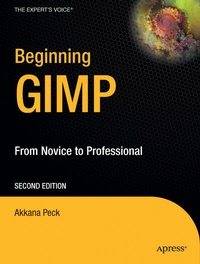
Beginning GIMP
From Novice to Professional
2nd Edition
Published on 24. December 2008
Book
Paperback/Softback
XXVI, 584 pages
978-1-4302-1070-2 (ISBN)
Description
Beginning GIMP: From Novice to Professional explains how to utilize the free, Open Source image manipulation program, The GIMP. You will learn how to install The GIMP on Windows, Linux, and MacOS X platforms. Once you've installed the application, you'll learn about the interface and configuration options, and then jump into a quick and simple project to familiarize yourself.
Reviews / Votes
From the reviews:
"Peck's textbook provides a thorough treatment of topics ranging from installation (on various platforms) and background on common graphic file formats, to drawing, photograph manipulation, filters/effects, and even scripting . . In addition, a thorough treatment of the tools useful to experienced designers is provided . . Peck's book is effective in showing just how far GIMP has progressed in 12 years. Beginners may be surprised . with this free application, especially with the assistance of this clear, concise, and attractive textbook." (Ian van der Linde, ACM Computing Reviews, Vol. 49 (2), February, 2008)
More details
Edition
2nd ed.
Language
English
Place of publication
Berkeley
United States
Target group
Popular/general
Edition type
Revised edition
Illustrations
XXVI, 584 p.
Dimensions
Height: 23.2 cm
Width: 17.8 cm
Weight
1225 gr
ISBN-13
978-1-4302-1070-2 (9781430210702)
DOI
10.1007/978-1-4302-1069-6
Schweitzer Classification
Other editions
New editions
Book
approx. 07/2015
3rd Edition
Apress
€47.03
Not yet published
Additional editions
E-Book
03/2009
2nd Edition
APress
€62.99
Available for download
Previous edition
Book
04/2006
1st Edition
Apress
€47.07
Article exhausted; check for reprint
Person
Akkana Peck is a freelance software developer and writer who has been working with open source software for nearly 20 years. She has worked for a diverse collection of companies including Netscape, Silicon Graphics, Sun Technologies, Hewlett Packard, and Apple, and has written imaging software ranging from GIMP plug-ins, to cartography, to scientific visualization. Akkana is a longtime member of the GIMP community and enjoys giving GIMP courses and presentations, as well as filling up her hard drive with digital images. She lives in San Jose, California with her husband and a motley assortment of old computers. You can find more of her musings at ShallowSky.com.
Content
1: Get to Know the GIMP. 2: Improving Digital Photos. 3: Introduction to Layers. 4: Drawing. 5: Selection. 6: Erasing and Touching Up. 7: Filters and Effects. 8: Color Manipulation, Channels, and Layer Modes. 9: Advanced Drawing. 10: Advanced Compositing. 11: Plug-Ins and Scripting. 12: Additional Topics. A: Getting and Installing the GIMP. B: Installing the GIMP on Windows. C: Installing the GIMP on Mac Requirements The Quick Start Version The Longer. D: Installing the GIMP on Linux or Unix. E: Building from Source. F: First Startup.