

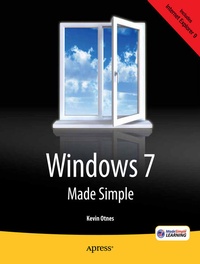
Windows 7 Made Simple
Published on 27. October 2011
Book
Paperback/Softback
XVI, 836 pages
978-1-4302-3650-4 (ISBN)
Description
Windows 7 is more than an operating system. It's your gateway to email, the Web, work, entertainment, and fun. The latest Windows makes your computer more fun, easy, and powerful to use than ever before.
With Windows 7 Made Simple, you can unlock the potential and power of Microsoft's latest operating system.
Get up and running quickly with the Quick Start Guide
Find what you want to know quickly, and learn at your own pace
Read AND see how to do it with handy step-by-step visual aids
More details
Edition
1st ed.
Language
English
Place of publication
Berkeley
United States
Target group
Popular/general
Product notice
Paperback (trade)
Unsewn / adhesive bound
Illustrations
XVI, 836 p.
Dimensions
Height: 235 mm
Width: 191 mm
Thickness: 42 mm
Weight
1406 gr
ISBN-13
978-1-4302-3650-4 (9781430236504)
DOI
10.1007/978-1-4302-3651-1
Schweitzer Classification
Other editions
Additional editions
Kevin Otnes | MSL Made Simple Learning
Windows 7 Made Simple
E-Book
12/2011
APress
€26.74
Available for download
Persons
Kevin Otnes is 20-year technical writing veteran, including 12 years writing help for Windows and Internet Explorer at Microsoft. He now writes documentation for EMC, a worldwide leader in Enterprise-level backup, recovery, and storage hardware and software.
Content
* Quick Start Guide * Customizing and Personalizing Windows * Checking Out Libraries * Using Gadgets and Widgets * Exploring Programs and Features * Installing Programs * Using WordPad, Paint, and Accessories * Getting Free Goodies like Windows Live Essentials * Communicating with Email, IM, and Social Networks * Surfing the Web * Organizing and Sharing Pictures and Videos * Enjoying Music, Video, and eBooks * Setting Up and Transferring User Accounts * Printing, Faxing, and Scanning * Connecting Monitors and Hardware * Connecting to the Internet and Home Networks * Protecting Your Computer and Data * Troubleshooting and Maintaining Your Computer * Using Windows at Work and On the Road