

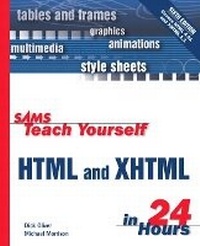
Sams Teach Yourself HTML & XHTML in 24 Hours
6th Edition
Published on 5. June 2003
Book
Paperback/Softback
504 pages
978-0-672-32520-5 (ISBN)
Description
Sams Teach Yourself HTML and XHTML in 24 Hours is a carefully organized well-written tutorial that teaches the beginning Web page author just what he needs to know in order to get a Web page up in the shortest time possible.
The book covers only those HTML and XHTML tags and technologies that are likely to be used on a beginner's Web page, and it is organized in a logical step-by-step order that reflects the natural progression in a new Web page author will follow in developing a Web site.
The book covers only those HTML and XHTML tags and technologies that are likely to be used on a beginner's Web page, and it is organized in a logical step-by-step order that reflects the natural progression in a new Web page author will follow in developing a Web site.
More details
Edition
6th edition
Language
English
Place of publication
Indianapolis
United States
Publishing group
Pearson Education (US)
Target group
College/higher education
Dimensions
Height: 232 mm
Width: 188 mm
Thickness: 30 mm
Weight
842 gr
ISBN-13
978-0-672-32520-5 (9780672325205)
Copyright in bibliographic data and cover images is held by Nielsen Book Services Limited or by the publishers or by their respective licensors: all rights reserved.
Schweitzer Classification
Other editions
Previous edition
Dick Oliver
Sams Teach Yourself HTML and XHTML in 24 Hours
Book
03/2001
5th Edition
Sams Publishing
€22.27
Article exhausted; check for reprint
Persons
Dick Oliver (dicko@netletter.com) is the tall, dark, handsome author of lots of great books and software, including Web Page Wizardry, Netscape Unleashed, Create Your Own Web Page Graphics, and Tricks of the Graphics Gurus. He is also the president of Cedar Software and the warped mind behind the Nonlinear Nonsense Netletter at http://netletter.com (and many other Web sites). When he isn't banging on a keyboard, he's usually snowboarding, sledding, skiing, or warming up by the woodstove in his cozy Northern Vermont home (where they celebrate a day of summer each year, too). He likes writing HTML, eating killer-spicy Indian food, and waltzing wildly around the office with his daughters?not necessarily in that order. He also thinks it's pretty cool that authors get to write their own "About the Authors" sections.
Michael Morrison is a writer, developer, toy inventor, and author of a variety of nerdy books and interactive Web-based courses. In addition to his primary profession as a writer and geek for hire, Michael is the creative lead at Stalefish Labs (http://www.stalefishlabs.com), an entertainment company he co-founded with his wife, Masheed. The first commercial debut for Stalefish Labs is a "lounge game" titled Tall Tales: The Game of Legends, Humdingers, and Creative One-Upmanship. Michael encourages you to visit the Tall Tales game Web site at http://www.talltalesgame.com/ and buy dozens of games for your friends and family. When not glued to his computer, playing hockey, skateboarding, or watching movies with his wife, Michael enjoys hanging out by his koi pond. You can visit Michael on the Web at http://www.michaelmorrison.com/.
Michael Morrison is a writer, developer, toy inventor, and author of a variety of nerdy books and interactive Web-based courses. In addition to his primary profession as a writer and geek for hire, Michael is the creative lead at Stalefish Labs (http://www.stalefishlabs.com), an entertainment company he co-founded with his wife, Masheed. The first commercial debut for Stalefish Labs is a "lounge game" titled Tall Tales: The Game of Legends, Humdingers, and Creative One-Upmanship. Michael encourages you to visit the Tall Tales game Web site at http://www.talltalesgame.com/ and buy dozens of games for your friends and family. When not glued to his computer, playing hockey, skateboarding, or watching movies with his wife, Michael enjoys hanging out by his koi pond. You can visit Michael on the Web at http://www.michaelmorrison.com/.
Content
Introduction.
I. YOUR FIRST WEB PAGE.
Hour 1. Understanding HTML and XHTML.
Hour 2. Create a Web Page Right Now.
Hour 3. Linking to Other Web Pages.
Hour 4. Publishing Your HTML Pages.
II. WEB PAGE TEXT.
Hour 5. Basic Text Alignment and Formatting.
Hour 6. Advanced Text Formatting.
Hour 7. Creating Text Links.
III. WEB PAGE GRAPHICS.
Hour 8. Creating Your Own Web Page Graphics.
Hour 9. Putting Graphics on a Web Page.
Hour 10. Custom Backgrounds and Colors.
Hour 11. Graphical Links and Imagemaps.
IV. WEB PAGE DESIGN.
Hour 12. Page Design and Layout.
Hour 13. Advanced Layout with Tables.
Hour 14. Formatting Pages with Style Sheets.
Hour 15. Making the Most of Style Sheets.
Hour 16. Multi-Page Layout with Frames.
V. DYNAMIC WEB PAGES.
Hour 17. Web Page Scripting for Non-Programmers.
Hour 18. Setting Pages in Motion with Dynamic HTML.
Hour 19. Gathering Information with HTML Forms.
Hour 20. Embedding Multimedia in Web Pages.
VI. BUILDING A WEB SITE.
Hour 21. Organizing and Managing a Web Site.
Hour 22. Helping People Find Your Web Pages.
Hour 23. Using XML to Describe Data.
Hour 24. Planning for the Future of HTML.
VII. APPENDIXES.
Appendix A. Readers' Most Frequently Asked Questions.
Appendix B. HTML Learning Resources on the Internet.
Appendix C. Complete HTML 4 and XHTML 1 Quick Reference
Appendix D. Migrating from HTML to XHTML.
Index.
I. YOUR FIRST WEB PAGE.
Hour 1. Understanding HTML and XHTML.
Hour 2. Create a Web Page Right Now.
Hour 3. Linking to Other Web Pages.
Hour 4. Publishing Your HTML Pages.
II. WEB PAGE TEXT.
Hour 5. Basic Text Alignment and Formatting.
Hour 6. Advanced Text Formatting.
Hour 7. Creating Text Links.
III. WEB PAGE GRAPHICS.
Hour 8. Creating Your Own Web Page Graphics.
Hour 9. Putting Graphics on a Web Page.
Hour 10. Custom Backgrounds and Colors.
Hour 11. Graphical Links and Imagemaps.
IV. WEB PAGE DESIGN.
Hour 12. Page Design and Layout.
Hour 13. Advanced Layout with Tables.
Hour 14. Formatting Pages with Style Sheets.
Hour 15. Making the Most of Style Sheets.
Hour 16. Multi-Page Layout with Frames.
V. DYNAMIC WEB PAGES.
Hour 17. Web Page Scripting for Non-Programmers.
Hour 18. Setting Pages in Motion with Dynamic HTML.
Hour 19. Gathering Information with HTML Forms.
Hour 20. Embedding Multimedia in Web Pages.
VI. BUILDING A WEB SITE.
Hour 21. Organizing and Managing a Web Site.
Hour 22. Helping People Find Your Web Pages.
Hour 23. Using XML to Describe Data.
Hour 24. Planning for the Future of HTML.
VII. APPENDIXES.
Appendix A. Readers' Most Frequently Asked Questions.
Appendix B. HTML Learning Resources on the Internet.
Appendix C. Complete HTML 4 and XHTML 1 Quick Reference
Appendix D. Migrating from HTML to XHTML.
Index.