

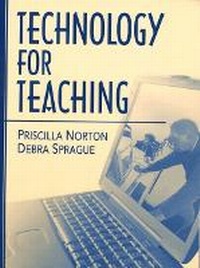
Technology for Teaching
Published on 8. November 2000
Book
Paperback/Softback
274 pages
978-0-205-30915-3 (ISBN)
Description
This book about teaching and learning with technology focuses on the major software categories and applications available to educators.
This text emphasizes using the full range of available technologies to promote teaching and learning. It covers all major software application categories and helps readers focus on the concept each category or application represents. For instance, databases are described as tools for organizing and manipulating information. The unique functions and features of each application are identified. Then, each chapter emphasizes why that application is a useful educational tool and how educators can design instruction to maximize the application's potential.
This text emphasizes using the full range of available technologies to promote teaching and learning. It covers all major software application categories and helps readers focus on the concept each category or application represents. For instance, databases are described as tools for organizing and manipulating information. The unique functions and features of each application are identified. Then, each chapter emphasizes why that application is a useful educational tool and how educators can design instruction to maximize the application's potential.
More details
Language
English
Place of publication
United States
Publishing group
Pearson Education (US)
Target group
Professional and scholarly
Dimensions
Height: 180 mm
Width: 235 mm
Thickness: 8 mm
Weight
417 gr
ISBN-13
978-0-205-30915-3 (9780205309153)
Copyright in bibliographic data and cover images is held by Nielsen Book Services Limited or by the publishers or by their respective licensors: all rights reserved.
Schweitzer Classification
Content
Each chapter begins with an "Introduction" and ends with a "Bibliography."
Preface.
Bibliography.
1.Technology for Teaching.
Education's Hope for Technology. The Dilemma of Technological Innovation in Education. Technology's Place in Education. The Organization of this Book.
2.Skills Software: Drilling and Practicing.
The Infusion Model. Two Software Examples. The Features and Functions of Integrated Learning Systems. Shared ILS Features. Supporting ILS Instruction. Integration of ILSs with Classroom Curriculum. Learning with Integrated Learning Systems. Benefits of Integrated Learning Systems. Limitations of Integrated Learning Systems. Teaching with Integrated Learning Systems. Cooperative Use of Integrated Learning Systems. Using ILSs for Practice and to Support Teaching and Learning. ILSs, Curriculum, and the Power of Educational Technology. CHAPTER = 3.Computer Graphics: Seeing and Rendering.
A Role for Image Making in Learning. ADS = The Features and Functions of Graphic Tools. Common Graphic Tools. Types of Graphic Programs. File Formats. Importing/Exporting Images. Obtaining Pre-Existing Images. Learning with Computer Graphics. Line and Shape. Color. Perspective. Composition. Teaching Students to Be Image Makers. Teaching with Computer Graphics. Five Kinds of Images and Their Purpose.
4.Word Processors, Desktop Publishers, and Web-Based Editors: Informing and Publishing.
The Features and Functions of Word Processors, Desktop Publishing, and Web-Based Editors. The Anatomy of Word Processors. Features and Functions of Word Processors. The Anatomy of Desktop Publishers. Features and Functions of Desktop Publishers. The Anatomy of Web-Based Editors. Features and Functions of Web-Based Editors. Learning with Word Processors, Desktop Publishing, and Web-Based Editors. Advantages. Research on Learning with Word Processors. The Role of Teaching. Teaching with Word Processors, Desktop Publishing, and Web-Based Editors. Writing Across the Curriculum. Learning from Models. Choosing the Right Tool. Knowing Design Principles. Writing as a Process. Putting It All Together: Going DEAPR.
5.Databases: Organizing and Analyzing Information.
The Features and Functions of Database Tools. Database Structure. Types of Databases. Sources of Databases. Learning with Databases. Databases and Problem-Solving. Research on Learning with Databases. Teaching with Databases. Learning to Use a Database. Databases as an Integrated Learning Tool.
6.Telecommunications: Communicating and Accessing.
Defining Telecommunications. The Features and Functions of Telecommunication Tools. Asynchronous Communication. Synchronous Communication. An Integrated E-mail Lesson. Telecommunications Tools for Accessing Information. Learning with Telecommunication Tools. Netiquette. Search Strategies. Evaluating Information. Teaching with Telecommunications. Five Patterns of Telecommunications Use in Classrooms. Ten Telecommunications Strategies. An Integrated Internet Lesson.
7.Simulations: Experimenting and Structuring.
Features and Functions of Simulations. Definitions. Simulation Categories. Characteristics of Simulations. Sources of Simulations. Commercial Software Publishers. Online Simulations. Learning with Simulations. Research on Simulations in Educational Settings. Advantages Associated with Computer Simulations. Limitations Associated with Computer Simulations. Teaching with Simulations. Simulations as an Integral Part of Classroom Instruction.
8.Multimedia/Hypermedia: Representing and Connecting.
Technology and Thought. The Features and Functions of Multimedia/Hypermedia. Defining Multimedia. Creating Multimedia. The Anatomy of Hypertext and Hypermedia. Creating HyperText. Creating HyperMedia. HyperMedia Design Considerations. Learning with Hypermedia. Impacts of Hypertext in the Classroom. Hypermedia in the Classroom. Teaching with Multimedia/Hypermedia. Introducing Hypermedia. Using Templates. Curricular Ideas for Using Hypermedia. Evaluation of Hypermedia. Going DEAPR.
9.Mathematical Devices: Computing and Modeling.
A Role for Higher Mathematics. Calculators as Learning Tools. Calculators in Schools. Graphing Calculators. Probeware. Teaching with Graphic Calculators and Probeware. Spreadsheets as Tools for Learning. Common Features and Capabilities of Spreadsheets. Advantages to Using Spreadsheets. Disadvantages to Using Spreadsheets. Using spreadsheets in the Classroom. Programming Languages as Tools for Learning. Controlling the Computer. Flowcharting. Computer Languages. Logo. Learning with Logo. Teaching with Logo.
10.Emerging Technologies: Virtual Learning.
Artificial Intelligence. Capabilities of Artificial Intelligence. Potential of Artificial Intelligence. Limitations of Artificial Intelligence. Virtual Reality. Capabilities of Virtual Reality. Potential of Virtual Reality. Limitations of Virtual Reality. Distributed Learning. Capabilities of Distributed Learning. Knowledge Webs. Virtual Communities. Synthetic Environments. Sensory Immersion. Emerging Technologies: Becoming Part of Educational Practice.
Preface.
Bibliography.
1.Technology for Teaching.
Education's Hope for Technology. The Dilemma of Technological Innovation in Education. Technology's Place in Education. The Organization of this Book.
2.Skills Software: Drilling and Practicing.
The Infusion Model. Two Software Examples. The Features and Functions of Integrated Learning Systems. Shared ILS Features. Supporting ILS Instruction. Integration of ILSs with Classroom Curriculum. Learning with Integrated Learning Systems. Benefits of Integrated Learning Systems. Limitations of Integrated Learning Systems. Teaching with Integrated Learning Systems. Cooperative Use of Integrated Learning Systems. Using ILSs for Practice and to Support Teaching and Learning. ILSs, Curriculum, and the Power of Educational Technology. CHAPTER = 3.Computer Graphics: Seeing and Rendering.
A Role for Image Making in Learning. ADS = The Features and Functions of Graphic Tools. Common Graphic Tools. Types of Graphic Programs. File Formats. Importing/Exporting Images. Obtaining Pre-Existing Images. Learning with Computer Graphics. Line and Shape. Color. Perspective. Composition. Teaching Students to Be Image Makers. Teaching with Computer Graphics. Five Kinds of Images and Their Purpose.
4.Word Processors, Desktop Publishers, and Web-Based Editors: Informing and Publishing.
The Features and Functions of Word Processors, Desktop Publishing, and Web-Based Editors. The Anatomy of Word Processors. Features and Functions of Word Processors. The Anatomy of Desktop Publishers. Features and Functions of Desktop Publishers. The Anatomy of Web-Based Editors. Features and Functions of Web-Based Editors. Learning with Word Processors, Desktop Publishing, and Web-Based Editors. Advantages. Research on Learning with Word Processors. The Role of Teaching. Teaching with Word Processors, Desktop Publishing, and Web-Based Editors. Writing Across the Curriculum. Learning from Models. Choosing the Right Tool. Knowing Design Principles. Writing as a Process. Putting It All Together: Going DEAPR.
5.Databases: Organizing and Analyzing Information.
The Features and Functions of Database Tools. Database Structure. Types of Databases. Sources of Databases. Learning with Databases. Databases and Problem-Solving. Research on Learning with Databases. Teaching with Databases. Learning to Use a Database. Databases as an Integrated Learning Tool.
6.Telecommunications: Communicating and Accessing.
Defining Telecommunications. The Features and Functions of Telecommunication Tools. Asynchronous Communication. Synchronous Communication. An Integrated E-mail Lesson. Telecommunications Tools for Accessing Information. Learning with Telecommunication Tools. Netiquette. Search Strategies. Evaluating Information. Teaching with Telecommunications. Five Patterns of Telecommunications Use in Classrooms. Ten Telecommunications Strategies. An Integrated Internet Lesson.
7.Simulations: Experimenting and Structuring.
Features and Functions of Simulations. Definitions. Simulation Categories. Characteristics of Simulations. Sources of Simulations. Commercial Software Publishers. Online Simulations. Learning with Simulations. Research on Simulations in Educational Settings. Advantages Associated with Computer Simulations. Limitations Associated with Computer Simulations. Teaching with Simulations. Simulations as an Integral Part of Classroom Instruction.
8.Multimedia/Hypermedia: Representing and Connecting.
Technology and Thought. The Features and Functions of Multimedia/Hypermedia. Defining Multimedia. Creating Multimedia. The Anatomy of Hypertext and Hypermedia. Creating HyperText. Creating HyperMedia. HyperMedia Design Considerations. Learning with Hypermedia. Impacts of Hypertext in the Classroom. Hypermedia in the Classroom. Teaching with Multimedia/Hypermedia. Introducing Hypermedia. Using Templates. Curricular Ideas for Using Hypermedia. Evaluation of Hypermedia. Going DEAPR.
9.Mathematical Devices: Computing and Modeling.
A Role for Higher Mathematics. Calculators as Learning Tools. Calculators in Schools. Graphing Calculators. Probeware. Teaching with Graphic Calculators and Probeware. Spreadsheets as Tools for Learning. Common Features and Capabilities of Spreadsheets. Advantages to Using Spreadsheets. Disadvantages to Using Spreadsheets. Using spreadsheets in the Classroom. Programming Languages as Tools for Learning. Controlling the Computer. Flowcharting. Computer Languages. Logo. Learning with Logo. Teaching with Logo.
10.Emerging Technologies: Virtual Learning.
Artificial Intelligence. Capabilities of Artificial Intelligence. Potential of Artificial Intelligence. Limitations of Artificial Intelligence. Virtual Reality. Capabilities of Virtual Reality. Potential of Virtual Reality. Limitations of Virtual Reality. Distributed Learning. Capabilities of Distributed Learning. Knowledge Webs. Virtual Communities. Synthetic Environments. Sensory Immersion. Emerging Technologies: Becoming Part of Educational Practice.