


Programming Interactivity
Unlock the Power of Arduino, Processing, and OpenFrameworks
1st Edition
Published on 25. August 2009
Book
734 pages
978-0-596-15414-1 (ISBN)
Description
Make cool stuff. If you're a designer or artist without a lot of programming experience, this book will teach you to work with 2D and 3D graphics, sound, physical interaction, and electronic circuitry to create all sorts of interesting and compelling experiences -- online and off.
Programming Interactivity explains programming and electrical engineering basics, and introduces three freely available tools created specifically for artists and designers:
* Processing, a Java-based programming language and environment for building projects on the desktop, Web, or mobile phones
* Arduino, a system that integrates a microcomputer prototyping board, IDE, and programming language for creating your own hardware and controls
* OpenFrameworks, a coding framework simplified for designers and artists, using the powerful C++ programming language
BTW, you don't have to wait until you finish the book to actually make something. You'll get working code samples you can use right away, along with the background and technical information you need to design, program, build, and troubleshoot your own projects. The cutting edge design techniques and discussions with leading artists and designers will give you the tools and inspiration to let your imagination take flight.
Programming Interactivity explains programming and electrical engineering basics, and introduces three freely available tools created specifically for artists and designers:
* Processing, a Java-based programming language and environment for building projects on the desktop, Web, or mobile phones
* Arduino, a system that integrates a microcomputer prototyping board, IDE, and programming language for creating your own hardware and controls
* OpenFrameworks, a coding framework simplified for designers and artists, using the powerful C++ programming language
BTW, you don't have to wait until you finish the book to actually make something. You'll get working code samples you can use right away, along with the background and technical information you need to design, program, build, and troubleshoot your own projects. The cutting edge design techniques and discussions with leading artists and designers will give you the tools and inspiration to let your imagination take flight.
More details
Language
English
Place of publication
Sebastopol
United States
Target group
Professional and scholarly
Product notice
Paperback (trade)
Illustrations
1, black & white illustrations
Dimensions
Height: 233 mm
Width: 178 mm
Thickness: 37 mm
Weight
1150 gr
ISBN-13
978-0-596-15414-1 (9780596154141)
Schweitzer Classification
Other editions
New editions
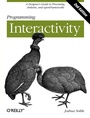
Book
02/2012
2nd Edition
O'Reilly
€47.00
Shipment within 10-20 days
Additional editions
E-Book
07/2009
O'Reilly
€46.99
Available for download
Person
Josh Noble is a consultant, freelance developer and Rich Internet Application designer, based out of Brooklyn, who most recently worked at the popular RIA design/dev firm Schematic, Inc. He's the lead-author of O'Reilly title Flex 3 Cookbook (released May 2008). As an undergraduate student Joshua Noble studied fine arts and began a graduate program studying interactive art, teaching himself programming and electronics using available resources on the internet. After school, he began teaching coding to art and design students interested in interactive design. As a student and later professor at the School of the Museum of Fine Arts in Boston he found an acute need for a book that bridged the technical aspects of making artworks that integrated programming and computing and some of the theoretical and conceptual aspects of these kinds of works. He's worked extensively for several years with each of the tools discussed in this book and has taught the subject formally and informally both to friends and at colleges.
Content
Inhaltsverzeichnis
* Introductions
* Chapter 1 Introducing Interaction Design
* What This Book Is for
* Programming for Interactivity
* Design and Interaction
* Art and Interaction
* Data Exchange and Exploration
* Working Process
* Chapter 2 Programming Basics
* Why You'll Read This Chapter More Than Once
* The Nature of Code
* Variables
* Control Statements
* Functions
* Objects and Properties
* Scope
* Review
* Chapter 3 Processing
* Downloading and Installing Processing
* Exploring the Processing IDE
* The Basics of a Processing Application
* The Basics of Drawing with Processing
* Capturing Simple User Interaction
* Importing Libraries
* Loading Things into Processing
* Running and Debugging Applications
* Exporting Processing Applications
* Conclusion
* Review
* Chapter 4 Arduino
* Starting with Arduino
* Touring Two Arduino Boards
* Touring the Arduino IDE
* The Basics of an Arduino Application
* Features of the Arduino Language
* How to Connect Things to Your Board
* Hello World
* Debugging Your Application
* Importing Libraries
* Running Your Code
* Review
* Chapter 5 Programming Revisited
* Object-Oriented Programming
* Classes
* Public and Private Properties
* Inheritance
* Processing: Classes and Files
* C++: Classes and Files
* Pointers and References
* Review
* Chapter 6 openFrameworks
* Your IDE and Computer
* Taking Another Quick Tour of C++
* Getting Started with oF
* Touring an oF Application
* Creating "Hello, World"
* Drawing in 2D
* Displaying Video Files and Images
* Importing Libraries
* Compiling an oF Program
* Debugging an oF Application
* Review
* Themes
* Chapter 7 Sound and Audio
* Sound As Feedback
* Sound and Interaction
* How Sound Works on a Computer
* Audio in Processing
* Sound in openFrameworks
* openFrameworks and the FMOD Ex Library
* The Sound Object Library
* The Magic of the Fast Fourier Transform
* Physical Manipulation of Sound with Arduino
* A Quick Note on PWM
* Creating Interactions with Sound
* Further Resources
* Review
* Chapter 8 Physical Input
* Interacting with Physical Controls
* Thinking About Kinetics
* Getting Gear for This Chapter
* Controlling Controls
* Turning Knobs
* Using Lights
* Detecting Touch and Vibration
* Communicating with Other Applications
* Sending Messages from the Arduino
* Detecting Motion
* Reading Distance
* Understanding Binary Numbers
* Detecting Forces and Tilt
* Introducing I2C
* What Is a Physical Interface?
* What's Next
* Review
* Chapter 9 Programming Graphics
* The Screen and Graphics
* Seeing Is Thinking, Looking Is Reading
* Math, Graphics, and Coordinate Systems
* Drawing Strategies
* Processing and Transformation Matrices
* Creating Motion
* Using Vectors
* Using Graphical Controls
* Importing and Exporting Graphics
* What's Next
* Review
* Chapter 10 Bitmaps and Pixels
* Using Pixels As Data
* Using Pixels and Bitmaps As Input
* Providing Feedback with Bitmaps
* Looping Through Pixels
* Manipulating Bitmaps
* Analyzing Bitmaps in oF
* Using Pixel Data
* Using Textures
* Saving a Bitmap
* What's Next
* Review
* Chapter 11 Physical Feedback
* Using Motors
* Using Servos
* Using Household Currents
* Working with Appliances
* Introducing the LilyPad Board
* Using Vibration
* Using an LED Matrix
* Using LCDs
* Using Solenoids for Movement
* What's Next
* Review
* Chapter 12 Protocols and Communication
* Communicating Over Networks
* Using XML
* Understanding Networks and the Internet
* Handling Network Communication in Processing
* Understanding Protocols in Networking
* Using ofxNetwork
* Creating Networks with the Arduino
* Using Carnivore to Communicate
* Communicating with Bluetooth
* Communicating Using MIDI
* Review
* Explorations
* Chapter 13 Graphics and OpenGL
* What Does 3D Have to Do with Interaction?
* Understanding 3D
* Working with 3D in Processing
* Making Custom Shapes in Processing
* Using Coordinates and Transforms in Processing
* Working with 3D in OpenGL
* Using Matrices and Transformations in OpenGL
* Using Vertices in OpenGL
* Drawing with Textures in oF
* Lighting in OpenGL
* Blending Modes in OpenGL
* Using Textures and Shading in Processing
* Using Another Way of Shading
* Using an ofShader Addon
* What to Do Next
* Review
* Chapter 14 Detection and Gestures
* Computer Vision
* OpenCV
* Using Blobs and Tracking
* Using OpenCV in Processing
* Detecting Gestures
* Implementing Face Recognition
* Exploring Touch Devices with oF
* What's Next
* Review
* Chapter 15 Movement and Location
* Using Movement As and in Interaction
* Using Software-Based Serial Ports
* Understanding and Using GPS
* Storing Data
* Logging GPS Data to an Arduino
* Sending GPS Data
* Determining Location by IP Address
* What to Do Next
* Review
* Chapter 16 Interfaces and Controls
* Examining Tools, Affordances, and Aesthetics
* Reexamining Tilt
* Exploring InputShield
* Understanding Touch
* Exploring Open Source Touch Hardware
* Communicating Using OSC
* Using the Wiimote
* What's Next
* Review
* Chapter 17 Spaces and Environments
* Using Architecture and Space
* Sensing Environmental Data
* Using an XBee with Arduino
* Placing Objects in 2D
* Using the X10 Protocol
* Setting Up an RFID Sensor
* Reading Heat and Humidity
* What's Next
* Review
* Chapter 18 Further Resources
* What's Next?
* Bibliography
* Conclusion
* Appendix Circuit Diagram Symbols
* Programming Glossary
* Colophon
* Introductions
* Chapter 1 Introducing Interaction Design
* What This Book Is for
* Programming for Interactivity
* Design and Interaction
* Art and Interaction
* Data Exchange and Exploration
* Working Process
* Chapter 2 Programming Basics
* Why You'll Read This Chapter More Than Once
* The Nature of Code
* Variables
* Control Statements
* Functions
* Objects and Properties
* Scope
* Review
* Chapter 3 Processing
* Downloading and Installing Processing
* Exploring the Processing IDE
* The Basics of a Processing Application
* The Basics of Drawing with Processing
* Capturing Simple User Interaction
* Importing Libraries
* Loading Things into Processing
* Running and Debugging Applications
* Exporting Processing Applications
* Conclusion
* Review
* Chapter 4 Arduino
* Starting with Arduino
* Touring Two Arduino Boards
* Touring the Arduino IDE
* The Basics of an Arduino Application
* Features of the Arduino Language
* How to Connect Things to Your Board
* Hello World
* Debugging Your Application
* Importing Libraries
* Running Your Code
* Review
* Chapter 5 Programming Revisited
* Object-Oriented Programming
* Classes
* Public and Private Properties
* Inheritance
* Processing: Classes and Files
* C++: Classes and Files
* Pointers and References
* Review
* Chapter 6 openFrameworks
* Your IDE and Computer
* Taking Another Quick Tour of C++
* Getting Started with oF
* Touring an oF Application
* Creating "Hello, World"
* Drawing in 2D
* Displaying Video Files and Images
* Importing Libraries
* Compiling an oF Program
* Debugging an oF Application
* Review
* Themes
* Chapter 7 Sound and Audio
* Sound As Feedback
* Sound and Interaction
* How Sound Works on a Computer
* Audio in Processing
* Sound in openFrameworks
* openFrameworks and the FMOD Ex Library
* The Sound Object Library
* The Magic of the Fast Fourier Transform
* Physical Manipulation of Sound with Arduino
* A Quick Note on PWM
* Creating Interactions with Sound
* Further Resources
* Review
* Chapter 8 Physical Input
* Interacting with Physical Controls
* Thinking About Kinetics
* Getting Gear for This Chapter
* Controlling Controls
* Turning Knobs
* Using Lights
* Detecting Touch and Vibration
* Communicating with Other Applications
* Sending Messages from the Arduino
* Detecting Motion
* Reading Distance
* Understanding Binary Numbers
* Detecting Forces and Tilt
* Introducing I2C
* What Is a Physical Interface?
* What's Next
* Review
* Chapter 9 Programming Graphics
* The Screen and Graphics
* Seeing Is Thinking, Looking Is Reading
* Math, Graphics, and Coordinate Systems
* Drawing Strategies
* Processing and Transformation Matrices
* Creating Motion
* Using Vectors
* Using Graphical Controls
* Importing and Exporting Graphics
* What's Next
* Review
* Chapter 10 Bitmaps and Pixels
* Using Pixels As Data
* Using Pixels and Bitmaps As Input
* Providing Feedback with Bitmaps
* Looping Through Pixels
* Manipulating Bitmaps
* Analyzing Bitmaps in oF
* Using Pixel Data
* Using Textures
* Saving a Bitmap
* What's Next
* Review
* Chapter 11 Physical Feedback
* Using Motors
* Using Servos
* Using Household Currents
* Working with Appliances
* Introducing the LilyPad Board
* Using Vibration
* Using an LED Matrix
* Using LCDs
* Using Solenoids for Movement
* What's Next
* Review
* Chapter 12 Protocols and Communication
* Communicating Over Networks
* Using XML
* Understanding Networks and the Internet
* Handling Network Communication in Processing
* Understanding Protocols in Networking
* Using ofxNetwork
* Creating Networks with the Arduino
* Using Carnivore to Communicate
* Communicating with Bluetooth
* Communicating Using MIDI
* Review
* Explorations
* Chapter 13 Graphics and OpenGL
* What Does 3D Have to Do with Interaction?
* Understanding 3D
* Working with 3D in Processing
* Making Custom Shapes in Processing
* Using Coordinates and Transforms in Processing
* Working with 3D in OpenGL
* Using Matrices and Transformations in OpenGL
* Using Vertices in OpenGL
* Drawing with Textures in oF
* Lighting in OpenGL
* Blending Modes in OpenGL
* Using Textures and Shading in Processing
* Using Another Way of Shading
* Using an ofShader Addon
* What to Do Next
* Review
* Chapter 14 Detection and Gestures
* Computer Vision
* OpenCV
* Using Blobs and Tracking
* Using OpenCV in Processing
* Detecting Gestures
* Implementing Face Recognition
* Exploring Touch Devices with oF
* What's Next
* Review
* Chapter 15 Movement and Location
* Using Movement As and in Interaction
* Using Software-Based Serial Ports
* Understanding and Using GPS
* Storing Data
* Logging GPS Data to an Arduino
* Sending GPS Data
* Determining Location by IP Address
* What to Do Next
* Review
* Chapter 16 Interfaces and Controls
* Examining Tools, Affordances, and Aesthetics
* Reexamining Tilt
* Exploring InputShield
* Understanding Touch
* Exploring Open Source Touch Hardware
* Communicating Using OSC
* Using the Wiimote
* What's Next
* Review
* Chapter 17 Spaces and Environments
* Using Architecture and Space
* Sensing Environmental Data
* Using an XBee with Arduino
* Placing Objects in 2D
* Using the X10 Protocol
* Setting Up an RFID Sensor
* Reading Heat and Humidity
* What's Next
* Review
* Chapter 18 Further Resources
* What's Next?
* Bibliography
* Conclusion
* Appendix Circuit Diagram Symbols
* Programming Glossary
* Colophon