

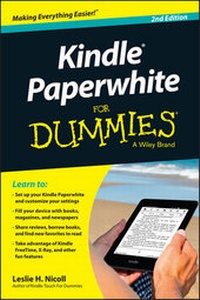
Kindle Paperwhite For Dummies
2nd Edition
Published on 28. January 2014
Book
Paperback/Softback
208 pages
978-1-118-85532-4 (ISBN)
Description
Get the inside story on the all-new Kindle Paperwhite with help from For Dummies
It reads like a book, but it's so much more. The Kindle Paperwhite is the ultimate e-reader, and this updated edition of Kindle Paperwhite For Dummies is your ultimate guide to getting more from this one-of-a-kind device. You'll learn to set up your Paperwhite, adjust the font to your liking, find your favorite books, magazines, and newspapers, and sync your Kindle content across devices before moving on to new Paperwhite features like Kindle FreeTime, Goodreads integration, Vocabulary Builder, In-line Footnotes, and Page Flip.
* Shows you how to navigate the touchscreen, work with the Paperwhite icons, connect via Wi-Fi, customize text size, and get personal recommendations
* Explains how to purchase and download books, try out sample chapters before you buy, subscribe to magazines and newspapers, and find free books or books that can be borrowed from the Kindle Lending Library
* Tells you how to take advantage of cool Kindle Paperwhite features like encouraging reading with Kindle FreeTime, learning new words with Vocabulary Builder, translating passages into other languages, sharing your recommendations with other readers via Goodreads, and delving deeper into a book's characters and content with X-Ray
It's prime time you got to know the powerful, popular Paperwhite with help from Kindle Paperwhite For Dummies, 2nd Edition.
It reads like a book, but it's so much more. The Kindle Paperwhite is the ultimate e-reader, and this updated edition of Kindle Paperwhite For Dummies is your ultimate guide to getting more from this one-of-a-kind device. You'll learn to set up your Paperwhite, adjust the font to your liking, find your favorite books, magazines, and newspapers, and sync your Kindle content across devices before moving on to new Paperwhite features like Kindle FreeTime, Goodreads integration, Vocabulary Builder, In-line Footnotes, and Page Flip.
* Shows you how to navigate the touchscreen, work with the Paperwhite icons, connect via Wi-Fi, customize text size, and get personal recommendations
* Explains how to purchase and download books, try out sample chapters before you buy, subscribe to magazines and newspapers, and find free books or books that can be borrowed from the Kindle Lending Library
* Tells you how to take advantage of cool Kindle Paperwhite features like encouraging reading with Kindle FreeTime, learning new words with Vocabulary Builder, translating passages into other languages, sharing your recommendations with other readers via Goodreads, and delving deeper into a book's characters and content with X-Ray
It's prime time you got to know the powerful, popular Paperwhite with help from Kindle Paperwhite For Dummies, 2nd Edition.
More details
Person
Leslie H. Nicoll provides editorial support to writers through her company, Maine Desk, and is a moderator in the KBoards community.
Content
Introduction 1
Chapter 1: Hello, Kindle Paperwhite 5
Chapter 2: First Things First 11
Chapter 3: Getting to Know Your Kindle Paperwhite 27
Chapter 4: Reading 41
Chapter 5: Finding Content 67
Chapter 6: Loaning, Borrowing, and Gifting 85
Chapter 7: Adding Documents 93
Chapter 8: Expanding the Reading Experience 107
Chapter 9: Kindles for Kids and Students 131
Chapter 10: Accessorizing 147
Chapter 11: Troubleshooting 161
Chapter 12: Ten Helpful Kindle Paperwhite Tips 175
Index 185
Chapter 1: Hello, Kindle Paperwhite 5
Chapter 2: First Things First 11
Chapter 3: Getting to Know Your Kindle Paperwhite 27
Chapter 4: Reading 41
Chapter 5: Finding Content 67
Chapter 6: Loaning, Borrowing, and Gifting 85
Chapter 7: Adding Documents 93
Chapter 8: Expanding the Reading Experience 107
Chapter 9: Kindles for Kids and Students 131
Chapter 10: Accessorizing 147
Chapter 11: Troubleshooting 161
Chapter 12: Ten Helpful Kindle Paperwhite Tips 175
Index 185