

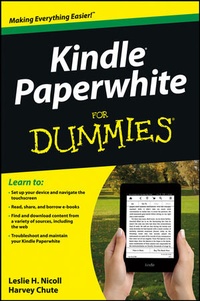
Kindle Paperwhite For Dummies
1st Edition
Published on 22. January 2013
Book
Paperback/Softback
192 pages
978-1-118-56331-1 (ISBN)
Description
Rekindle your love of reading with Amazon's new Kindle Paperwhite and this fun and friendly guide
If you're the proud owner of a Kindle Paperwhite, you'll want to know all the best ways to get the very most out of it - and fast. That's where Kindle Paperwhite For Dummies comes in. This easy-to-follow guide covers all the basics, then takes you beyond to get even more from your eReader. And, it does it all in the friendly but thorough style that has made the For Dummies brand famous. Want to create and manage content? Use text-to-speech? Connect to WiFi? You'll hit the ground running with this practical and fun how-to guide.
* Walks you through basic operations, including how to connect to WiFi, adjusting text size and fonts to your liking, and finding and downloading your favorite e-books, magazines, and more
* Takes you beyond reading showing you how to play audio files, search the web, and take your personal documents with you
* Shows you how to create your own Kindle Paperwhite content, with easy-to-follow steps on how to create and convert content to Kindle formats and publish in the Kindle Store
* Points the way to cool freebies: free content, blogs, games, apps, and other Kindle goodies
* Helps you accessorize and customize your Kindle Paperwhite to make it your own
Kindle Paperwhite For Dummies is your must-have accessory for your new Kindle Paperwhite!
If you're the proud owner of a Kindle Paperwhite, you'll want to know all the best ways to get the very most out of it - and fast. That's where Kindle Paperwhite For Dummies comes in. This easy-to-follow guide covers all the basics, then takes you beyond to get even more from your eReader. And, it does it all in the friendly but thorough style that has made the For Dummies brand famous. Want to create and manage content? Use text-to-speech? Connect to WiFi? You'll hit the ground running with this practical and fun how-to guide.
* Walks you through basic operations, including how to connect to WiFi, adjusting text size and fonts to your liking, and finding and downloading your favorite e-books, magazines, and more
* Takes you beyond reading showing you how to play audio files, search the web, and take your personal documents with you
* Shows you how to create your own Kindle Paperwhite content, with easy-to-follow steps on how to create and convert content to Kindle formats and publish in the Kindle Store
* Points the way to cool freebies: free content, blogs, games, apps, and other Kindle goodies
* Helps you accessorize and customize your Kindle Paperwhite to make it your own
Kindle Paperwhite For Dummies is your must-have accessory for your new Kindle Paperwhite!
More details
Persons
Leslie H. Nicoll provides editorial support to writers through her company, Maine Desk, and is a moderator in the KindleBoards community.
Harvey Chute maintains KindleBoards.com, a blog and message-board community dedicated to all things Kindle.
Harvey Chute maintains KindleBoards.com, a blog and message-board community dedicated to all things Kindle.
Content
Introduction 1
Chapter 1: Hello, Kindle Paperwhite 7
Chapter 2: First Things First 15
Chapter 3: Getting to Know Your Kindle Paperwhite 29
Chapter 4: Reading 41
Chapter 5: Loaning, Borrowing, and Gifting 63
Chapter 6: Finding Content 69
Chapter 7: Adding Documents 89
Chapter 8: Accessorizing 103
Chapter 9: Expanding the Reading Experience 117
Chapter 10: Troubleshooting 135
Chapter 11: Ten Helpful Kindle Paperwhite Tips 149
Index 159
Chapter 1: Hello, Kindle Paperwhite 7
Chapter 2: First Things First 15
Chapter 3: Getting to Know Your Kindle Paperwhite 29
Chapter 4: Reading 41
Chapter 5: Loaning, Borrowing, and Gifting 63
Chapter 6: Finding Content 69
Chapter 7: Adding Documents 89
Chapter 8: Accessorizing 103
Chapter 9: Expanding the Reading Experience 117
Chapter 10: Troubleshooting 135
Chapter 11: Ten Helpful Kindle Paperwhite Tips 149
Index 159