

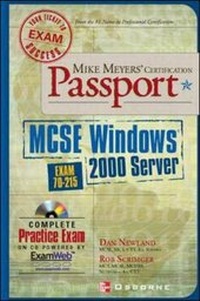
Mike Meyers' MCSE Windows (R) 2000 Server Certification Passport (Exam 70-215)
Published on 20. November 2001
Book
Paperback/Softback
450 pages
978-0-07-219423-4 (ISBN)
Description
Ideal as a stand-alone exam preparation tool, or as a complement to any study guide, the Mike Meyers' Certification Passport series is a focused exam preparation programme. This "passport" provides intensive and concise exam preparation plus practice exam software from recognized experts. With free practice exam software included on the CD the reader experiences exactly what it's like to take the real exam. The book's interior features a unique design that plays off a "travel" theme, making difficult material more interesting. Design icons make learning more fun than the traditional approach of other exam guides. Focusing on only what the candidate needs to know to pass the exam, the reader gets intensive and concise coverage of each official exam objective. Sample questions and answers are at the end of each chapter. All answer options, correct and incorrect, receive detailed explanations as to why the answer is or is not the correct one. The book's compact design is very portable for candidates on the road.
More details
Series
Language
English
Place of publication
New York
United States
Publishing group
McGraw-Hill Education - Europe
Target group
College/higher education
Professional and scholarly
Illustrations
142 Illustrations
Dimensions
Height: 224 mm
Width: 150 mm
Thickness: 25 mm
Weight
611 gr
ISBN-13
978-0-07-219423-4 (9780072194234)
Copyright in bibliographic data and cover images is held by Nielsen Book Services Limited or by the publishers or by their respective licensors: all rights reserved.
Schweitzer Classification
Persons
Dan Newland (Fargo, ND), MCSE, MCT, CTT, A+, has extensive experience both in the classroom and in the field working with Microsoft technologies. As independent trainer and consultant specialising in Windows 2000, he has written several certification preparation titles and understands the needs of this audience.
Content
Ch. 1: Installing Windows 2000 Server Ch. 2: Installing, Configuring and Troubleshooting Access to Resources Ch. 3: Configuring and Troubleshooting Hardware Devices and Drivers. Ch. 4: Managing, Monitoring, and Optimizing System Performance, Reliability and Availability Ch. 5: Managing, Configuring and Troubleshooting Storage Use Ch. 6: Configuring and Troubleshooting Windows 2000 Network Connections Ch. 7: Implementing, Monitoring, and Troubleshooting Security Career Flight Path - Where to go from here? Appendix A: About the CD-ROM