

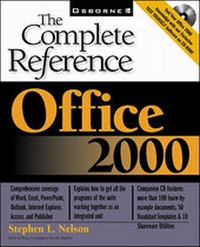
Office 2000: The Complete Reference
Published on 16. June 1999
Book
Paperback/Softback
1104 pages
978-0-07-211859-9 (ISBN)
Description
Published in preparation for the release of Microsoft's Office 2000, this text provides a comprehensive guide to all the features of the new release.
More details
Edition
Annotated edition
Language
English
Place of publication
United States
Publishing group
McGraw-Hill Education - Europe
Target group
Professional and scholarly
Edition type
Annotated edition
Illustrations
illustrations
Dimensions
Height: 229 mm
Width: 191 mm
Thickness: 57 mm
Weight
825 gr
ISBN-13
978-0-07-211859-9 (9780072118599)
Copyright in bibliographic data and cover images is held by Nielsen Book Services Limited or by the publishers or by their respective licensors: all rights reserved.
Schweitzer Classification
Person
Stephen L. Nelson (Redmond, WA) is a best-selling computer book author and consultant who has written more than 50 books and more than 100 articles on using computers for personal and business financial management.
Content
Acknowledgments. Introduction. Part I: Introducing Office. What is Office? Managing Document Files. Using the Common Office Tools. Customizing the Office 2000 Programs. Web Publishing with Office. Part II: Microsoft Word. Laying out a Document. Working Faster and Better. Styles for Consistent and Easy Formatting. Desktop Publishing with Word. Writing Reports and Scholarly Papers. Part III: Microsoft Excel. Excel Basics. Excel Formulas and Functions. Using the Chart Wizard. Working with PivotTables. Advanced Modeling Techniques. Part IV: Microsoft PowerPoint. Creating a PowerPoint Resentation. Customizing Your Presentation. Showing a Presentation. Part V: Microsoft Outlook. Using Outlook for E-Mail. Using Outlook as a Personal Information Manager. Working with Newsgroups. Part VI: Internet Explorer. Browsing the Internet with Internet Explorer. Using Web Components. Internet Explorer Component Programs. Part VII: Microsoft Access. Creating a Database. Building Your Database Tables. Sorting, Filtering , and Querying a Database. Generating Reports and Mailing Labels. Part VIII: Microsoft Publisher. Laying Out a Publication. Adding Content to a Publication. Publishing. Part IX: Appendixes. Index.