

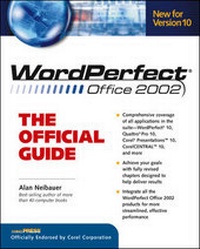
WordPerfect Office 2002: The Official Guide
2nd Edition
Published on 16. May 2001
Book
Paperback/Softback
992 pages
978-0-07-213249-6 (ISBN)
Description
From the official Corel(r) Press--a comprehensive guide to all of the features of the latest WordPerfect release, including QuattroPro(r), Corel Presentations(tm), CorelCENTRAL(tm), and voice recognition software. This official guide is packed with expert tips and techniques from the WordPerfect product development team.
More details
Series
Edition
2nd Revised edition
Language
English
Place of publication
United States
Publishing group
McGraw-Hill Education - Europe
Edition type
Revised edition
Illustrations
400 illustrations
Dimensions
Height: 231 mm
Width: 180 mm
Thickness: 47 mm
Weight
1460 gr
ISBN-13
978-0-07-213249-6 (9780072132496)
Copyright in bibliographic data and cover images is held by Nielsen Book Services Limited or by the publishers or by their respective licensors: all rights reserved.
Schweitzer Classification
Person
Alan Neibauer (Huntington Valley, PA) is the best-selling author of Corel WordPerfect Suite 8: The Official Guide, Access 97 for Busy People, Microsoft Word for Windows 95 Made Easy, and the soon-to-be published Office 2000 Made Easy and WordPerfect Office 2000: The Official Guide. Since 1985, he has published over 30 popular books on both hardware and software. Neibauer has spent over 14 years teaching computer science at the high school and college level and is also a popular corporate trainer in Microsoft Access and other Office Applications. Mr Neibauer is a graduate of the Wharton School, University of Pennsylvania.
Content
Part I: Guide to WordPerfect Office 2000 Suite. Chapter 1: The WordPerfect Office 2000 Suite. Chapter 2: Using Corel Tools and Utilities. Chapter 3: WordPerfect 2000 and the Internet. Chapter 4: Using CorelCENTRAL 9. Part II: WordPerfect 9. Chapter 5: Creating Documents with WordPerfect 9. Chapter 6: Editing Documents. Chapter 7: Formatting Text. Chapter 8: Working with Styles and Templates. Chapter 9: Formatting Pages. Chapter 10: Using Tables, Columns, and Other Formats. Chapter 11: Customizing WordPerfect 9. Chapter 12: Creating Form Letters and Labels. Chapter 13: Working with Graphics. Chapter 14: Sharing Information. Part III: Quattro Pro 9. Chapter 15: Introducing Quattro Pro 9. Chapter 16: Creating a Worksheet. Chapter 17: Editing and Formatting Worksheets. Chapter 18: Working with Blocks, Windows & Notebooks. Chapter 19: Working with Functions and Formulas. Chapter 20: Charts, Maps and Graphs. Chapter 21: Analyzing Data. Chapter 22: Streamlining Your Work. Part IV: Corel Presentations 9. Chapter 23: Using Corel Presentations 9. Chapter 24: Working with Corel Presentations 9 Graphics. Chapter 25: Creating Slide Shows.