

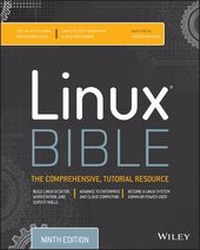
Linux Bible
9th Edition
Published on 15. May 2015
Book
Paperback/Softback
912 pages
978-1-118-99987-5 (ISBN)
Description
The industry favorite Linux guide, updated for Red Hat Enterprise Linux 7 and the cloud
Linux Bible, 9th Edition is the ultimate hands-on Linux user guide, whether you're a true beginner or a more advanced user navigating recent changes. This updated ninth edition covers the latest versions of Red Hat Enterprise Linux 7 (RHEL 7), Fedora 21, and Ubuntu 14.04 LTS, and includes new information on cloud computing and development with guidance on Openstack and Cloudforms. With a focus on RHEL 7, this practical guide gets you up to speed quickly on the new enhancements for enterprise-quality file systems, the new boot process and services management, firewalld, and the GNOME 3 desktop. Written by a Red Hat expert, this book provides the clear explanations and step-by-step instructions that demystify Linux and bring the new features seamlessly into your workflow.
This useful guide assumes a base of little or no Linux knowledge, and takes you step by step through what you need to know to get the job done.
* Get Linux up and running quickly
* Master basic operations and tackle more advanced tasks
* Get up to date on the recent changes to Linux server system management
* Bring Linux to the cloud using Openstack and Cloudforms
Linux Bible, 9th Edition is the one resource you need, and provides the hands-on training that gets you on track in a flash.
Linux Bible, 9th Edition is the ultimate hands-on Linux user guide, whether you're a true beginner or a more advanced user navigating recent changes. This updated ninth edition covers the latest versions of Red Hat Enterprise Linux 7 (RHEL 7), Fedora 21, and Ubuntu 14.04 LTS, and includes new information on cloud computing and development with guidance on Openstack and Cloudforms. With a focus on RHEL 7, this practical guide gets you up to speed quickly on the new enhancements for enterprise-quality file systems, the new boot process and services management, firewalld, and the GNOME 3 desktop. Written by a Red Hat expert, this book provides the clear explanations and step-by-step instructions that demystify Linux and bring the new features seamlessly into your workflow.
This useful guide assumes a base of little or no Linux knowledge, and takes you step by step through what you need to know to get the job done.
* Get Linux up and running quickly
* Master basic operations and tackle more advanced tasks
* Get up to date on the recent changes to Linux server system management
* Bring Linux to the cloud using Openstack and Cloudforms
Linux Bible, 9th Edition is the one resource you need, and provides the hands-on training that gets you on track in a flash.
More details
Other editions
New editions
Christopher Negus
Linux Bible
Book
03/2020
10th Edition
Wiley
€61.90
Article exhausted; check for reprint
Previous edition
Christopher Negus | Christine Bresnahan
Linux Bible
Book
09/2012
8th Edition
Wiley
€49.90
Article exhausted; check for reprint
Person
Christopher Negus has been teaching and writing about Linux and UNIX for more than 25 years. He is an instructor and principal technical writer for Red Hat, Inc., and the author of dozens of Linux and UNIX books, including Red Hat Linux Bible (all editions), CentOS Bible, Fedora Bible, Ubuntu Linux Toolbox, Linux Troubleshooting Bible, Linux Toys,and Linux Toys II.
Content
Acknowledgments xi
Introduction xxxiii
Part I: Getting Started 1
Chapter 1: Starting with Linux 3
Chapter 2: Creating the Perfect Linux Desktop 29
Part II: Becoming a Linux Power User 63
Chapter 3: Using the Shell 65
Chapter 4: Moving around the Filesystem 97
Chapter 5: Working with Text Files 117
Chapter 6: Managing Running Processes 137
Chapter 7: Writing Simple Shell Scripts 153
Part III: Becoming a Linux System Administrator 171
Chapter 8: Learning System Administration 173
Chapter 9: Installing Linux x 201
Chapter 10: Getting and Managing Software 233
Chapter 11: Managing User Accounts 259
Chapter 12: Managing Disks and Filesystems 283
Part IV: Becoming a Linux Server Administrator 313
Chapter 13: Understanding Server Administration 315
Chapter 14: Administering Networking 347
Chapter 15: Starting and Stopping Services 377
Chapter 16: Configuring a Print Server r 423
Chapter 17: Configuring a Web Server 449
Chapter 18: Configuring an FTP Server 477
Chapter 19: Configuring a Windows File Sharing (Samba) Server r 499
Chapter 20: Configuring an NFS File Server r 527
Chapter 21: Troubleshooting Linux 551
Part V: Learning Linux Security Techniques 589
Chapter 22: Understanding Basic Linux Security 591
Chapter 23: Understanding Advanced Linux Security 627
Chapter 24: Enhancing Linux Security with SELinux 669
Chapter 25: Securing Linux on a Network 699
Part VI: Extending Linux into the Cloud 727
Chapter 26: Using Linux for Cloud Computing 729
Chapter 27: Deploying Linux to the Cloud 749
Part VII: Appendixes 769
Appendix A: Media 771
Appendix B: Exercise Answers 781
Index 839
Introduction xxxiii
Part I: Getting Started 1
Chapter 1: Starting with Linux 3
Chapter 2: Creating the Perfect Linux Desktop 29
Part II: Becoming a Linux Power User 63
Chapter 3: Using the Shell 65
Chapter 4: Moving around the Filesystem 97
Chapter 5: Working with Text Files 117
Chapter 6: Managing Running Processes 137
Chapter 7: Writing Simple Shell Scripts 153
Part III: Becoming a Linux System Administrator 171
Chapter 8: Learning System Administration 173
Chapter 9: Installing Linux x 201
Chapter 10: Getting and Managing Software 233
Chapter 11: Managing User Accounts 259
Chapter 12: Managing Disks and Filesystems 283
Part IV: Becoming a Linux Server Administrator 313
Chapter 13: Understanding Server Administration 315
Chapter 14: Administering Networking 347
Chapter 15: Starting and Stopping Services 377
Chapter 16: Configuring a Print Server r 423
Chapter 17: Configuring a Web Server 449
Chapter 18: Configuring an FTP Server 477
Chapter 19: Configuring a Windows File Sharing (Samba) Server r 499
Chapter 20: Configuring an NFS File Server r 527
Chapter 21: Troubleshooting Linux 551
Part V: Learning Linux Security Techniques 589
Chapter 22: Understanding Basic Linux Security 591
Chapter 23: Understanding Advanced Linux Security 627
Chapter 24: Enhancing Linux Security with SELinux 669
Chapter 25: Securing Linux on a Network 699
Part VI: Extending Linux into the Cloud 727
Chapter 26: Using Linux for Cloud Computing 729
Chapter 27: Deploying Linux to the Cloud 749
Part VII: Appendixes 769
Appendix A: Media 771
Appendix B: Exercise Answers 781
Index 839