

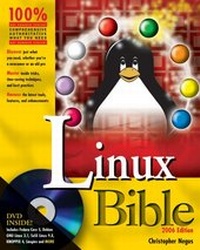
Linux Bible
Boot Up to Fedora , KNOPPIX, Debian , SUSE , Ubuntu , and 7 Other Distributions. 2006 Edition
1st Edition
Published on 1. December 2005
Book
Paperback/Softback
912 pages
978-0-471-75489-3 (ISBN)
Description
If Linux can do it, you can do it too.
Once you switch to Linux, you may never go back. Join the move to this fast-growing open source operating system with the step-by-step guidance you need to install and administer Linux on your desktop, network server, or workstation. This comprehensive guide describes key components and walks you through installation, security, your favorite desktop applications, and a multitude of Linux distributions. Already experienced with Linux? Get up to speed on new desktop and server enhancements, improved administration tools, and the latest in each distribution.
Inside, you'll find complete coverage of Linux
* Try out new features in Fedora, KNOPPIX, and ten other Linux distributions from bonus DVD and CD
* Run complete bootable Linux distributions without installing
* Boost productivity by learning Linux desktop, shell, and system administration features
* Set up safe connections to the Internet using firewalls and other security tools
* Go multimedia with hot new apps for movies, music, video, images, and games
* Get online with the Firefox Web browser and Thunderbird e-mail client
* Discover programming environments and tools to help you develop your own software
* Configure a Web server (LAMP) and e-mail server to become part of the Internet
Once you switch to Linux, you may never go back. Join the move to this fast-growing open source operating system with the step-by-step guidance you need to install and administer Linux on your desktop, network server, or workstation. This comprehensive guide describes key components and walks you through installation, security, your favorite desktop applications, and a multitude of Linux distributions. Already experienced with Linux? Get up to speed on new desktop and server enhancements, improved administration tools, and the latest in each distribution.
Inside, you'll find complete coverage of Linux
* Try out new features in Fedora, KNOPPIX, and ten other Linux distributions from bonus DVD and CD
* Run complete bootable Linux distributions without installing
* Boost productivity by learning Linux desktop, shell, and system administration features
* Set up safe connections to the Internet using firewalls and other security tools
* Go multimedia with hot new apps for movies, music, video, images, and games
* Get online with the Firefox Web browser and Thunderbird e-mail client
* Discover programming environments and tools to help you develop your own software
* Configure a Web server (LAMP) and e-mail server to become part of the Internet
More details
Series
Edition
1., Aufl.
Language
English
Place of publication
Foster City
United States
Publishing group
John Wiley & Sons Inc
Target group
Professional and scholarly
Edition type
New edition
Illustrations
Illustrations
Dimensions
Height: 23.3 cm
Width: 18.8 cm
Weight
1355 gr
ISBN-13
978-0-471-75489-3 (9780471754893)
Schweitzer Classification
Other editions
New editions
Christopher Negus
Linux Bible 2007 Edition
Boot up to Ubuntu , Fedora , KNOPPIX, Debian , SUSE , and 11 Other Distributions
Book
03/2007
1st Edition
Wiley
€39.90
Article exhausted; check different version
Additional editions
Christopher Negus
Linux Bible
Boot Up to Fedora, KNOPPIX, Debian, SUSE, Ubuntu, and 7 Other Distributions, 2006 Edition
E-Book
01/2006
2nd Edition
Wiley
€36.40
Available for download
Person
Christopher Negus (Reedsberg, WI) is the author of the best-selling Red Hat Linux Bibles, Linux Toys, and Linux Troubleshooting Bible. He is a member of the Madison Linux User's Group. Prior to becoming a full-time writer, Chris served on development teams for the UNIX operating system at AT&T Bell Labs where UNIX was created and developed. He later worked with Novell on UNIX development and Caldera.
Content
PART I: LINUX FIRST STEPS.1. Starting with Linux.2. Running Commands from the Shell.3. Getting into the Desktop.PART II: RUNNING THE SHOW.4. Learning Basic Administration.5. Getting on the Internet.6. Securing Linux.PART III: CHOOSING AND INSTALLING A LINUX DISTRIBUTION.7. Installing Linux.8. Running Fedora Core and Red Hat Enterprise Linux.9. Running Debian GNU/Linux.10. Running SUSE Linux.11. Running KNOPPIX.12. Running Yellow Dog Linux.13. Running Gentoo Linux.14. Running Slackware Linux.15. Running Linspire.16. Running Mandriva.17. Running Ubuntu Linux.18. Running a Linux Firewall/Router.19. Running Bootable Linux Distribution.PART IV: RUNNING APPLICATIONS.20. Playing Music and Video.21. Working with Words and Images.22. E Mailing and Web Browsing.23. Gaming in Linux.PART V: RUNNING SERVERS.24. Running a Linux, Apache, MySQL, and PHP (LAMP) Server.25. Running a Mail Server.26. Running a Print Server.27. Running a File Server.PART VI: PROGRAMMING IN LINUX.28. Programming Enviornments and Interfaces.29. Programming Tools and Utilities.Appendix A: Media.Appendix B: Entering the Linux Community.Index.